

Update Invoice Description
💡 What is this feature !?
Update Invoice Description: Allows you to modify the description for all new generated invoices associated with a contract.
So only the newly generated invoice will have this description
Let's see how it's work.
1. Contract
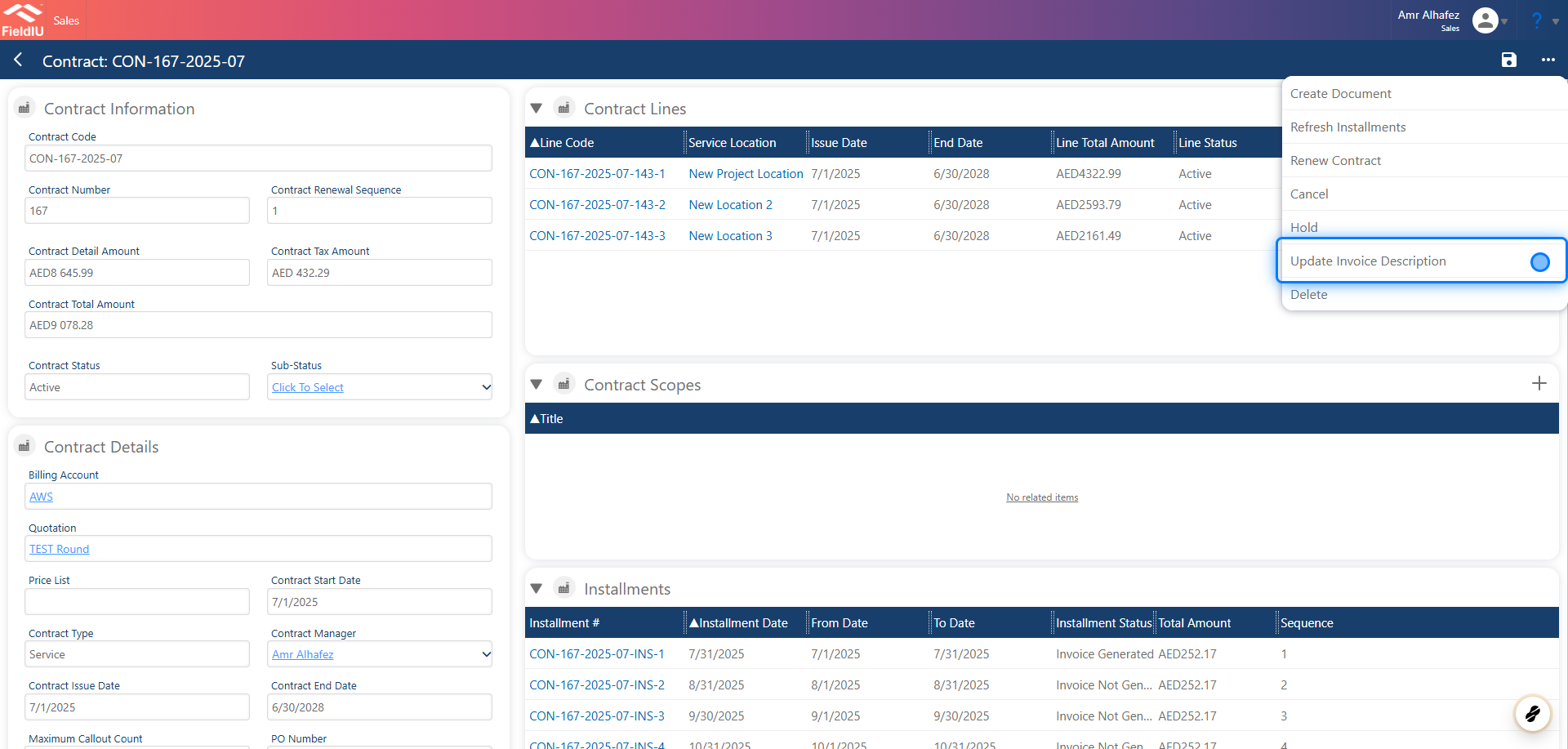
To update the invoice description, open any contract and click the three-dot menu. Then select 'Update Invoice Description' from the dropdown options.
2. Description Area
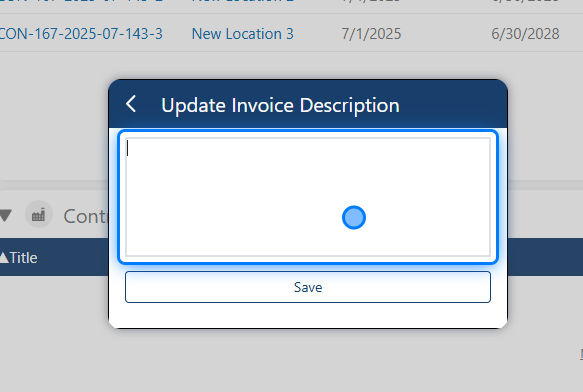
A new text area will appear, allowing you to enter the desired invoice description.
3. Get the entity fields
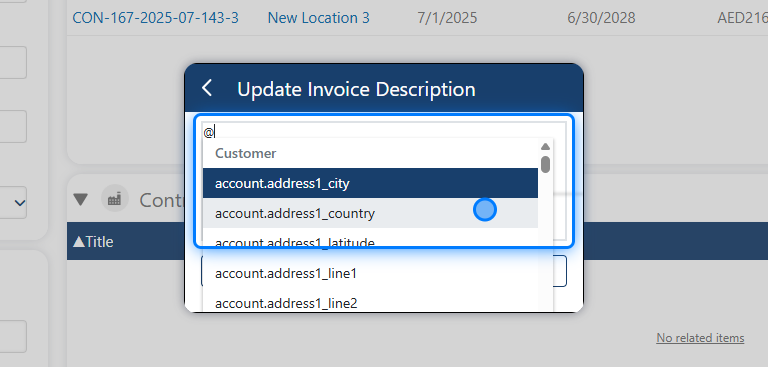
You can type @ to insert dynamic fields. Available options include fields from: Customers, Invoice, Contract, and Installment
4. Click on Save
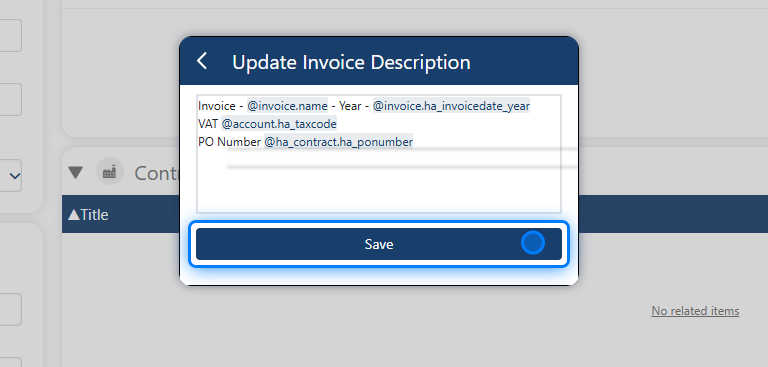
After entering your text, click 'Save' to apply the changes.
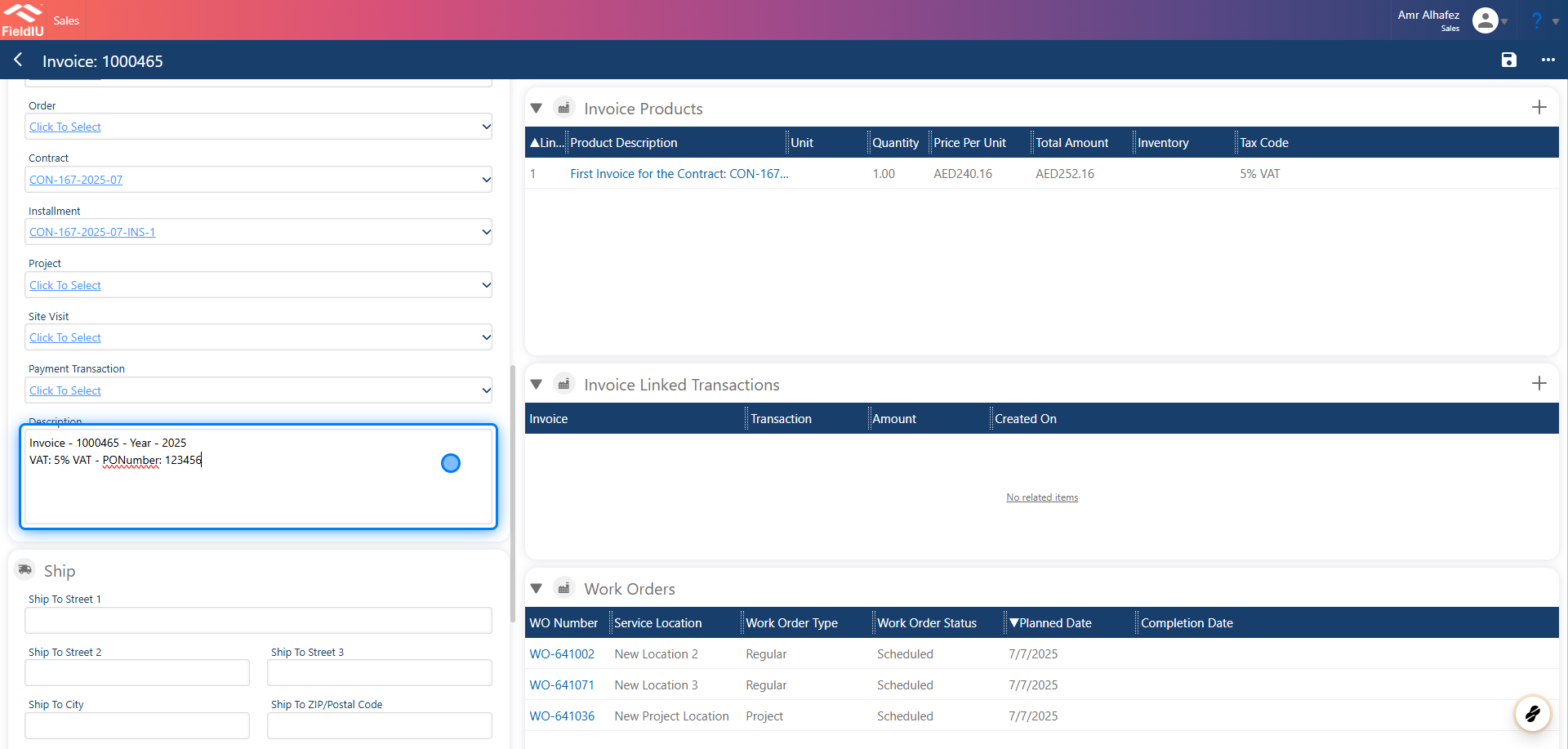
5. Invoice Description
Now, when you access any installment and generate its invoice, the invoice will include the description you entered.
 �����������������������