

Customer Portal Intro
The Customer Portal is an integrated webview within the Fieldiu system. It allows customers to:
-
Monitor all activities related to their visits
-
Submit complaints
-
View scheduled work orders
-
Review findings
-
Check monitoring points
-
And More Helpful things .
1. Main Window
The main window features a sidebar menu that includes the following sections:
-
Dashboard : Provides an overview of work orders and related findings.
-
Work Orders : Displays detailed information about all work orders.
-
Work Order Findings : Shows all findings recorded during work orders.
-
Trend Analysis : Helps generate trend charts for better insight.
-
Floor Plans : Allows you to view floor plans and readings points in the floor.
-
Complaints : Used to manage and track customer complaints.
-
Service Locations : Enables tracking of all service locations and the work orders associated with them.
-
Invoices : Manage all invoices and payment details.
-
Reports : Access all reports generated by the system.
-
Products : View all products used at customer locations, including product certificates and detailed information.
-
Employee Documents : Allows customers to access company employee documents to facilitate access permissions without needing to request documents manually.
-
Users : Manage all users who have access to the customer portal.
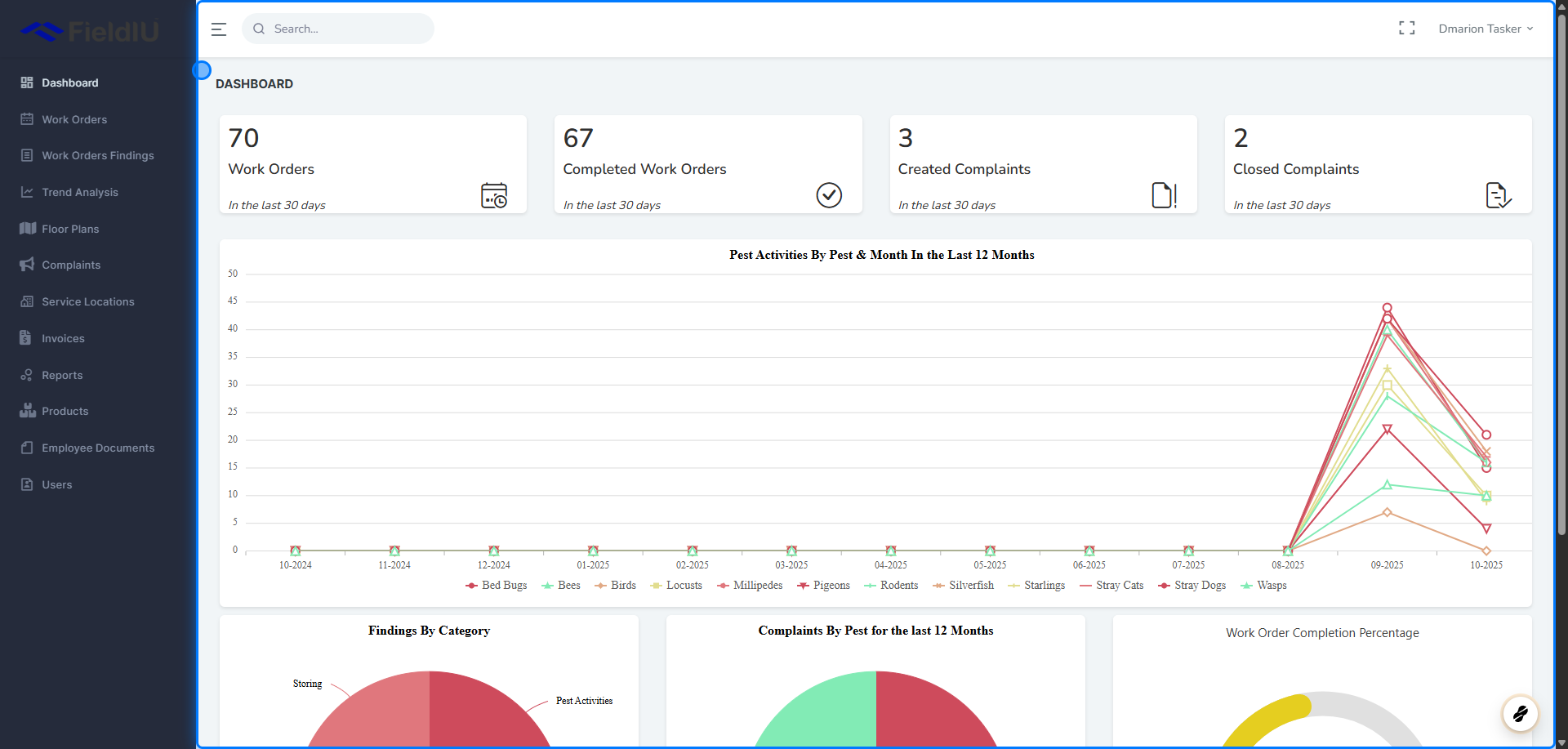
Dashboard
2. Work Orders & Complaints
Work Orders & Complaints Section
This section displays statistics from the last 30 days, including:
-
Total Work Orders
-
Completed Work Orders
-
Created Complaints
-
Closed Complaints

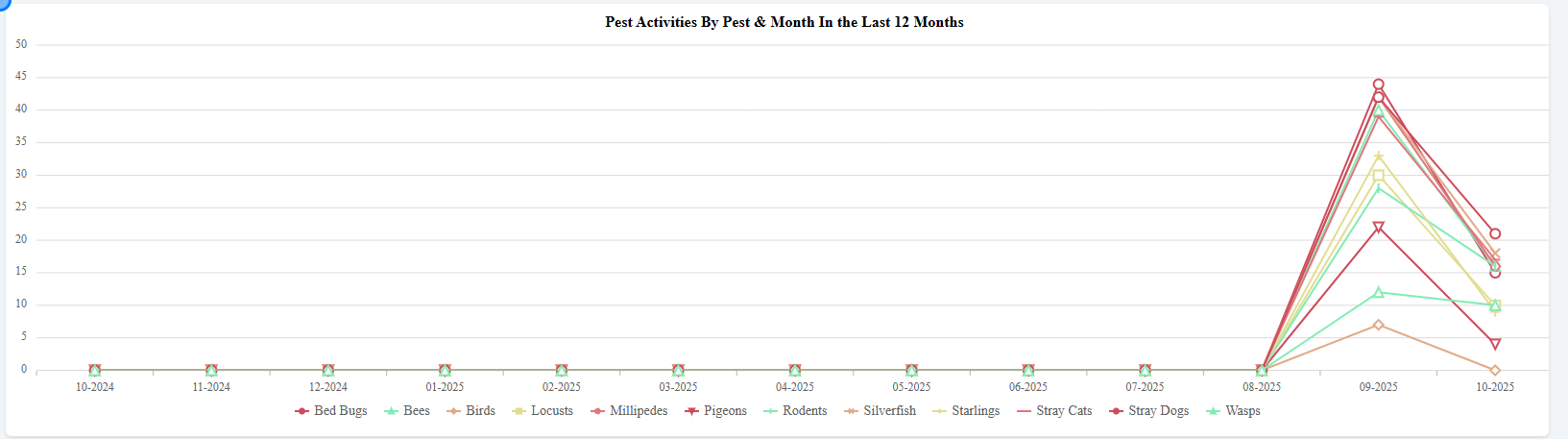
3. Pest Activates By Pest & Months for the last 12 Months
4. Pie Charts
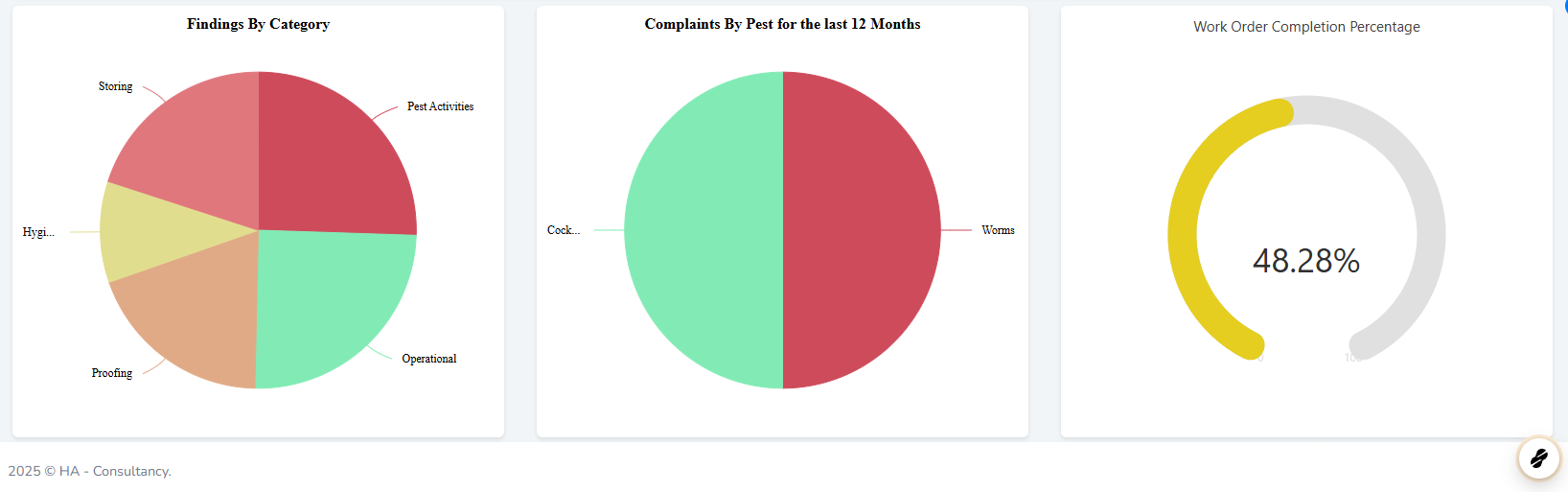
The pie charts provide visual summaries of the following data for the last 12 months:
-
Findings by category
-
Complaints by pest type
-
Work order completion percentage
 �����������������������