

Customer Portal
Customer Portal Complaints
Used to manage and track complaints.
1. Main Window
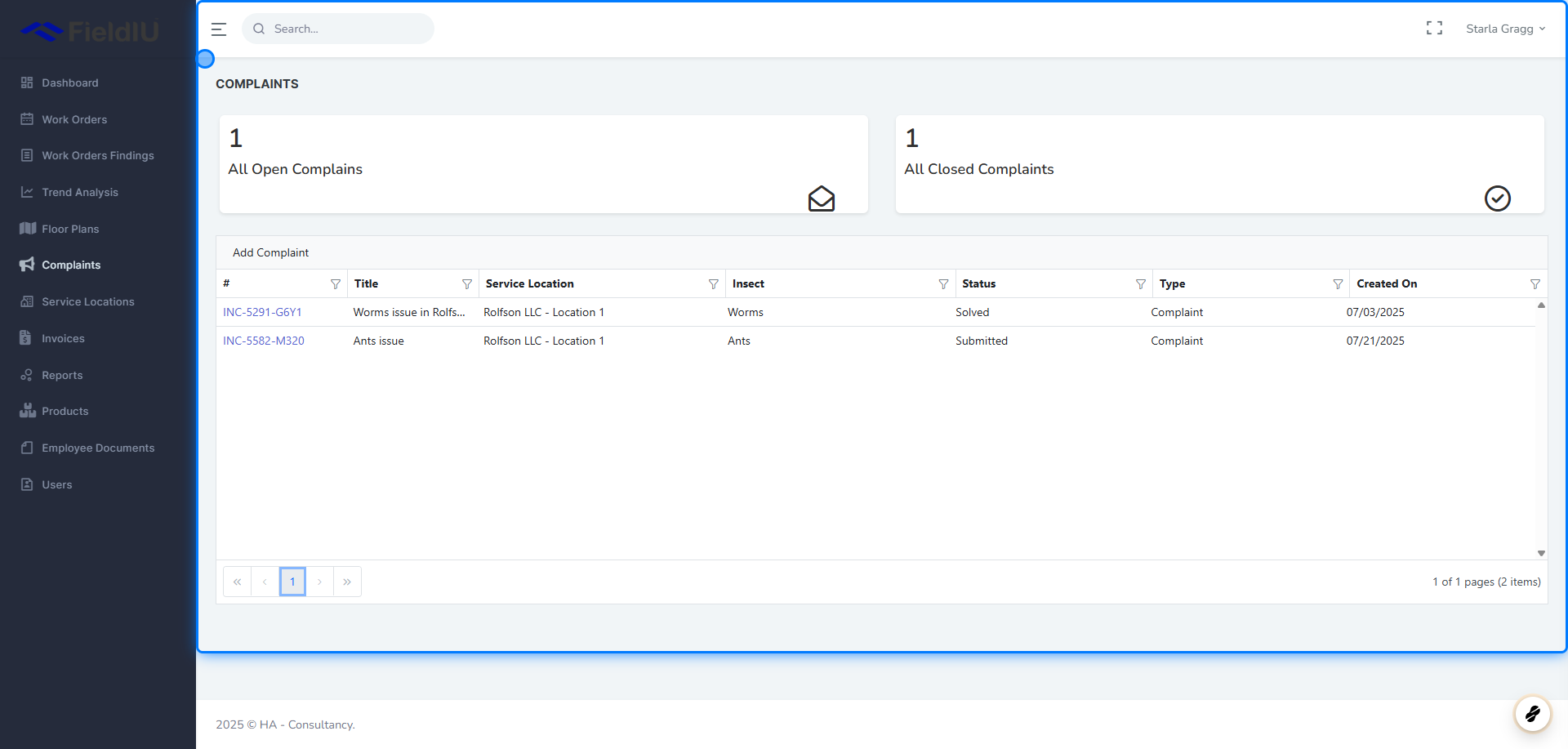
In the main window, you will see a summary of the total number of open and closed complaints.
Below the summary, all complaints in the system are listed for easy access and review.
2. Add Complaint
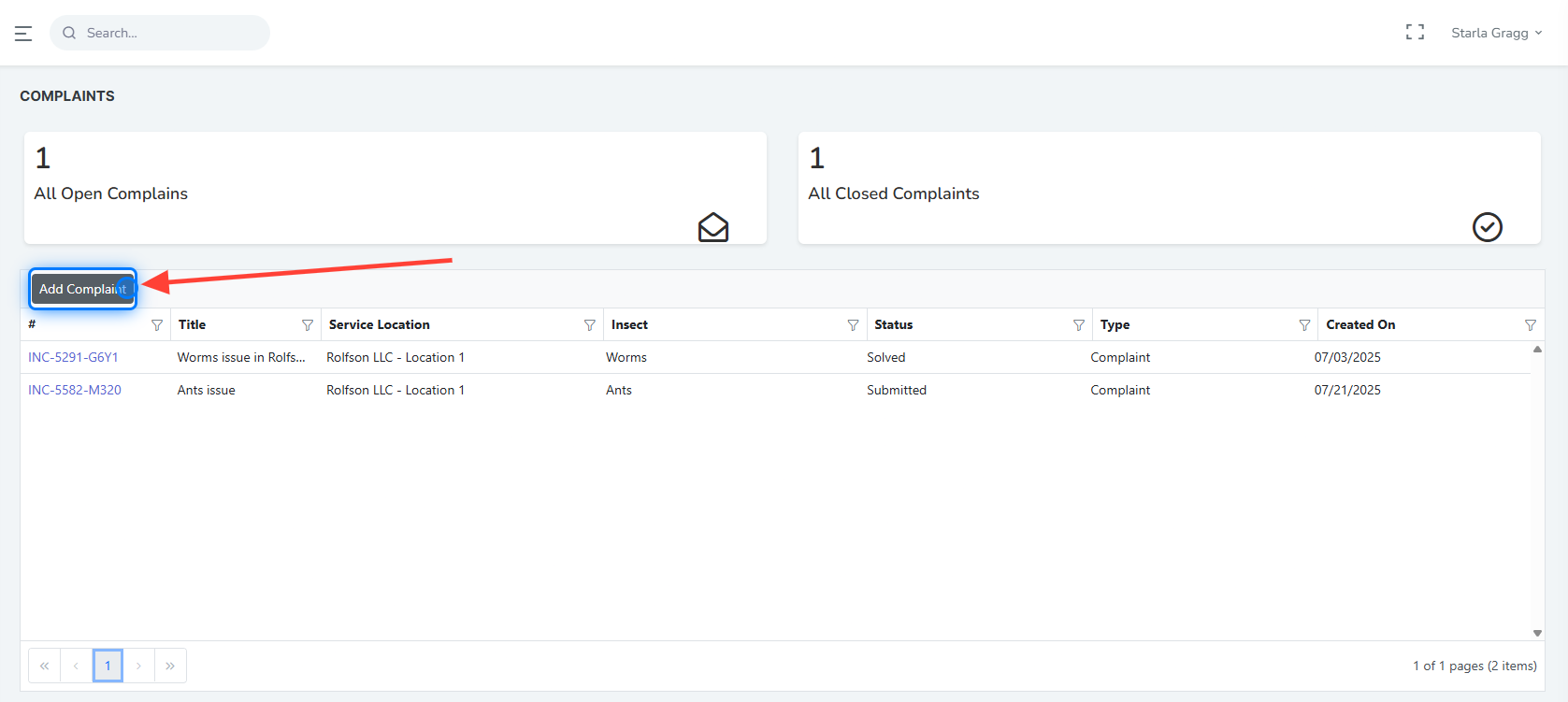
You can add a new complaint by clicking the Add Complaint button.
3. New Complaint Window
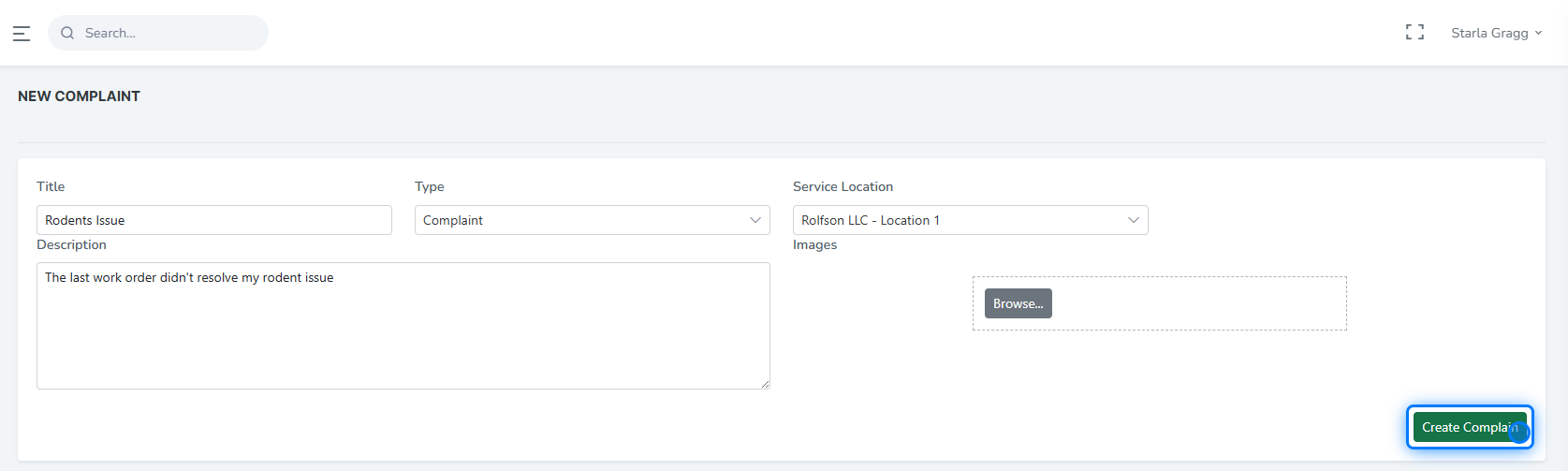
Once you add a new complaint, a window will open where you can enter the complaint details, including:
-
Title
-
Type
-
Service Location
-
Description
-
Image (optional)
4. Types
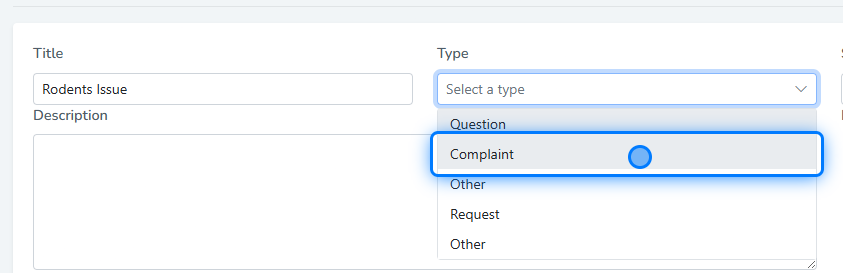
There are several complaint types available to choose from, including:
-
Question
-
Complaint
-
Request
-
Other
5. Comments
After submitting a complaint, you can view its details, track its status, and communicate with the company using the comment section .
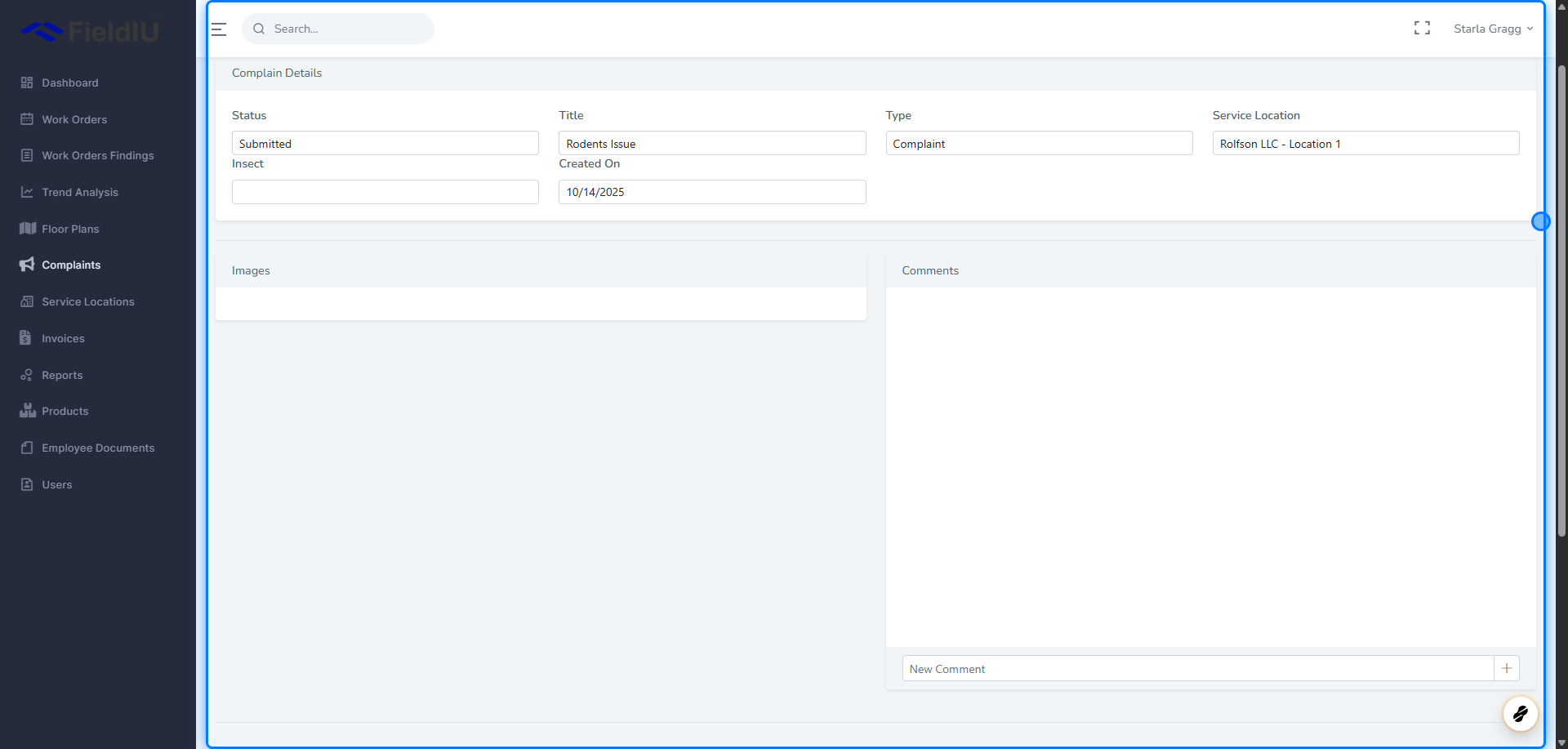
💡 You can follow up on any complaint at any time by clicking on it from the list.�����������������������