

Sales
Monitoring Points Definition - Contract
1. Adding New Monitoring Point Definition
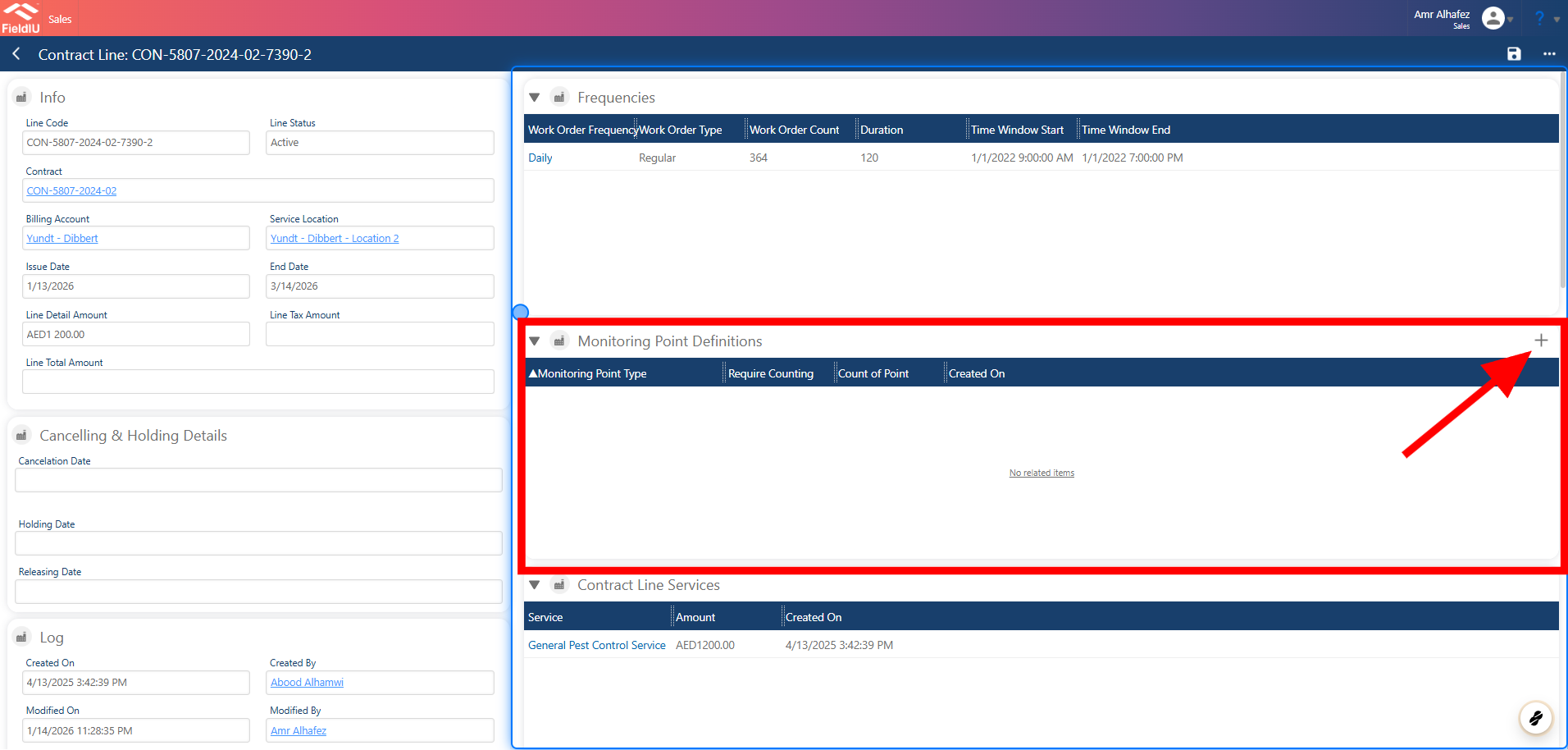
In the Contract Line under the Monitoring Points section, click the + button.
2. Main Details
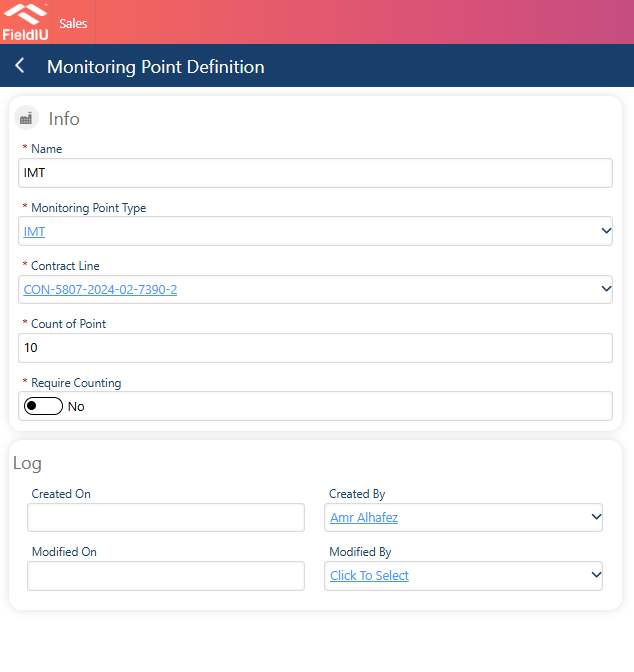
Insert the Main Details for the Monitoring Point Definition , Then Save.
3. Creating New Monitoring Point
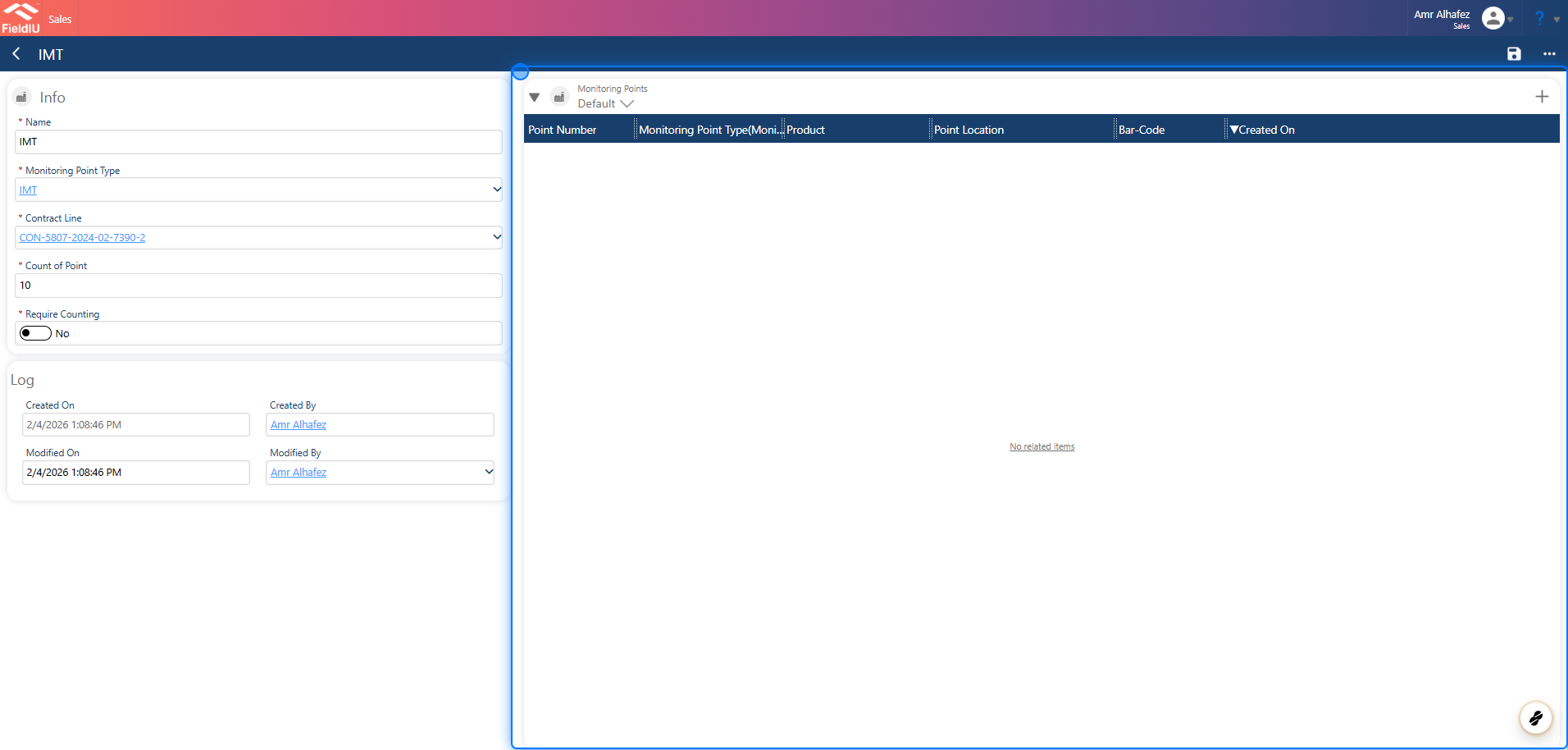
Once you save, a new section will open.
Here, you can add additional monitoring points directly, just like in the mobile app.
4. Install New Monitoring Point
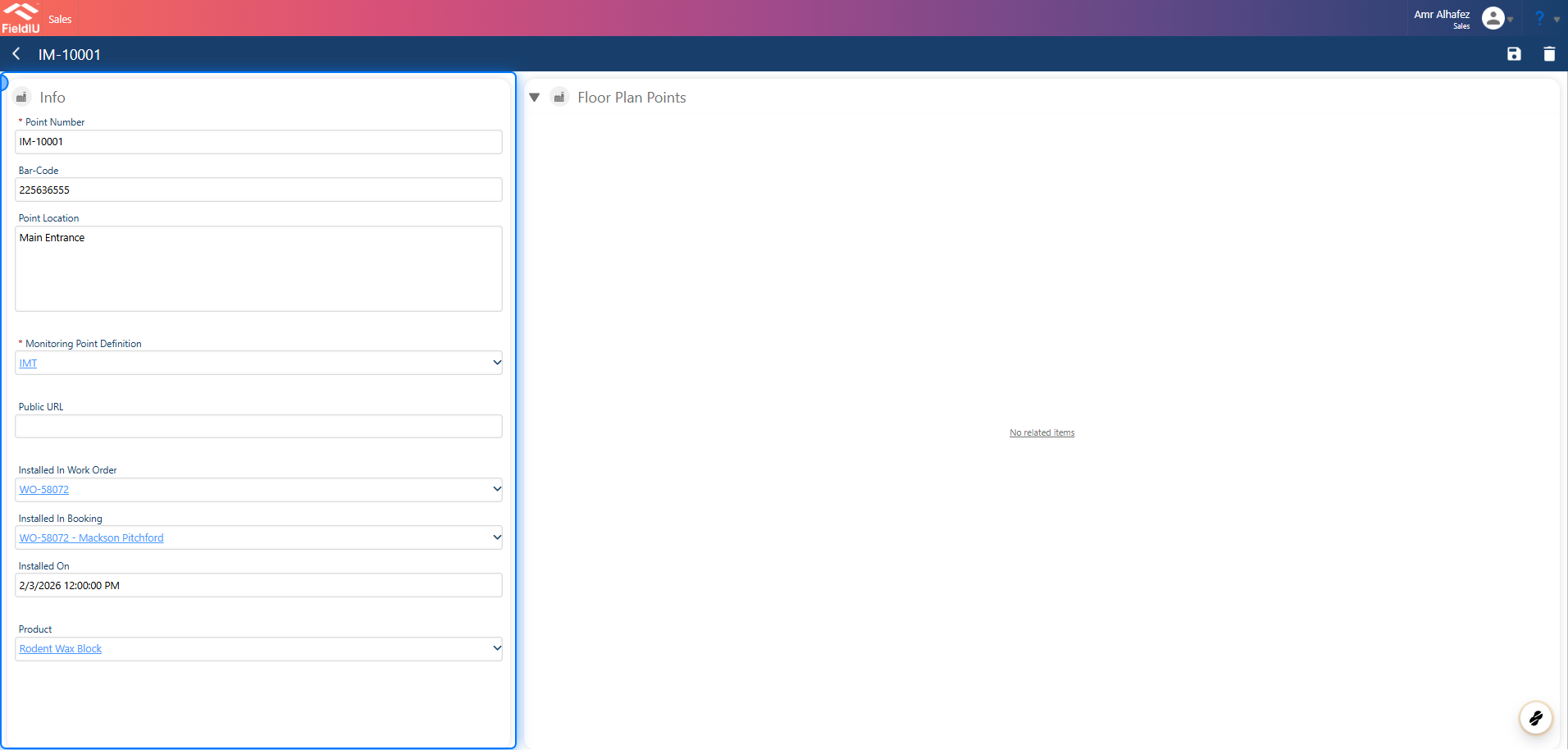
Once you click the + button to add a new monitoring point,
you will see the main form.
Simply enter the details and click Save .
 �����������������������