

Payments
The payments function is to insert customer payments and link them with one or more invoices.
1. Create New Payment
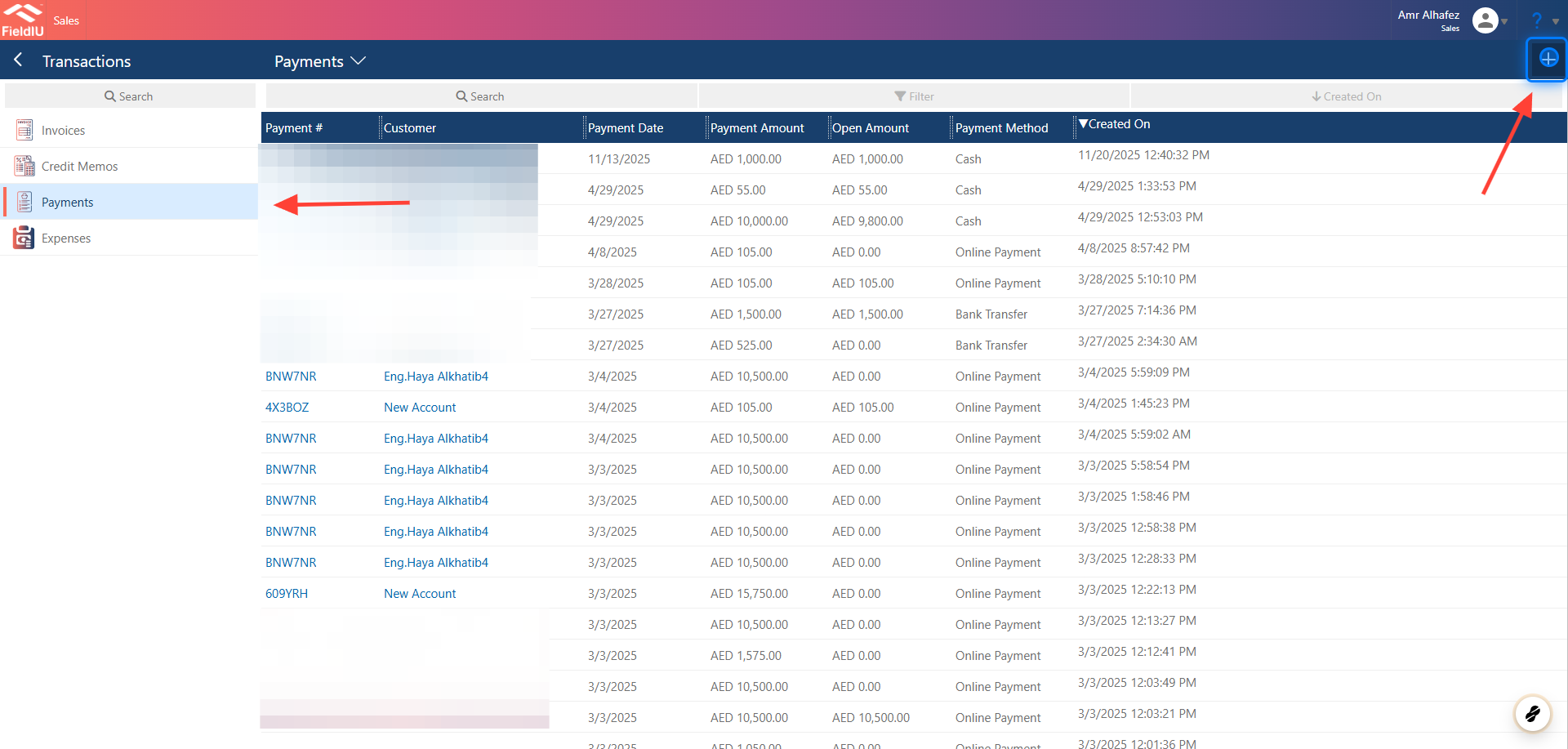
To create a new payment, open the Sales/Accountant app, then from the sidebar menu select Transactions → Payments .
2. Payment Details
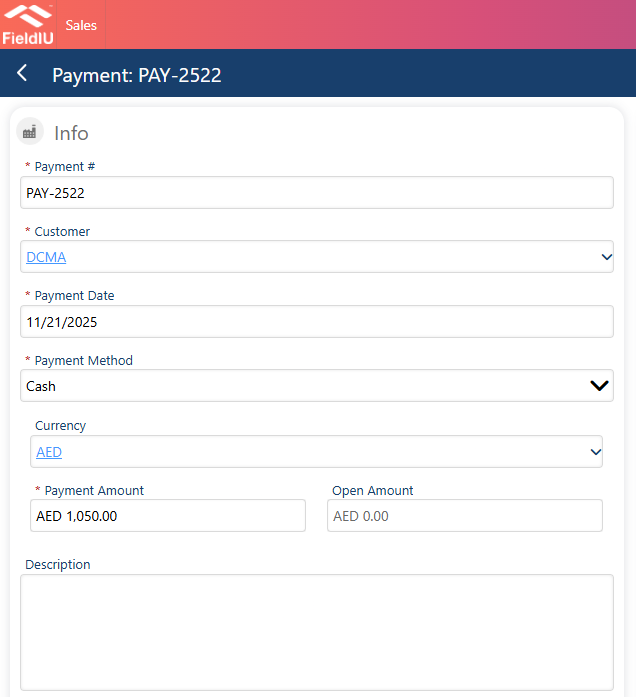
A new window will open for you to enter the payment details:
-
Payment #
-
Customer
-
Payment Date
-
Payment Method
-
Currency
-
Payment Amount
-
Description
3. Payment Method
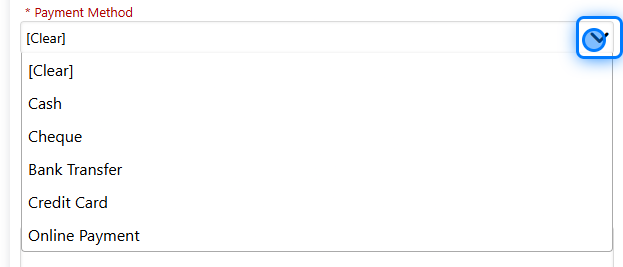
You can select the payment method, whether it is:
-
Cash
-
Cheque
-
Bank transfer
-
Credit card
-
Online payment
4. Link Invoice
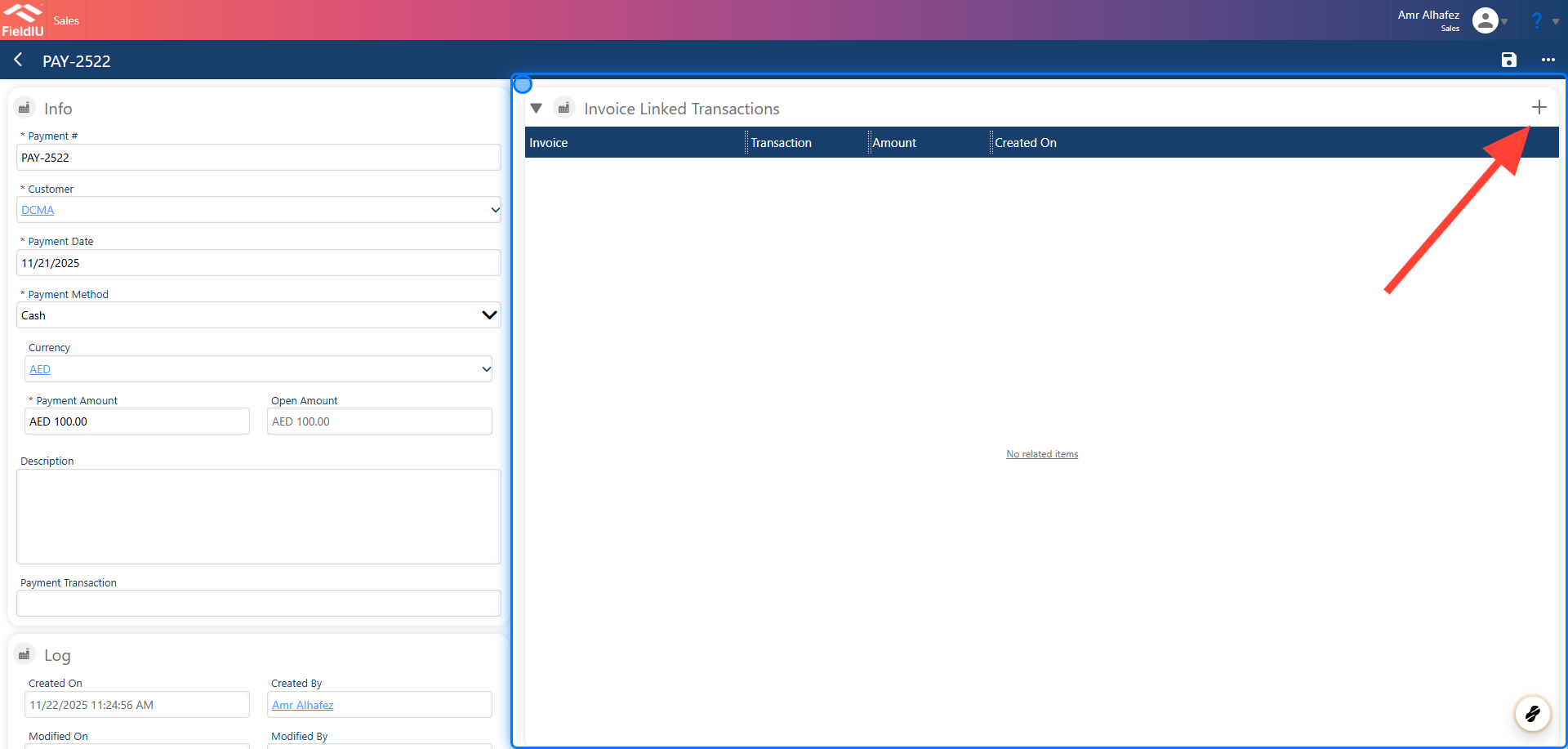
Once you save the details, a new section will open for you to link this payment with a specific invoice or multiple invoices for the same selected customer.
5. Linked Invoice Details
Linked Invoice Details
Once you create a new link, you need to enter the invoice details:
-
Invoice
-
Amount
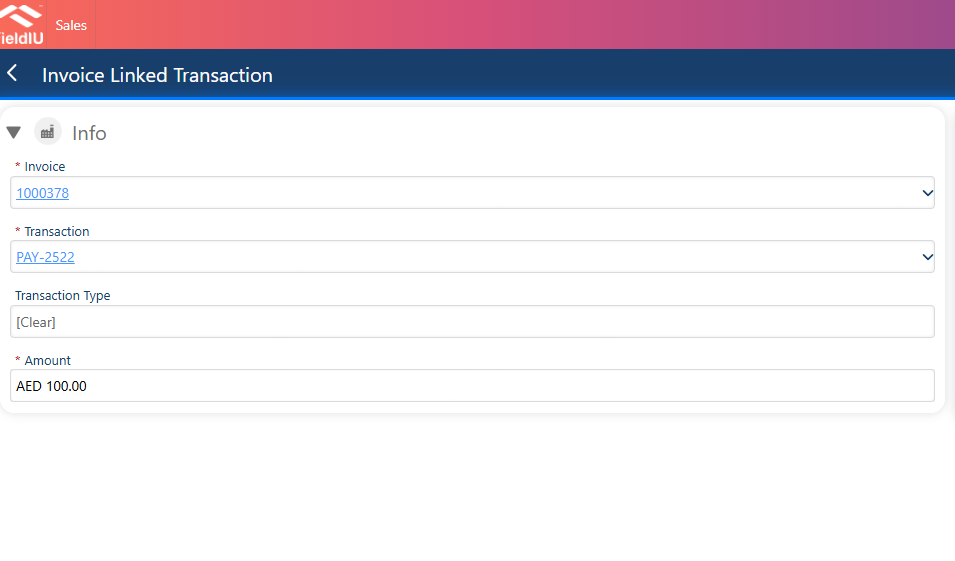
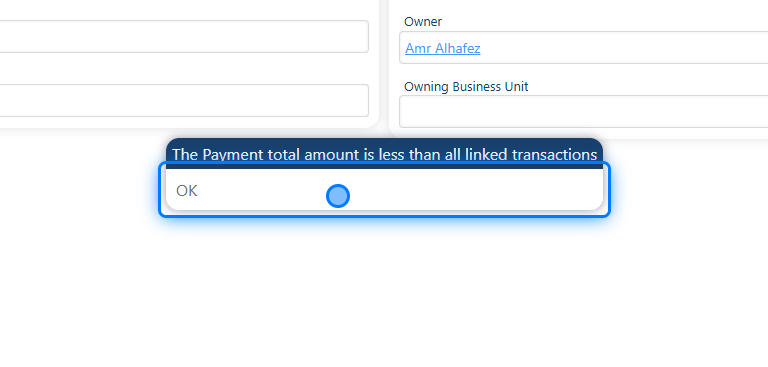
⚠️ The amount cannot be greater than the payment amount.
6.
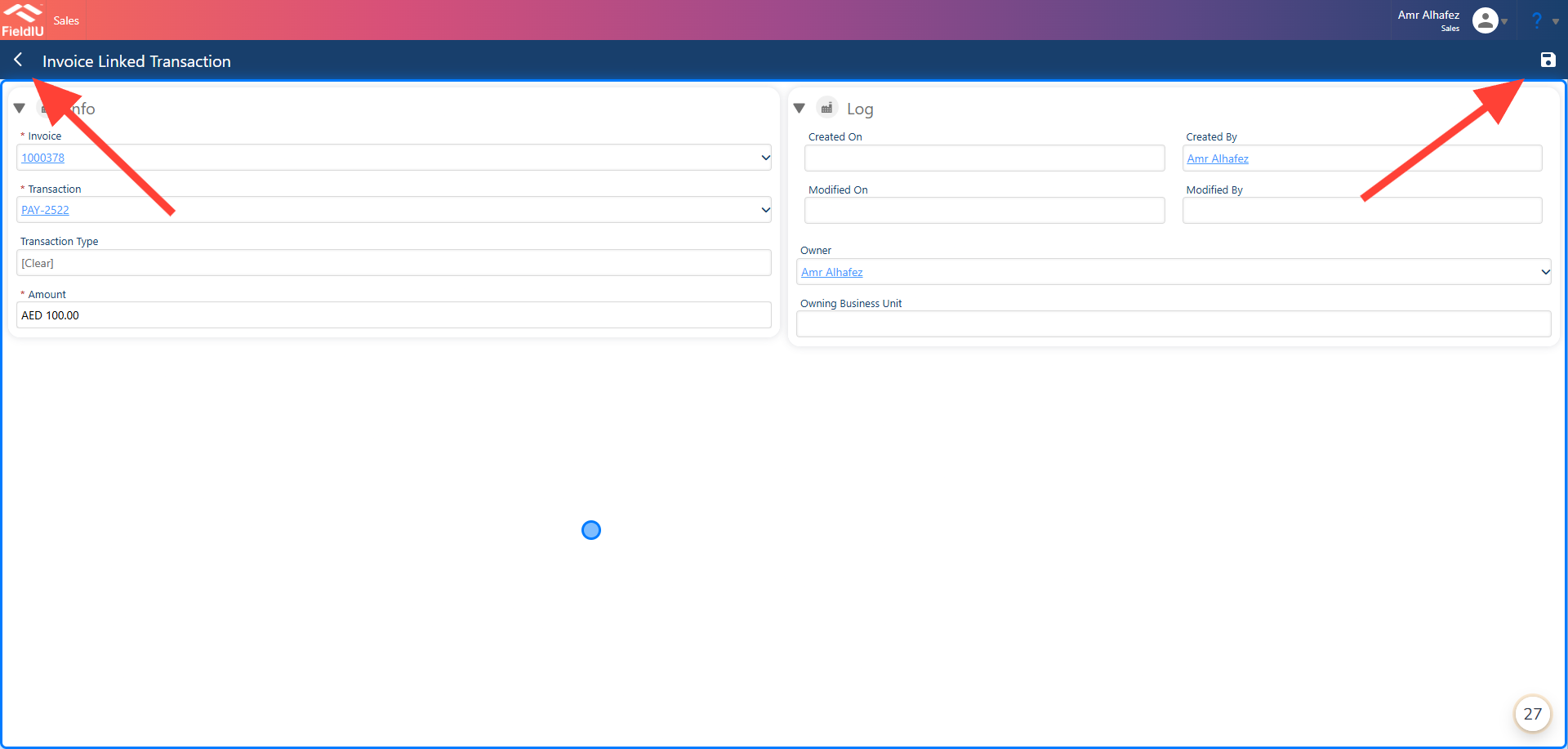
7. Save And Back
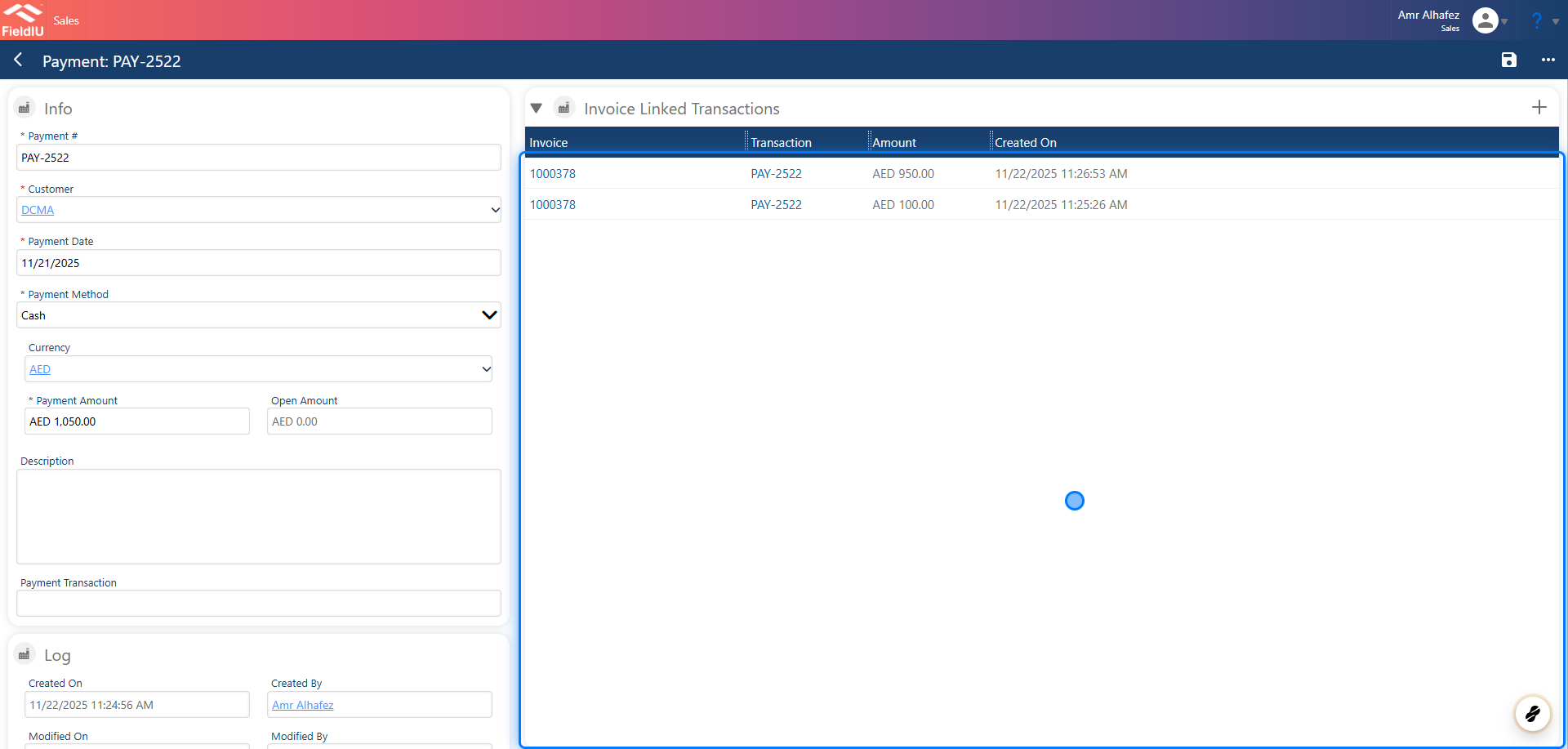
8. All Linked
Once you return to the payment, you will find the linked invoice details in its own section.
 �����������������������