

Findings Pre-Defined Details
Finding Pre-Defined Details: This feature allows you to streamline the process of entering details during a visit. As an admin, you can define predefined details for each finding category, making it easier for field staff to select the appropriate information.
1. Create New Pre-Defined Details
To create new Finding Pre-Defined Details, navigate to the Admin App, then in the side bar menu Operations Management -> Finding Pre-Defined Details.
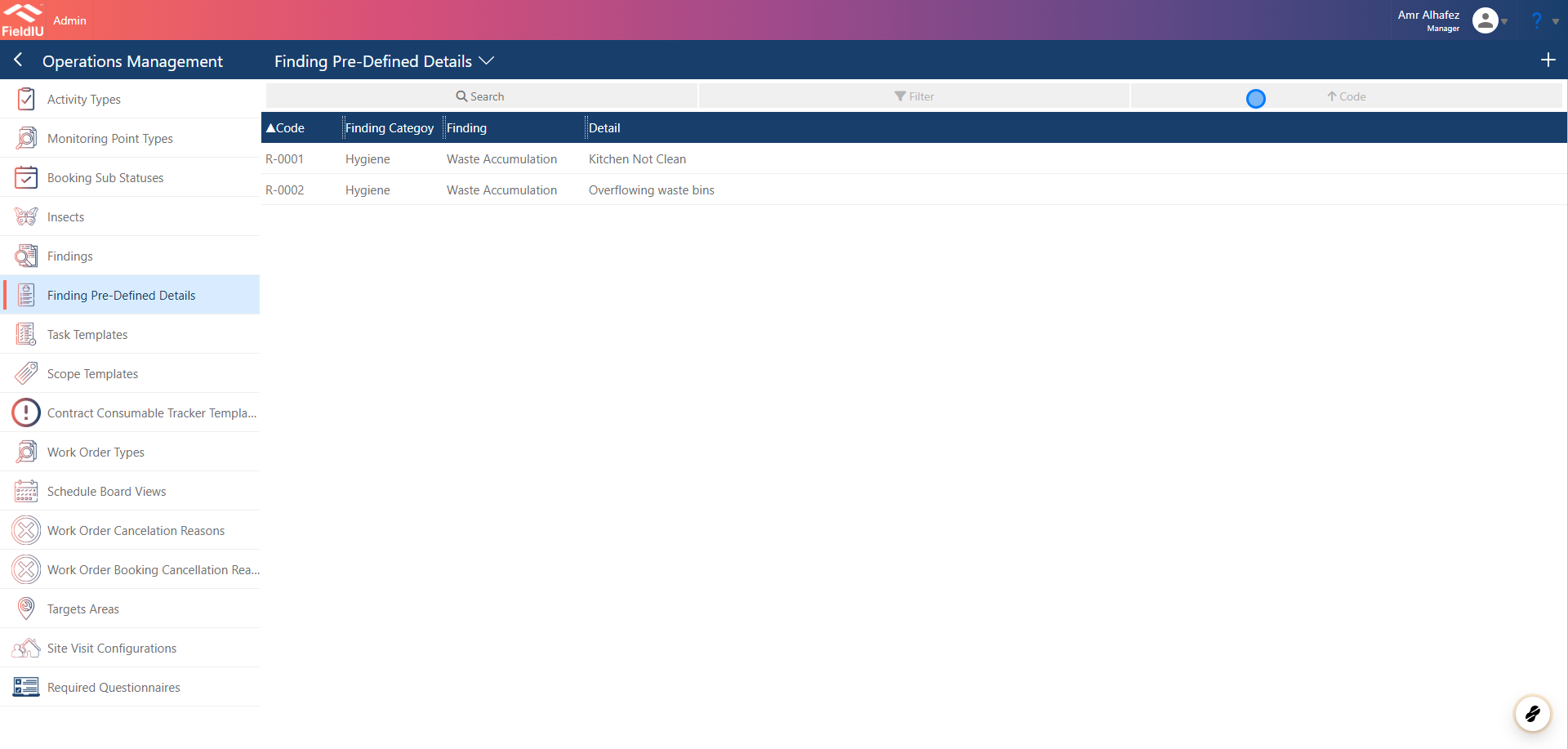
2. Enter The Data
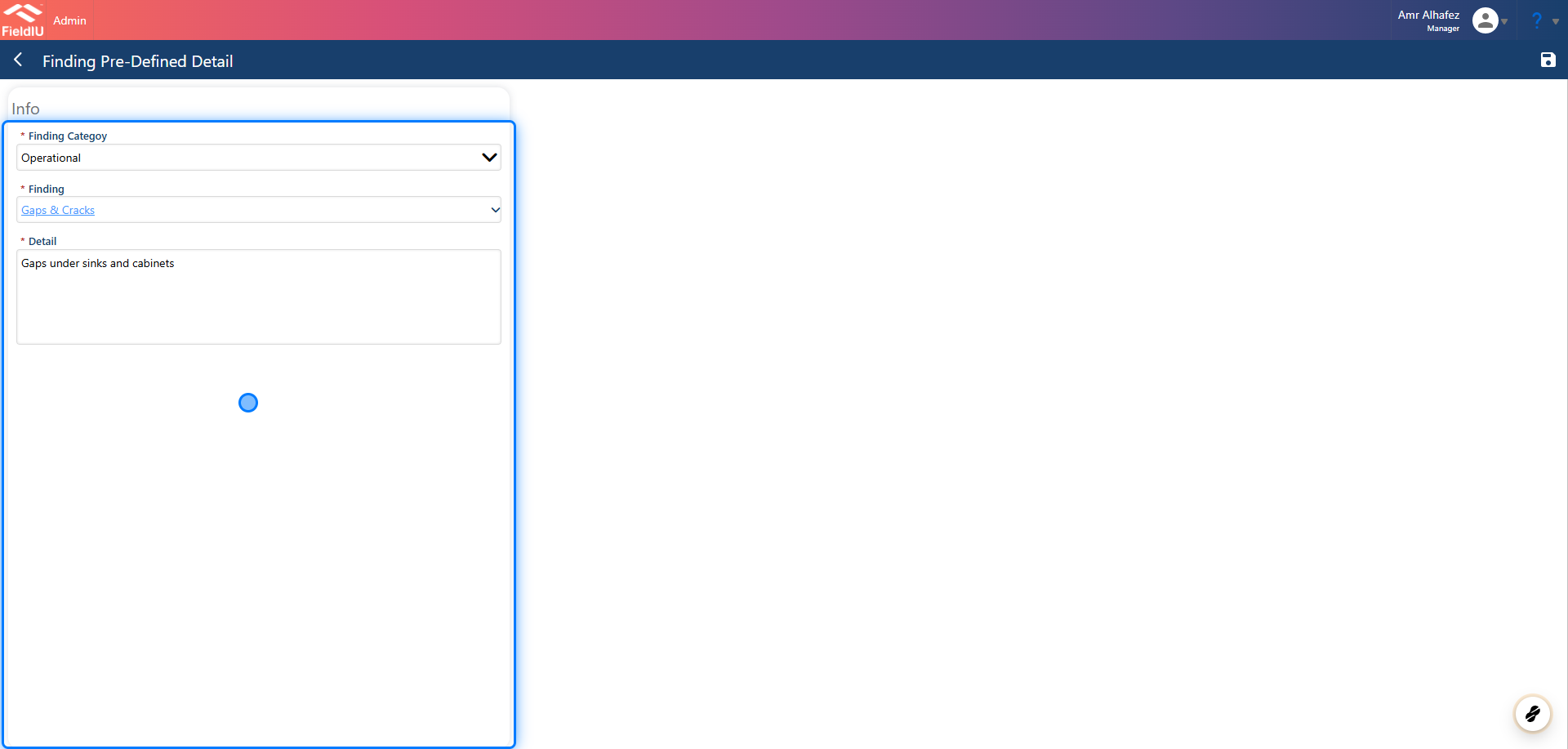
⚠️ Don't Forget To Save
Field Staff APP
3. Insert Predefined
In the Field Staff Mobile App, when the user wants to insert the finding details for a visit, they will see the "Insert Predefined" button above the Details Box.
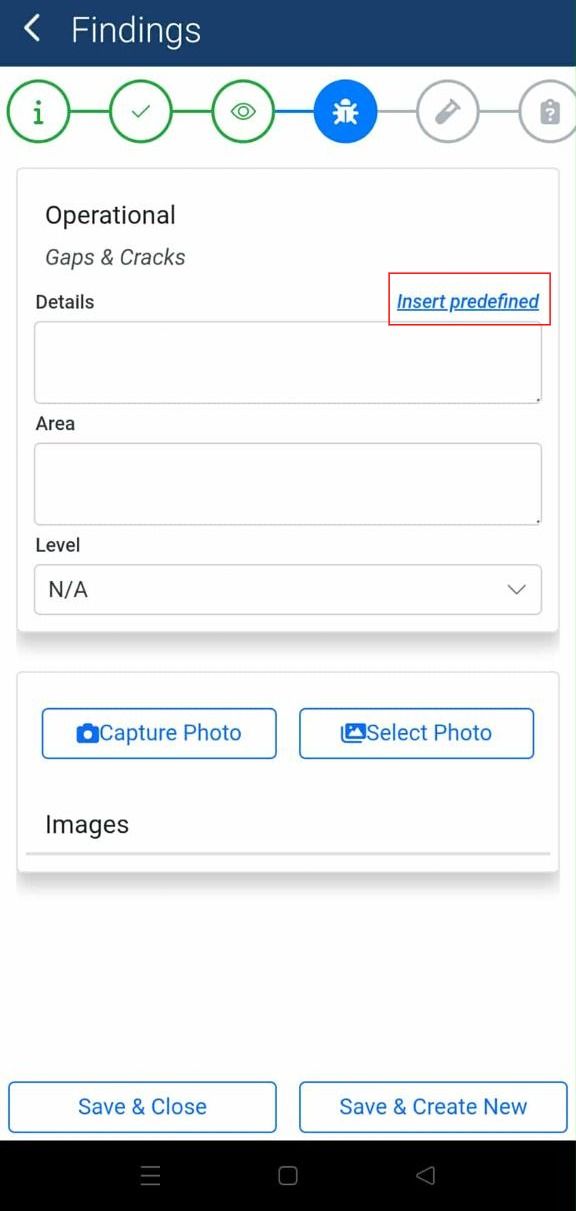
4. Select the Details
Based on the finding, the user will see the predefined details. When they click on a detail, it will automatically populate the Details field, saving time by eliminating the need for manual typing.
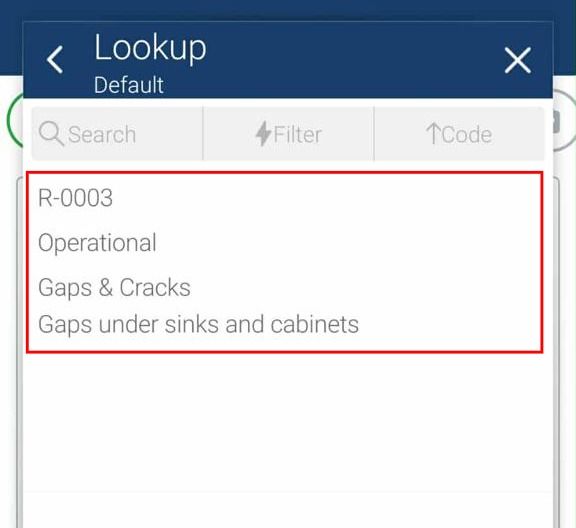
5.
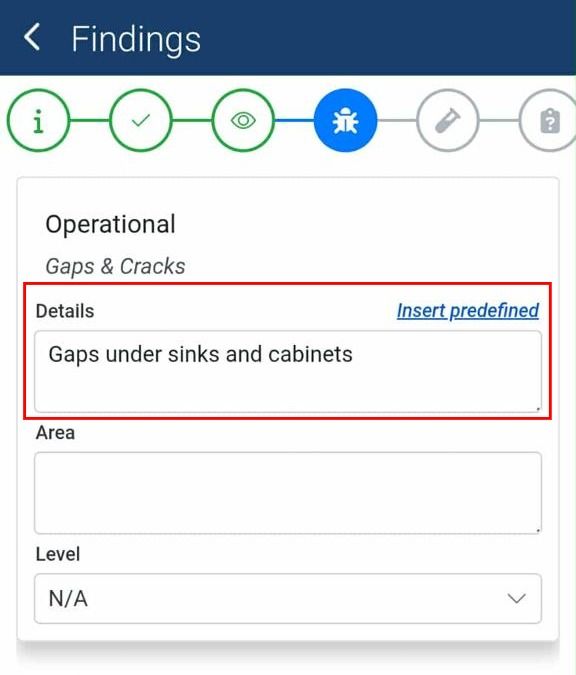
💡 The field staff still can edit the record
Enable The Feature
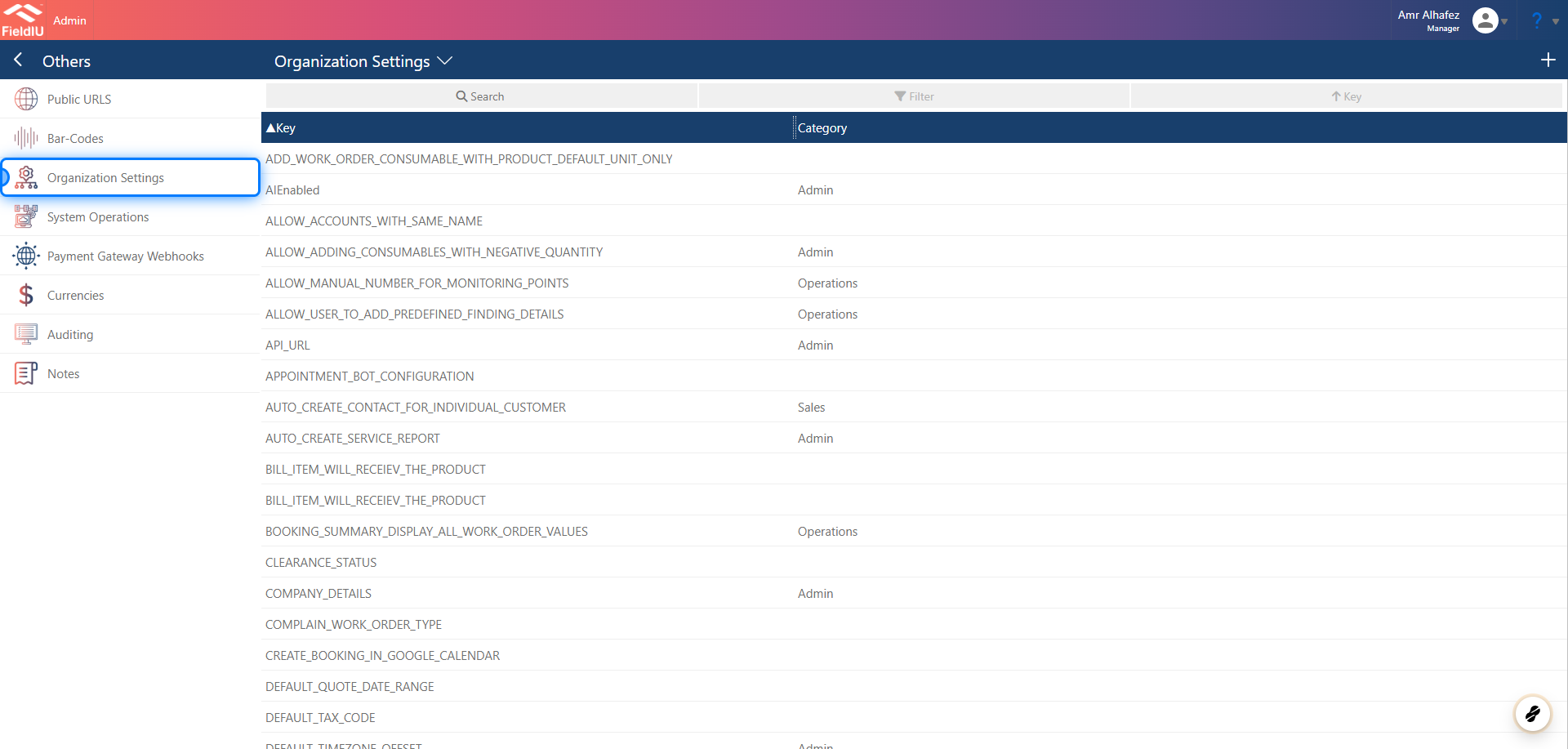
6. Open Organization Settings
From the Manager App, go to Organization Settings in the sidebar menu.
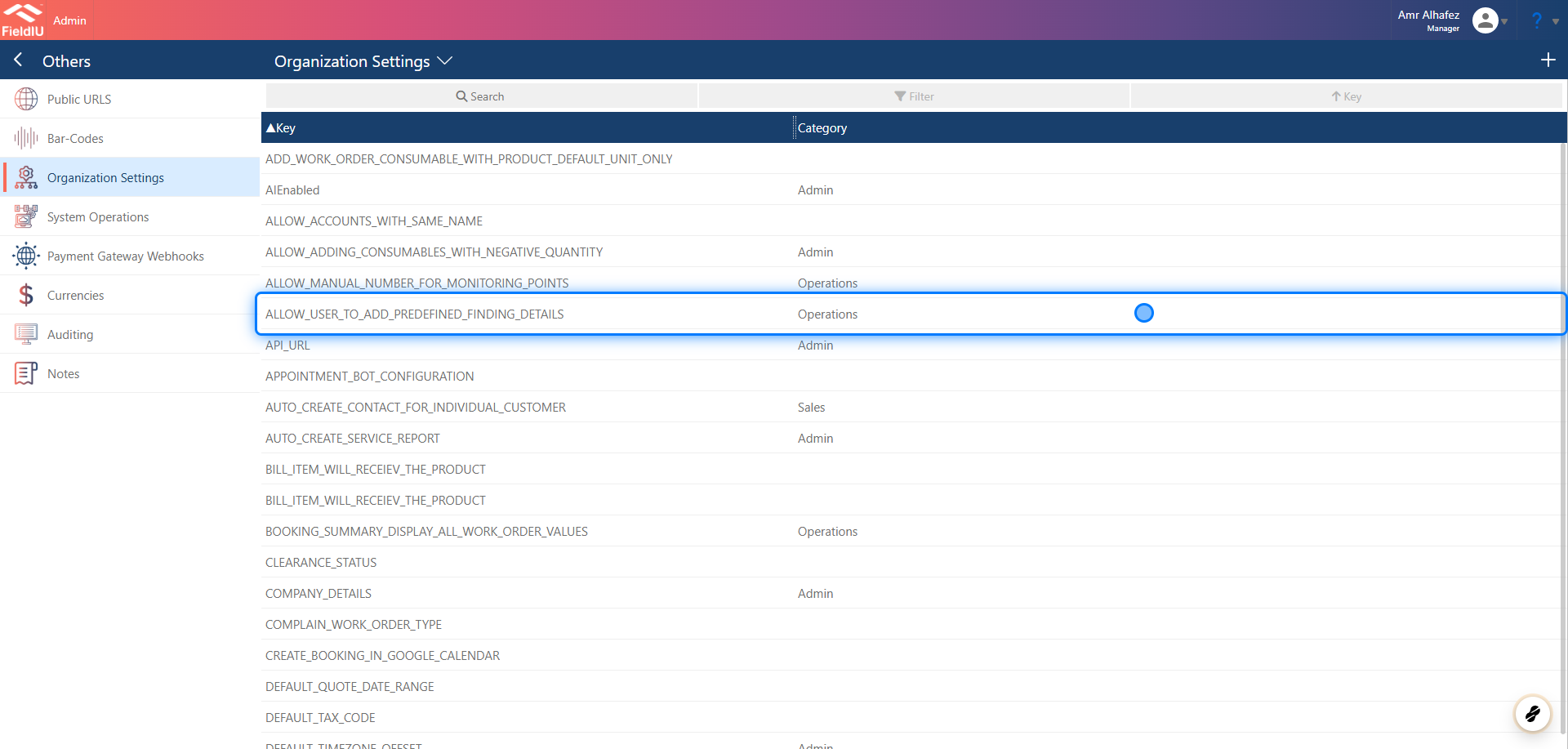
7. Select the Key
Search for the key: ALLOW_USER_TO_ADD_PREDEFINED_FINDING_DETAILS
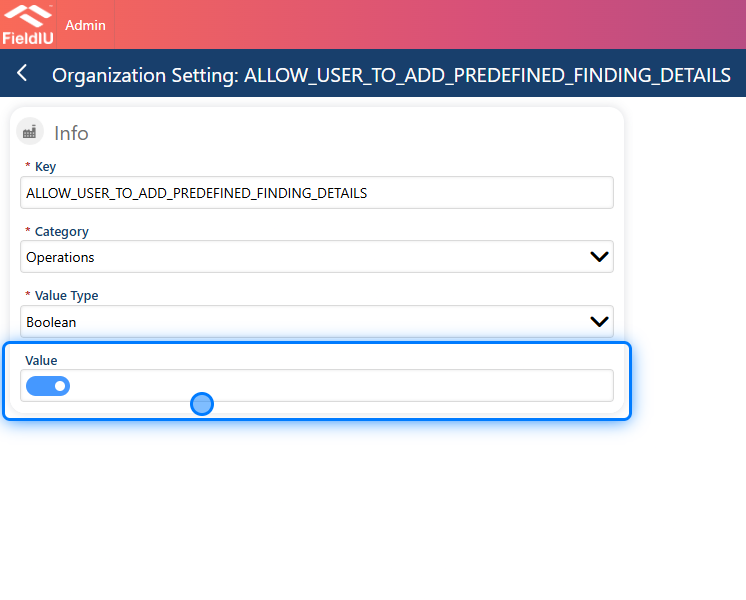
8. Set the value "True"
 �����������������������