

Schedule Board Settings
💡 What is Schedule Board Settings:
You can control the schedule board settings, such as:
Filtering the work orders
Filtering the resources
Changing the color codes
Setting the schedule board's start and end time
Adjusting the size of the cells
1. Access
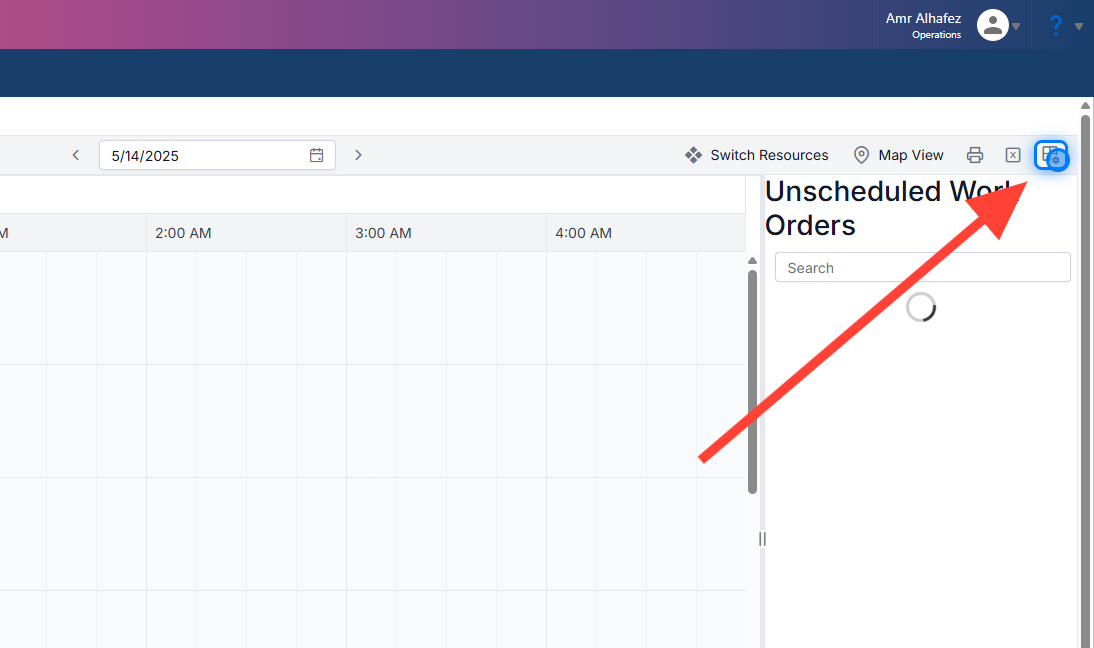
To access the settings, simply click the Settings button located in the top-right corner.
2. Main Settings
At the top, you’ll find the main settings, which include:
-
View Name
-
Week Start Day
-
Start Time
-
End Time
-
Schedule Board Time Scale Interval
-
Schedule Board Slot Count

3. Color Settings
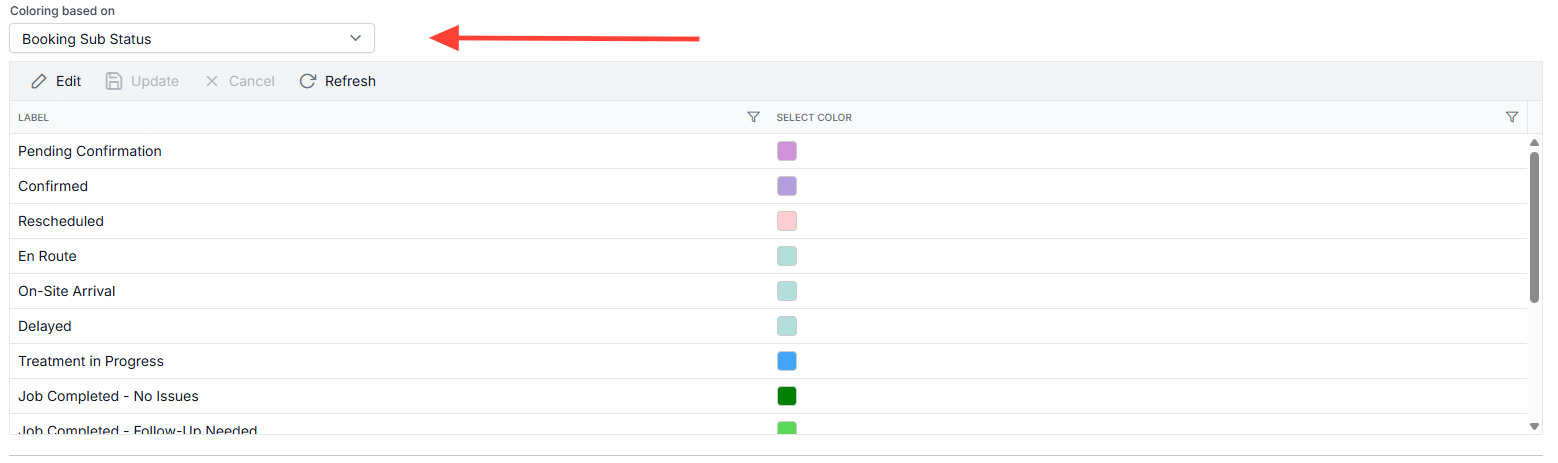
You can choose to apply color coding based on a specific field. For example, in this case, the color is applied based on the Booking Sub-status .
4. Work Order Filter
This section allows you to filter the work orders displayed on the schedule board.
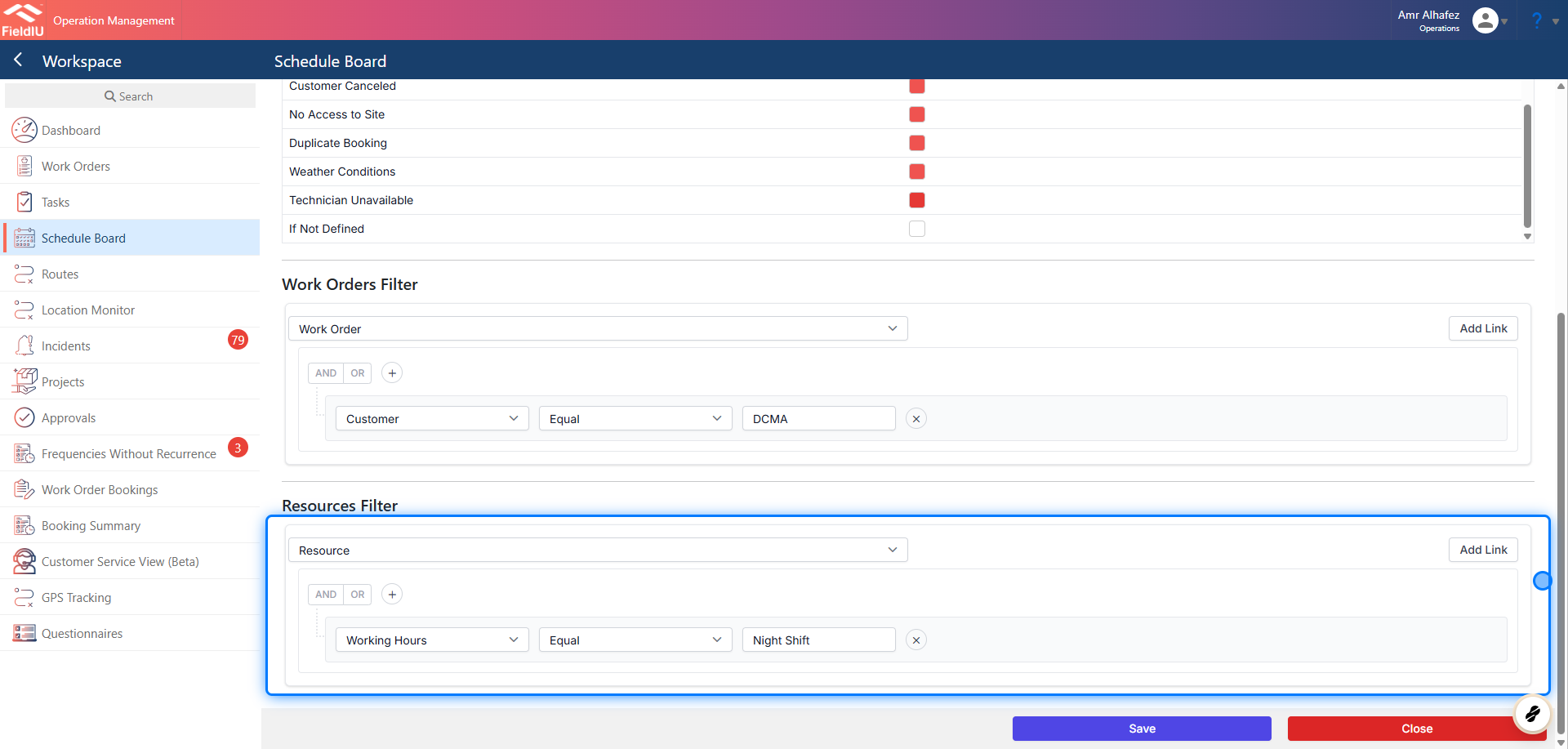
In our example, we are filtering to show only DMCA work orders.

5. Resource Filter
This section allows you to filter the resources displayed on the schedule board.
In our example, we are filtering based on working hours , showing only night shift resources.
6. Save
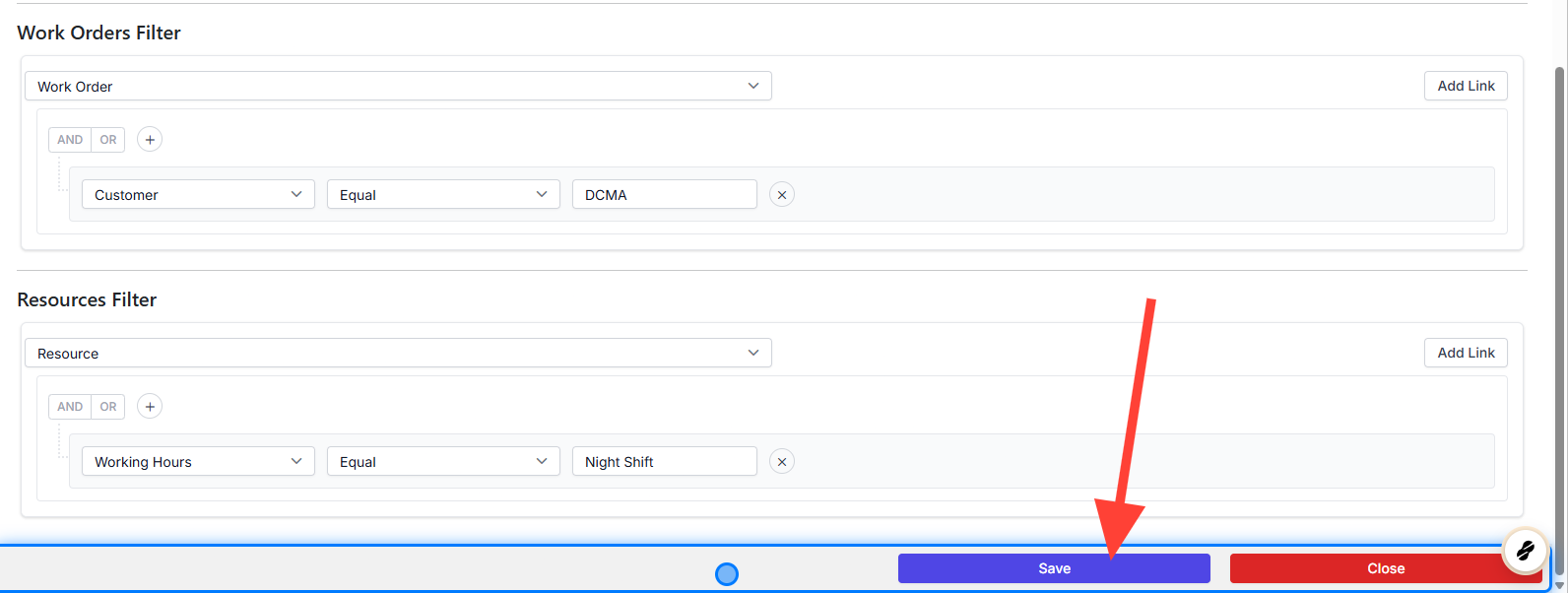
Don’t forget to save your changes to ensure all your configurations are applied successfully.
 �����������������������