

Warehouse
Vendors Price List
The vendor's price list is where you define the prices for products.
1. Creating Vendor Price Lists
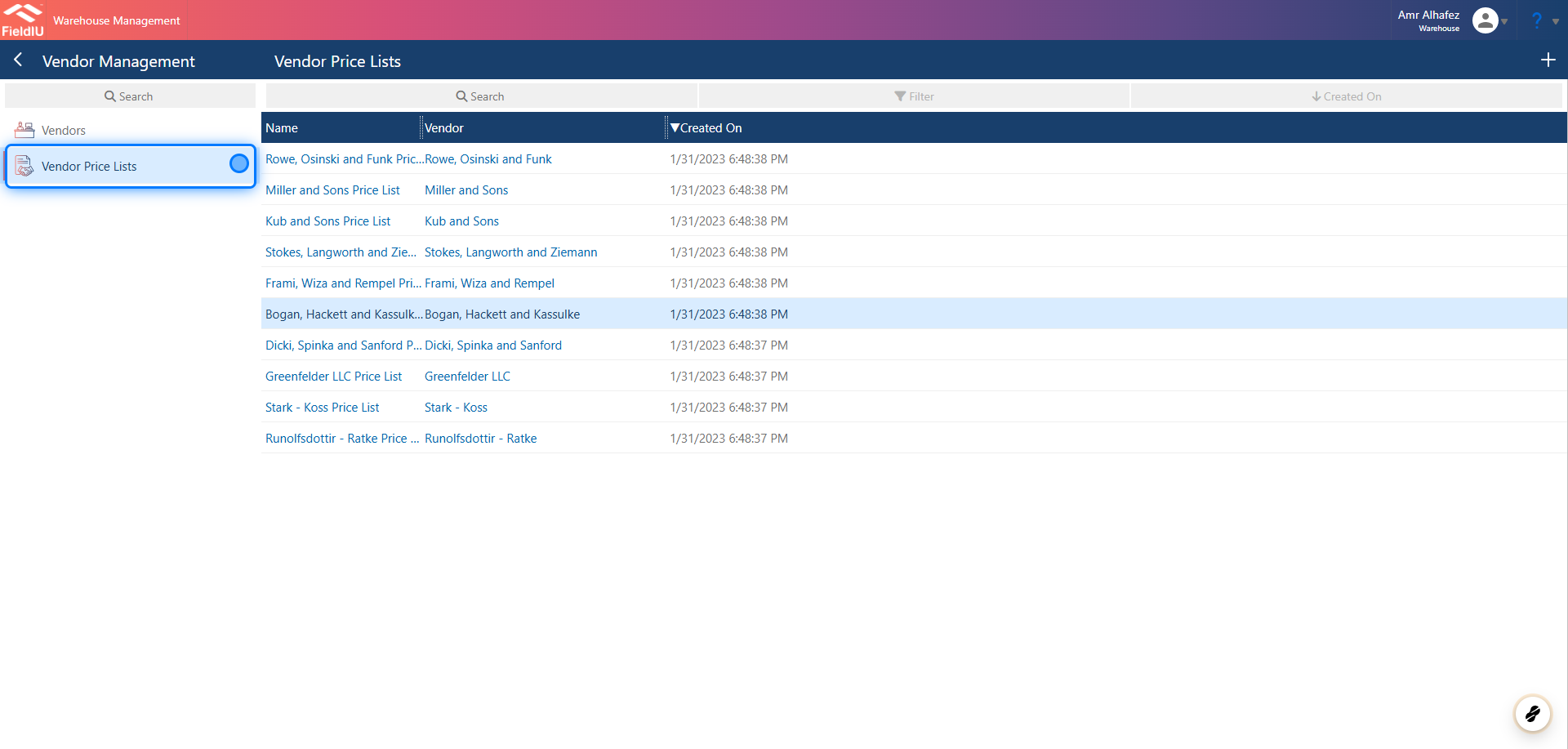
To access the vendor's price list, open the Warehouse app, then click on Vendor Management in the side menu. You will find the price list option within the same menu.
You can create a new price list by clicking the + button, or open any existing record to edit it.
2. Fill in the details
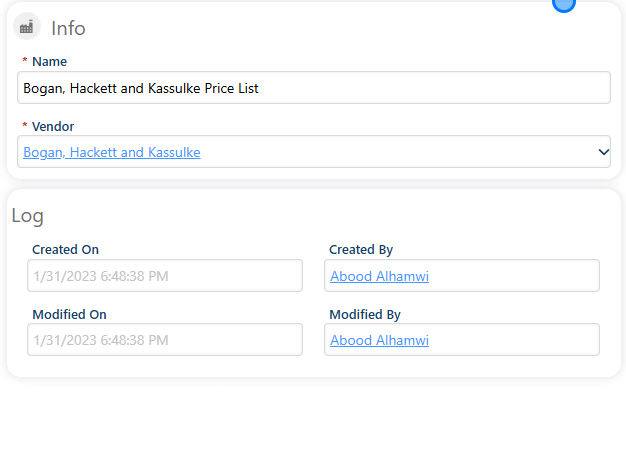
Enter a name for the price list and select the vendor.
3. Adding Items
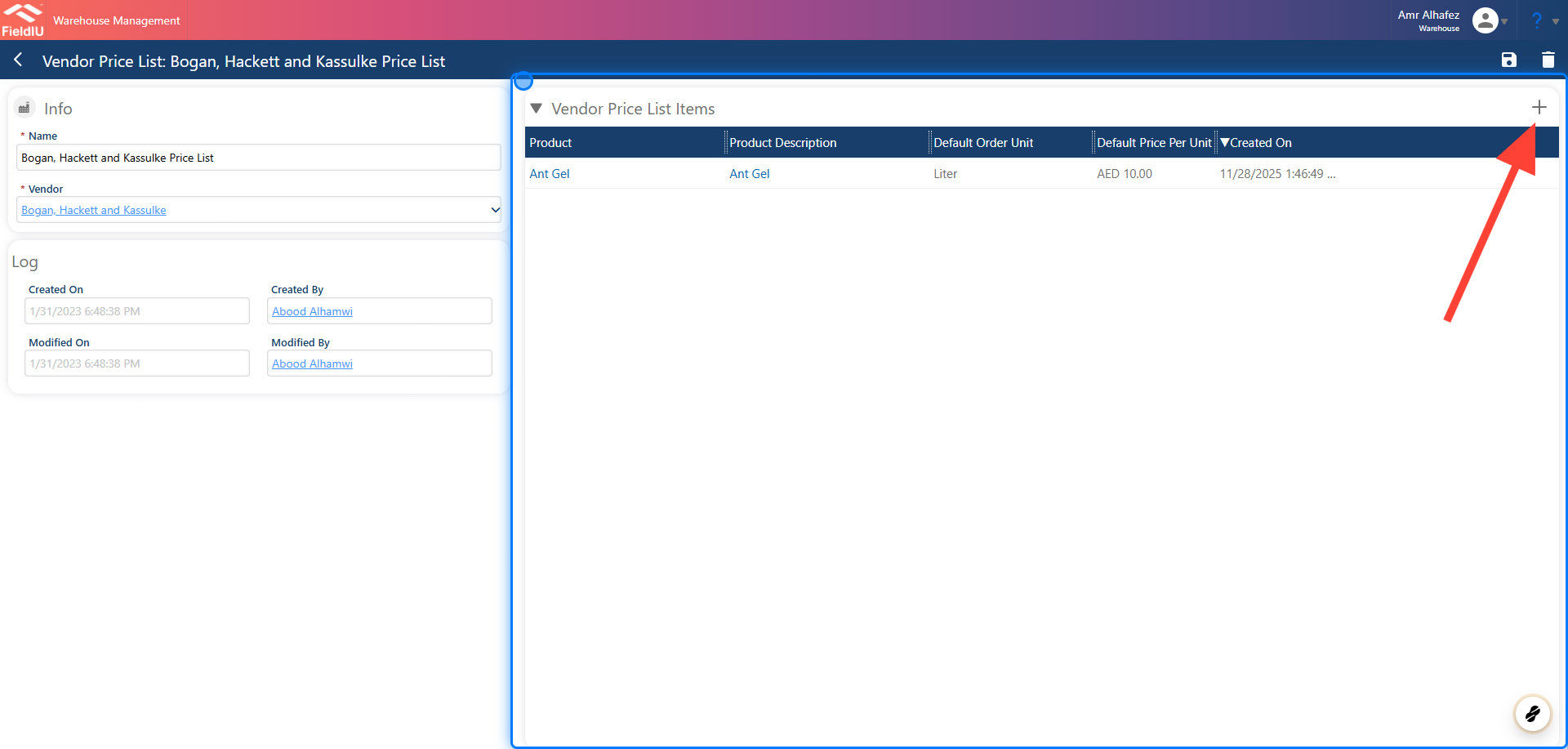
Once you save the list, you can add items in the Vendor's Price List Items section by clicking the + button, or edit any existing record by clicking on it.
4. Item Details
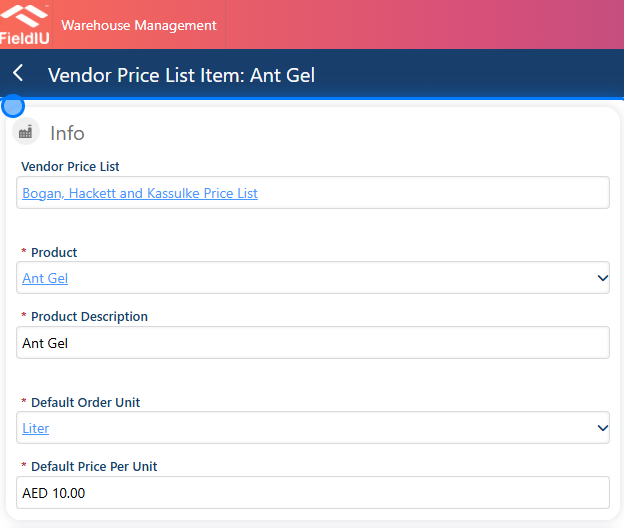
Once you create a new item, you need to enter the item details:
-
Product
-
Product Description
-
Unit
-
Default Order Unit
-
Default Price Per Unit
 �����������������������