

Warehouse
Item Receivables
When we receive items from a purchase order, we use Inventory Receivables to add the new items to the inventory.
1. Create new Record
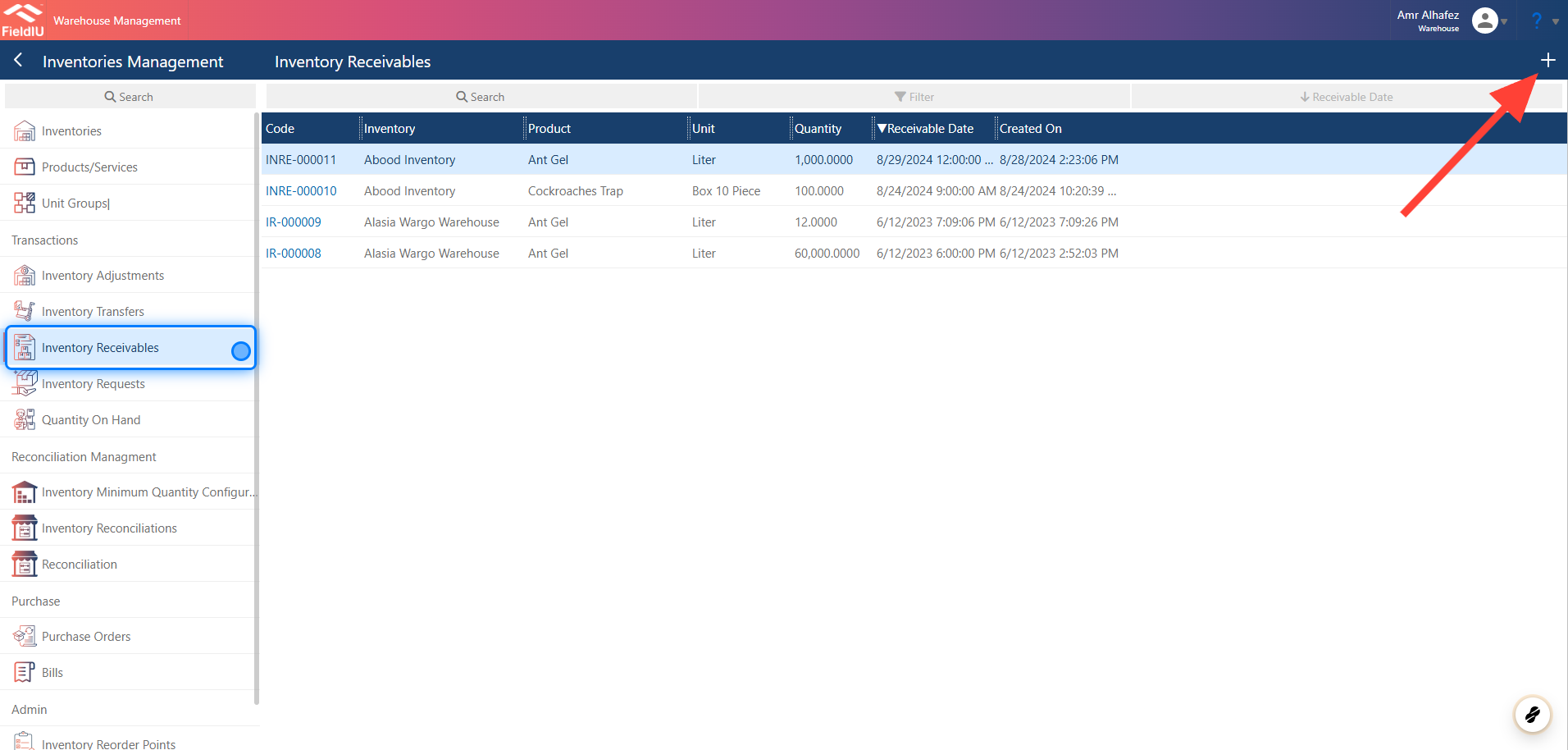
To create a new Inventory Receivables record, open the Warehouse app. From the sidebar menu, click on Inventory Management, and then select Inventory Receivables from the same menu.
Click the + button to create a new record.
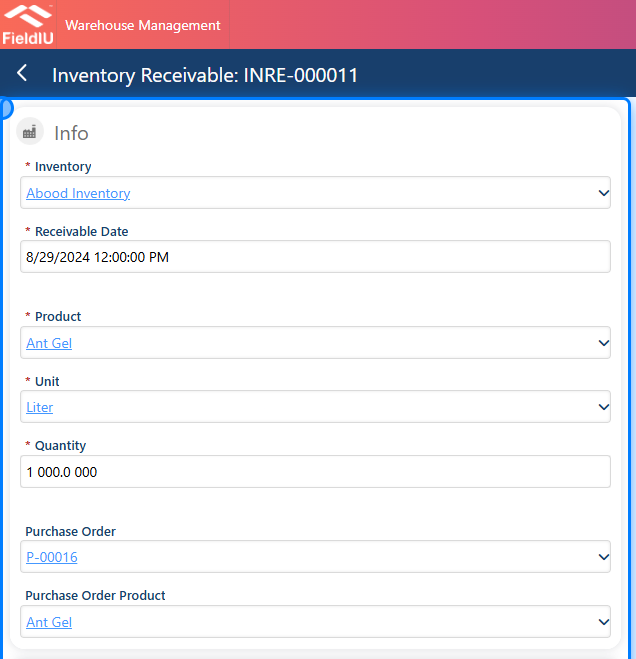
2. Fill The Details
3. Save
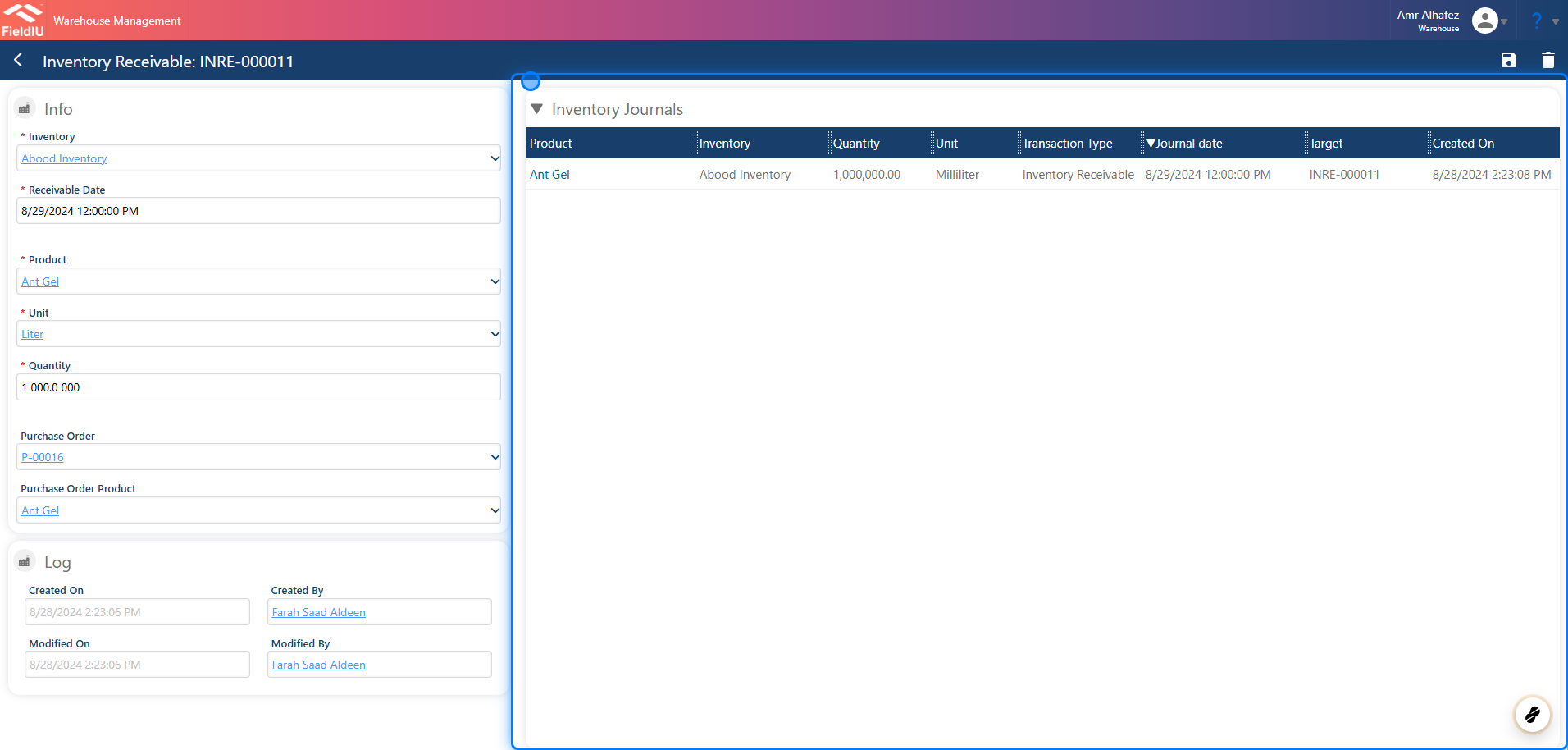
Once you save, a new journal will be automatically added.
 �����������������������