

Petty Cash
1. Creating Petty Cash
You can access the Accountant app from the Petty Cash Management section in the side menu. To create a new petty cash entry, select 'Petty Cash Accounts' and then click the '+' button to add a new entry.
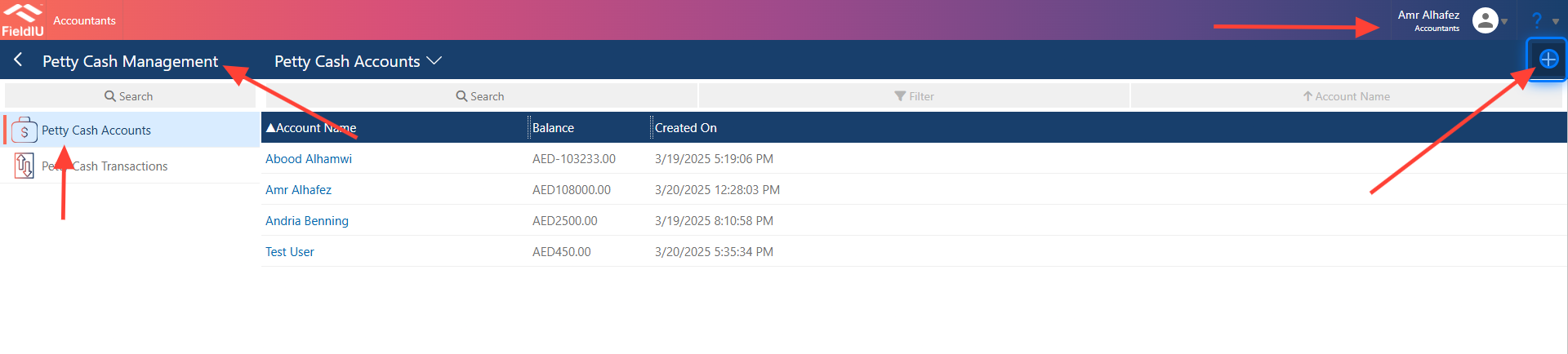
2. Main Information
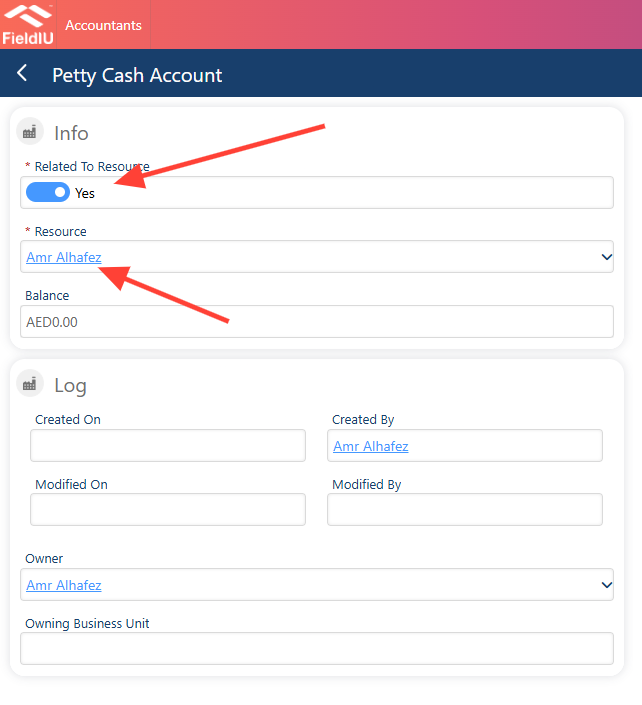
Once you click the 'Add' button, a new screen will open where you can enter the petty cash account information. It will ask if the account is related to a resource. If yes, you will need to select the resource; if no, simply enter the account name as desired
Account Details
3. What's inside
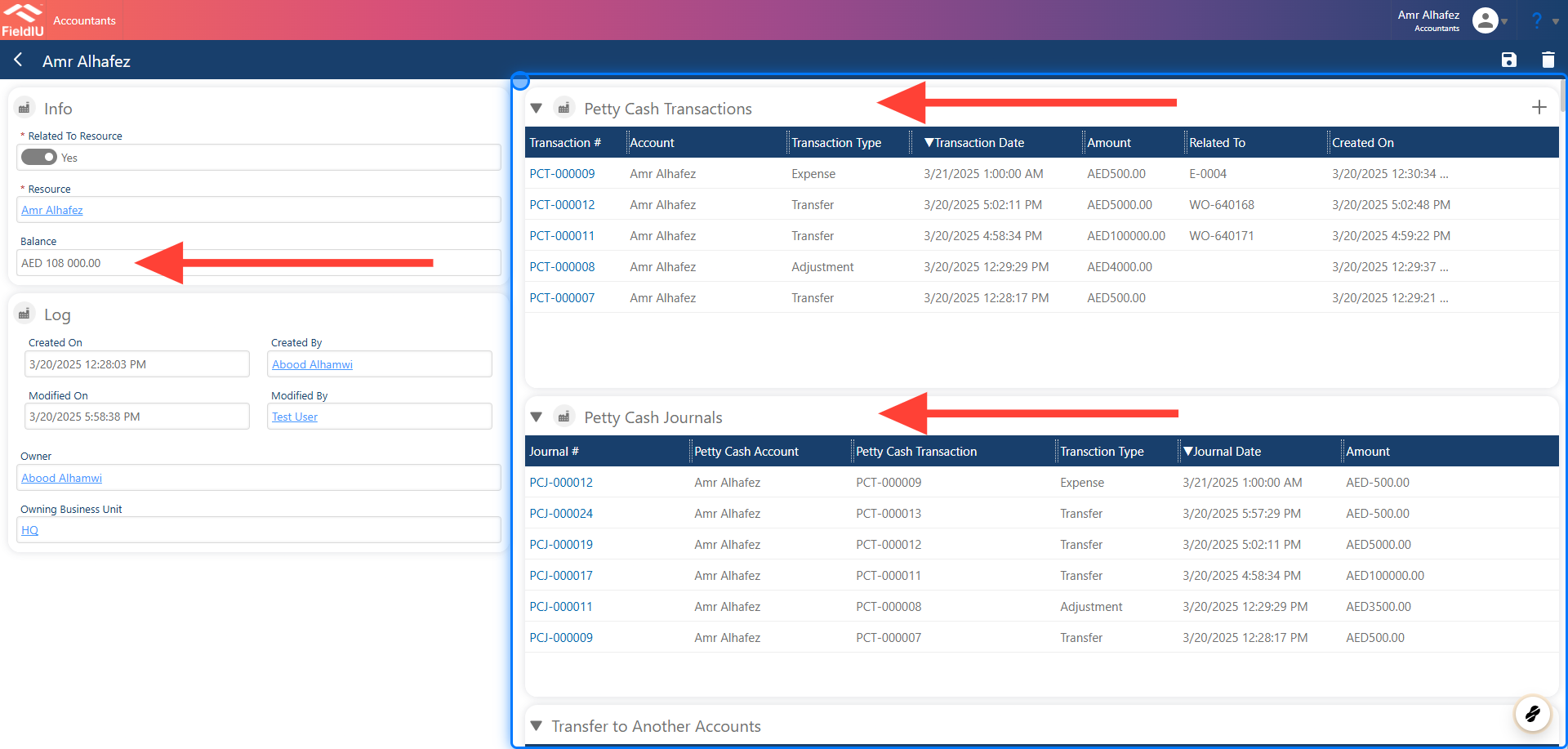
The account details section displays the balance for the account. It also includes the following sections:
-
Petty Cash Transactions : This section allows you to view all petty cash transactions.
-
Petty Cash Journals : This section shows the journal entries related to the account.
4.
-
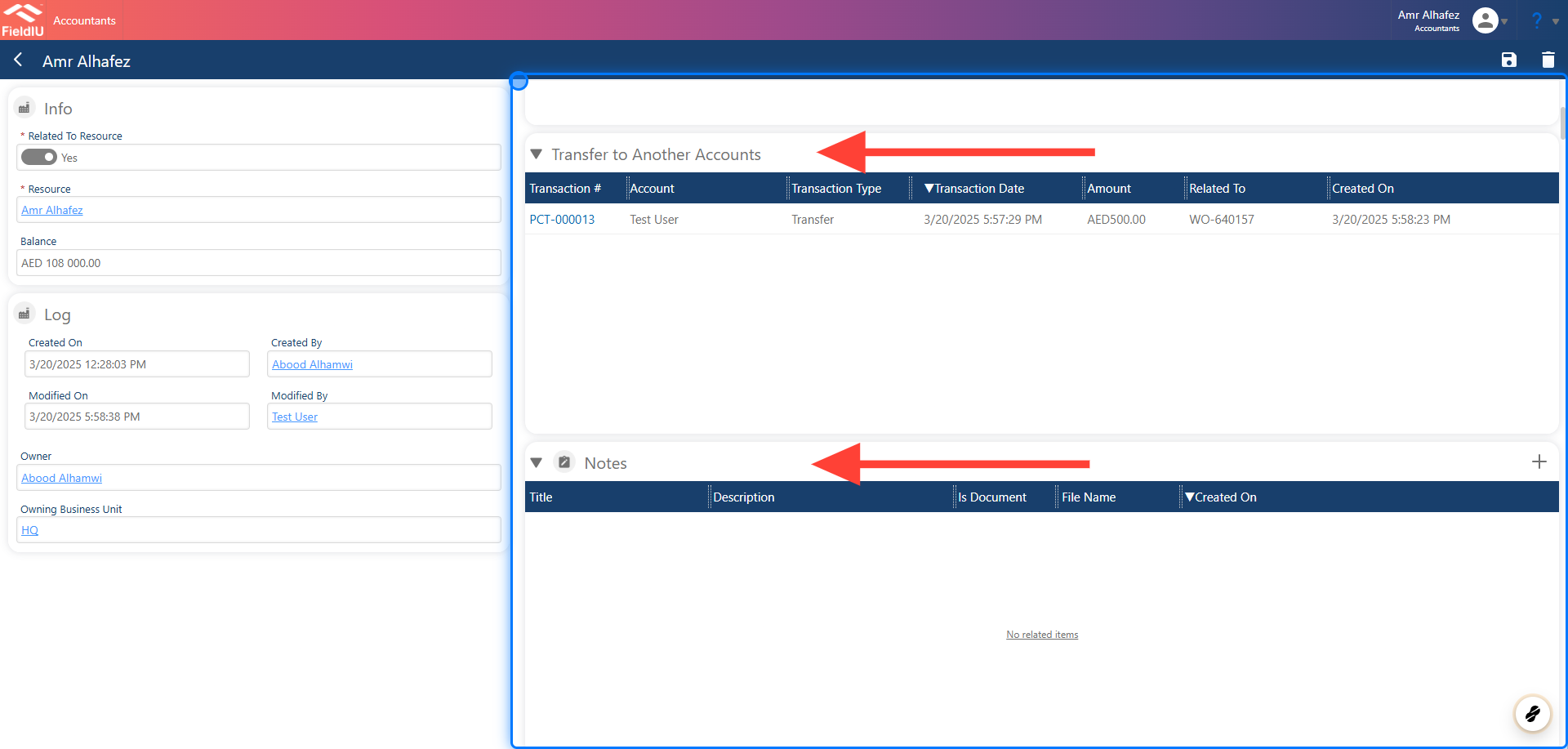
Transfer to Other Accounts : In this section, you can make transactions to other accounts within the system.
-
Notes : This section allows you to add notes related to the account.
 �����������������������