

Warehouse
Inventory Reorder Point
The Inventory Reorder Point helps you configure reorder levels from vendors. A new purchase order will be created automatically when the inventory quantity reaches the predefined level.
1. Creating new point
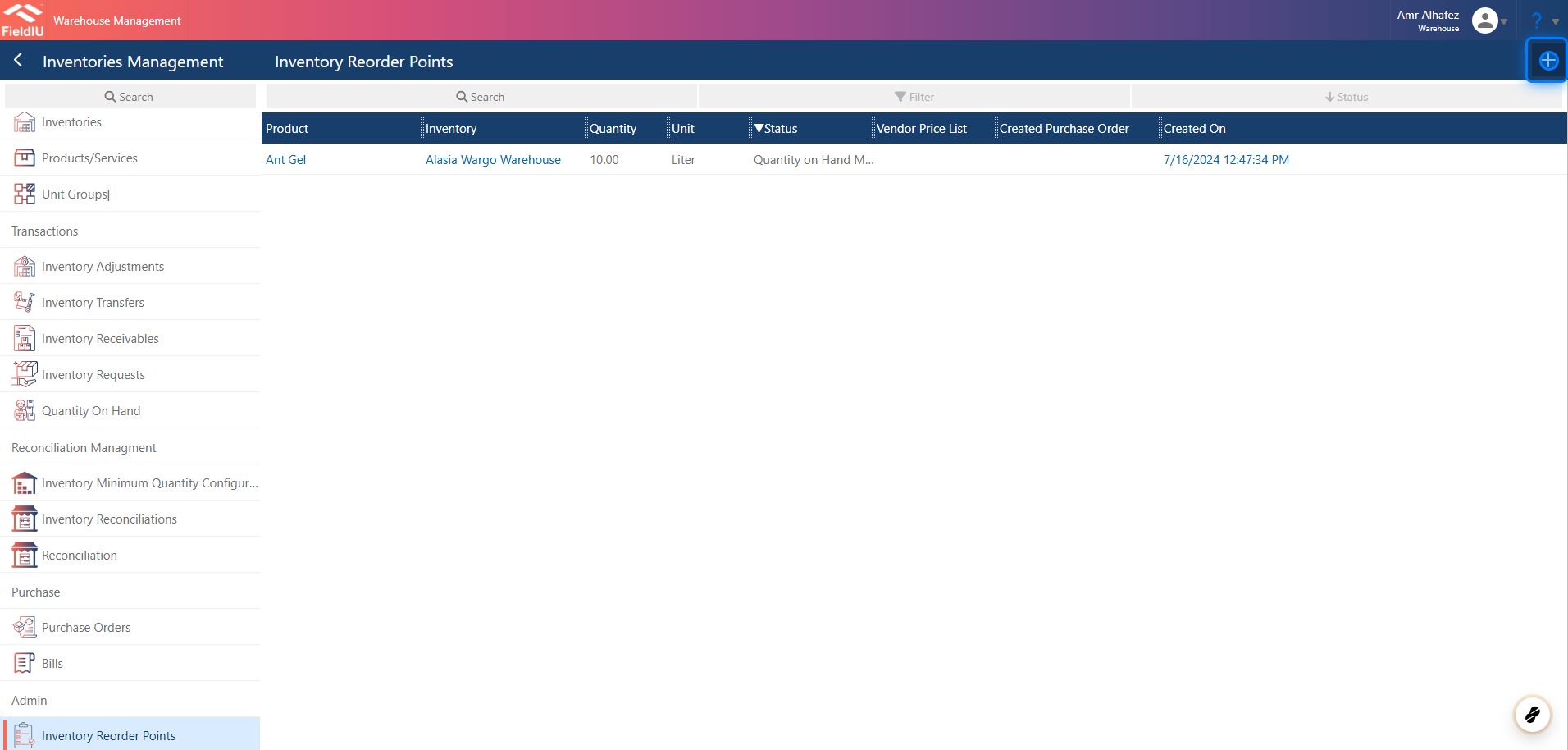
You can access it from the Warehouse app. From the side menu bar, click on Inventory Management —you will find it at the bottom of the same menu.
You can create a new point by clicking the + button, or edit any existing record by clicking on it.
2. Fill in the details
Just select the inventory, product, quantity unit, and vendor, then save.
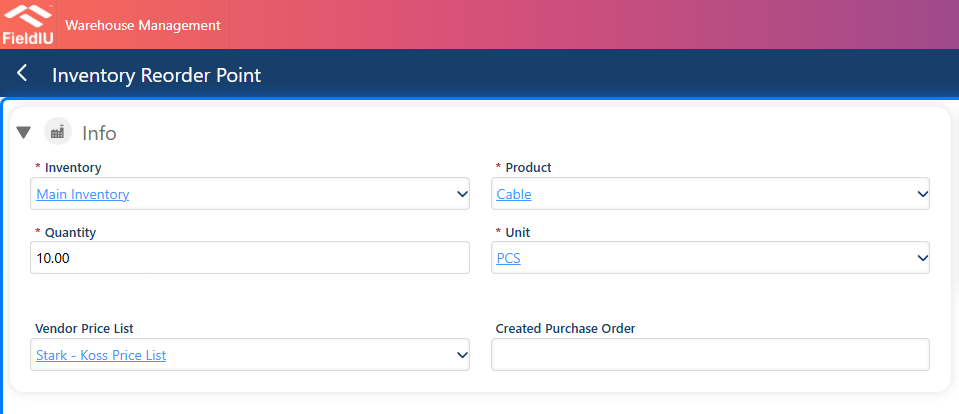
💡 The created purchase order will be filled automatically once the system generates it.�����������������������