

Reports Type
💡 What Is Report Type
In Fieldiu, we have two sources of reports:
Normal Document Report : This is typically used for Work Order Completion, and it relies on a single record.
Report Tool : This helps with filtering and is useful for complex scenarios.
⚠️ Report Source
once you are selection reports,. it will only show the one with source for ha_report, ha_workorder
Creating & Explanations
1. Type
In the "Type" field, you need to insert the name of the type.
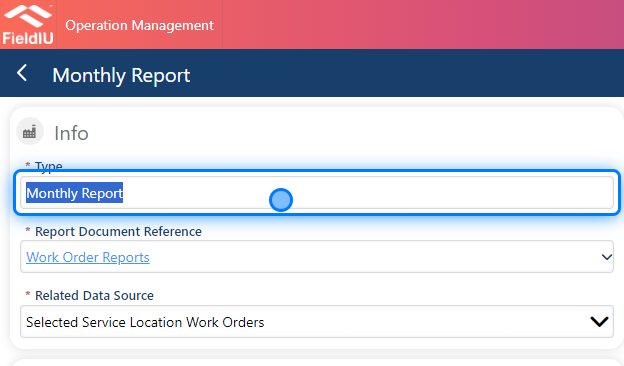
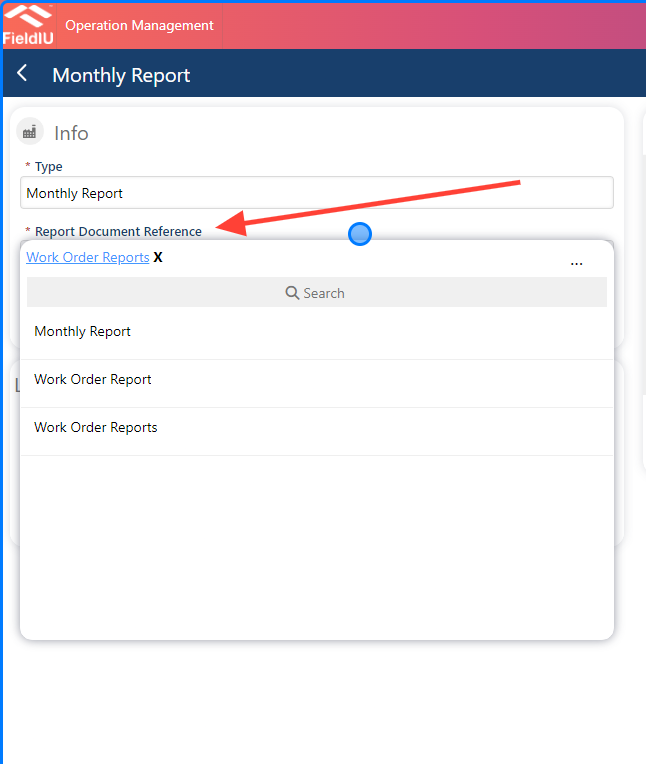
2. Report Document Reference
From here, you need to select which report you want to generate for this type. The reports available are those you created in the Report Editor, listed as sources for ha_report, ha_workorder .
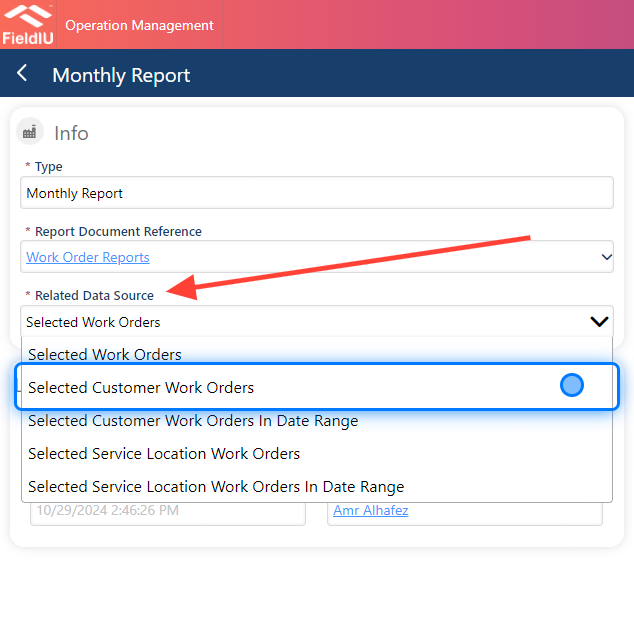
3. Related Data Source
In this step, you need to choose the related data source you want, such as:
-
Selected Work Orders
-
Selected Customer Work Orders
-
Selected Work Orders in Date Range
-
Selected Service Location Work Orders
-
Selected Service Location Work Orders in Date Range
⚠️ Important
In our example, we will select "Selected Customer Work Orders."
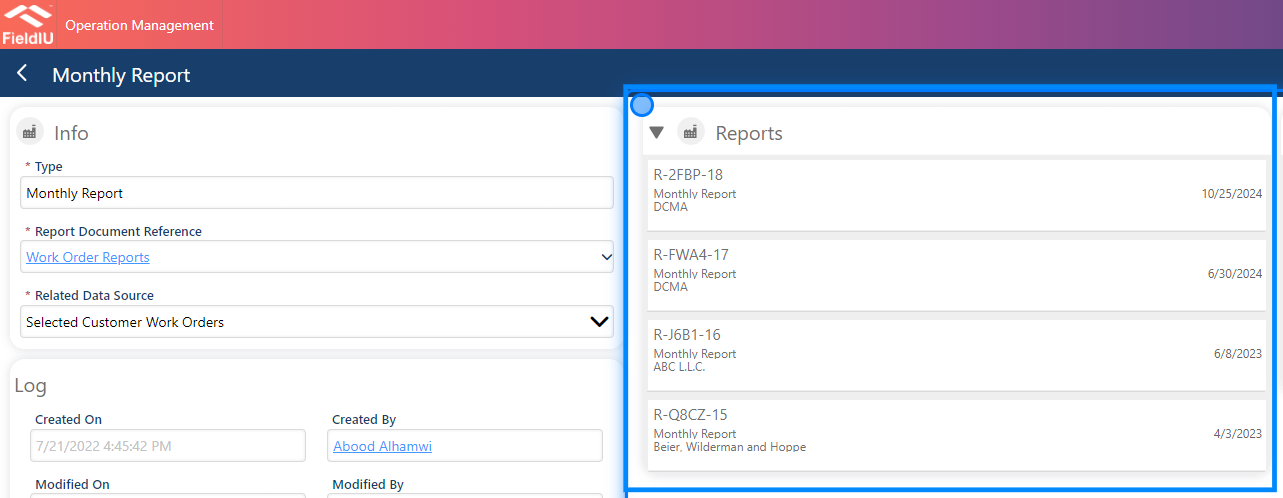
4. Reports
In the Reports section, you will find all the reports that use this report type.
💡 Save & Use
After we finish setting up the report type, we can use it in the Reports Tool.
Please refer to the Reports Tool documentation for more details.�����������������������