> ## Documentation Index
> Fetch the complete documentation index at: https://docs.fieldiu.com/llms.txt
> Use this file to discover all available pages before exploring further.
# Update Invoice Description
> ### 💡 What is this feature !?
>
> Update Invoice Description: Allows you to modify the description for all new generated invoices associated with a contract.
>
> So only the newly generated invoice will have this description\
> Let's see how it's work.
### 1. Contract
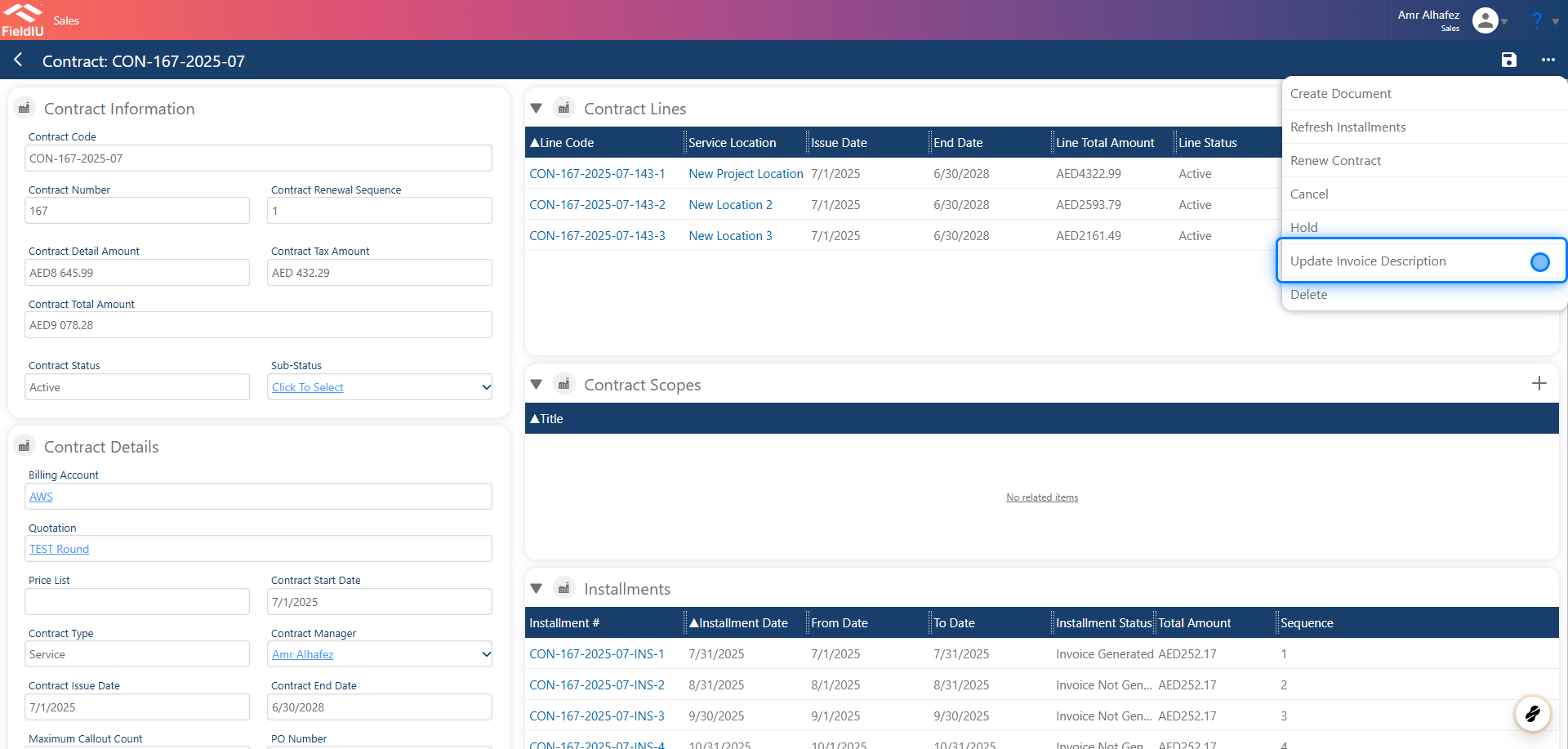
To update the invoice description, open any contract and click the three-dot menu. Then select 'Update Invoice Description' from the dropdown options.
 ### 2. Description Area
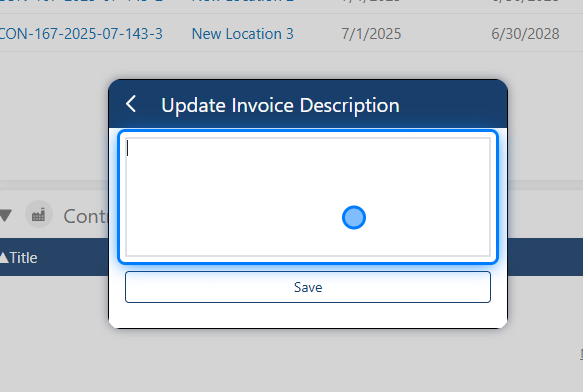
A new text area will appear, allowing you to enter the desired invoice description.
### 2. Description Area
A new text area will appear, allowing you to enter the desired invoice description.
 ### 3. Get the entity fields
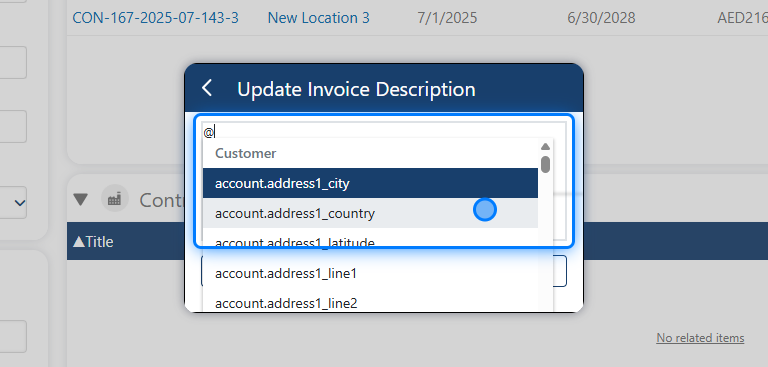
You can type `@` to insert dynamic fields. Available options include fields from: Customers, Invoice, Contract, and Installment
### 3. Get the entity fields
You can type `@` to insert dynamic fields. Available options include fields from: Customers, Invoice, Contract, and Installment
 ### 4. Click on Save
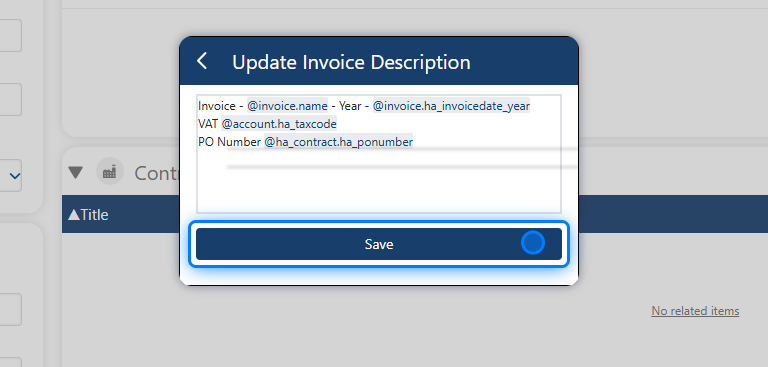
After entering your text, click 'Save' to apply the changes.
### 4. Click on Save
After entering your text, click 'Save' to apply the changes.
 ### 5. Invoice Description
Now, when you access any installment and generate its invoice, the invoice will include the description you entered.
### 5. Invoice Description
Now, when you access any installment and generate its invoice, the invoice will include the description you entered.
 �����������������������