> ## Documentation Index
> Fetch the complete documentation index at: https://docs.fieldiu.com/llms.txt
> Use this file to discover all available pages before exploring further.
# Operation Frequency
> ### 💡 Access Frequency Without Recurrence
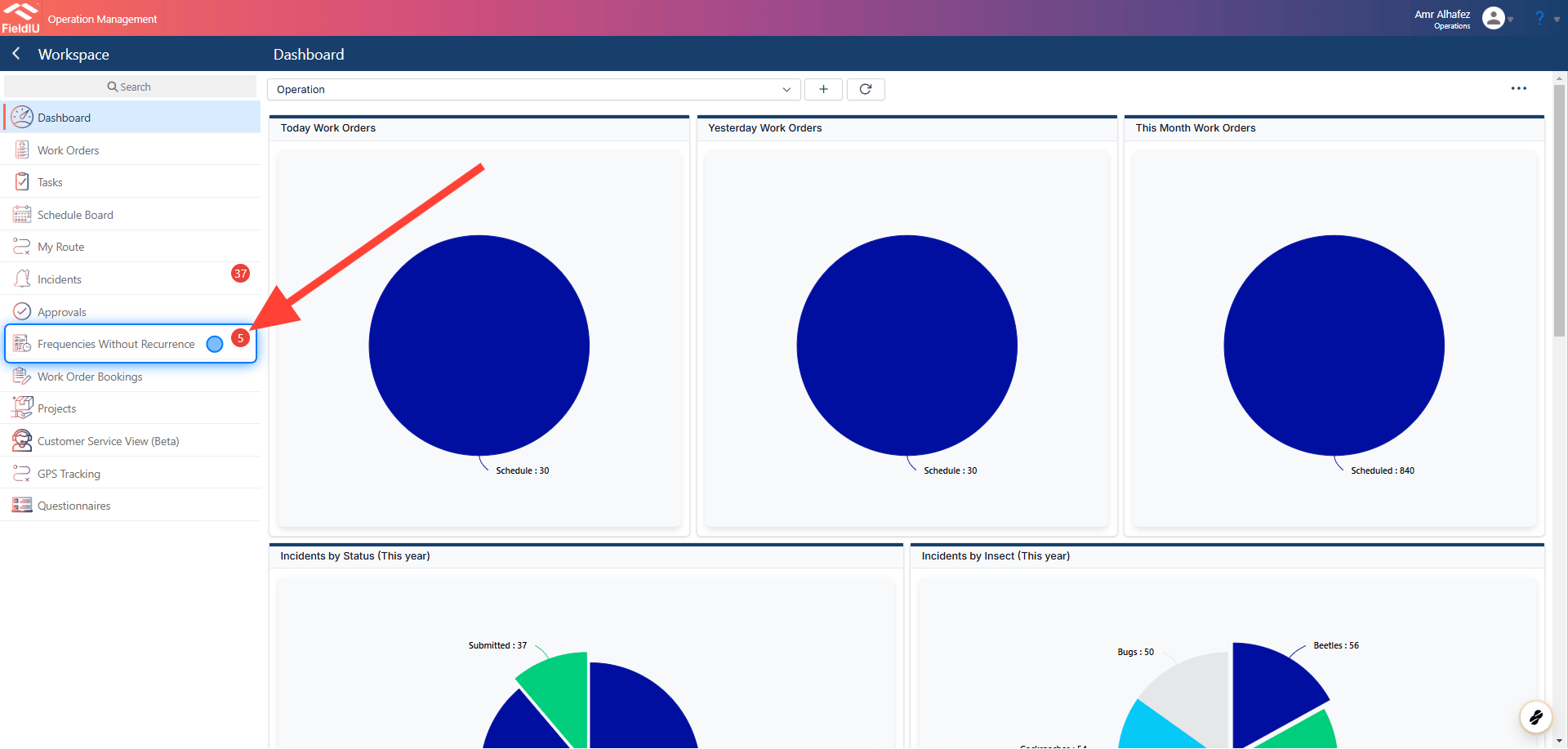
### 1. Click On Frequency Without Recurrence
 ### 2. Frequencies
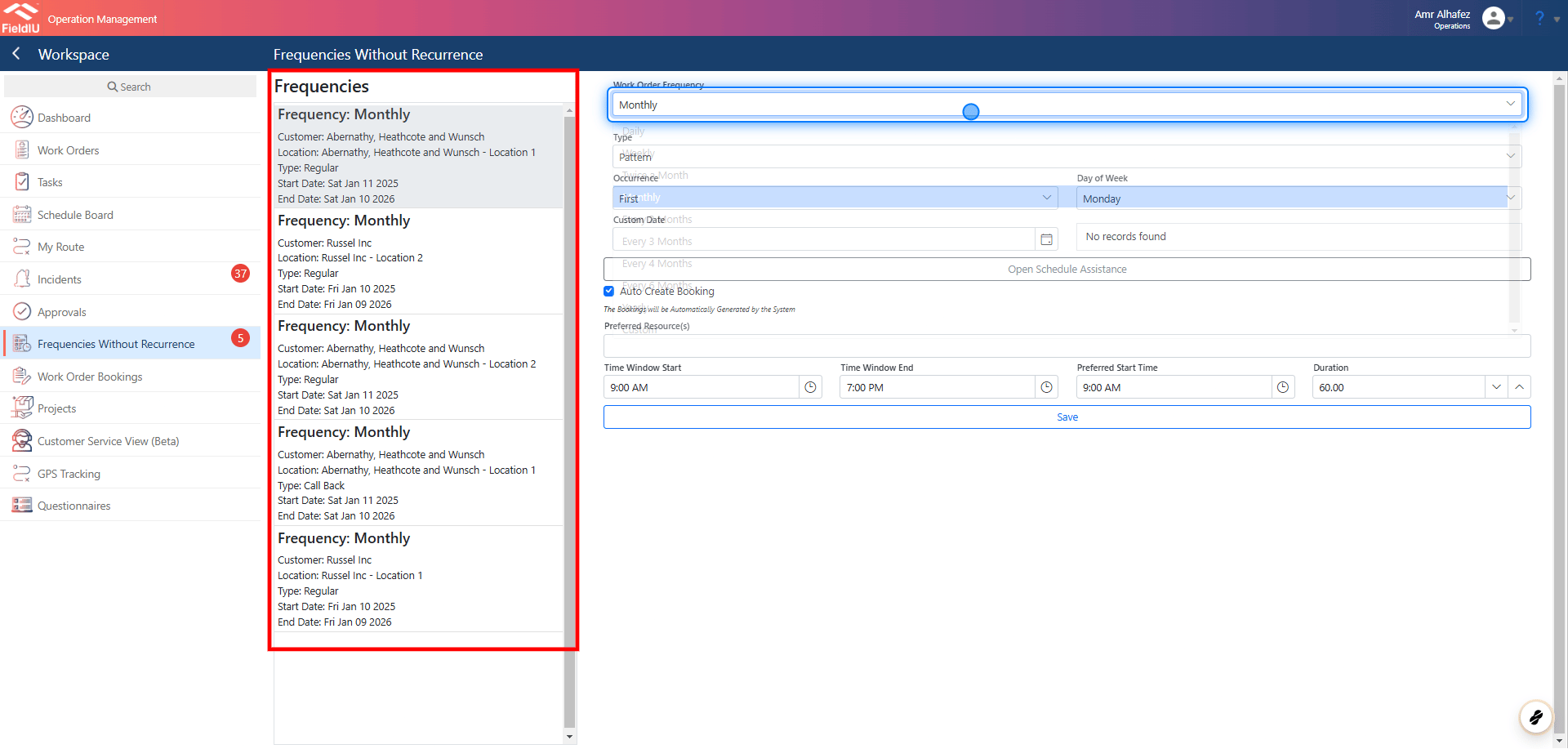
As we can see, we have the frequencies listed without recurrence.
### 2. Frequencies
As we can see, we have the frequencies listed without recurrence.
 ### 3. Work Order Frequency Settings
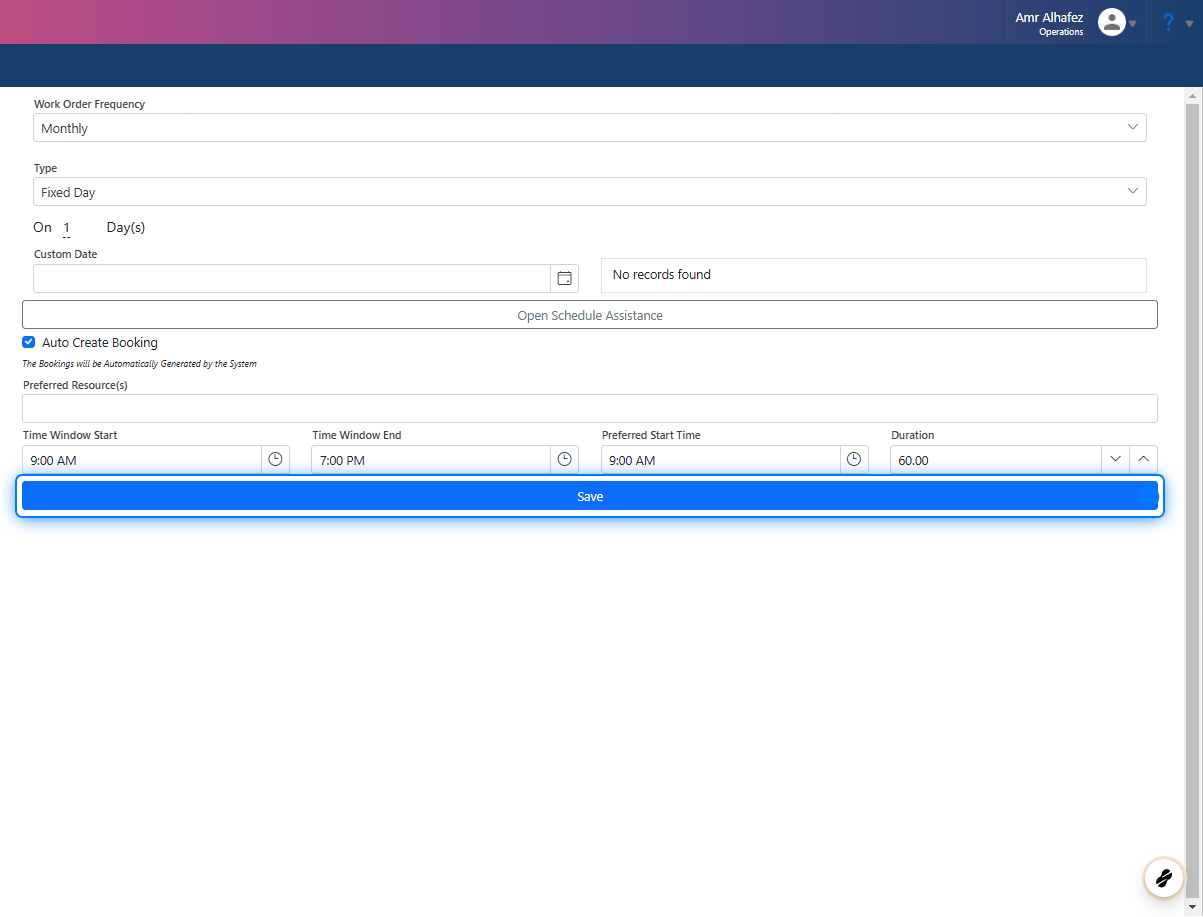
Once we select a frequency, we can edit the settings for that frequency.
### 3. Work Order Frequency Settings
Once we select a frequency, we can edit the settings for that frequency.
 > ### 💡 Let's Set Up The Recurrence
### 4. Work Order Frequency
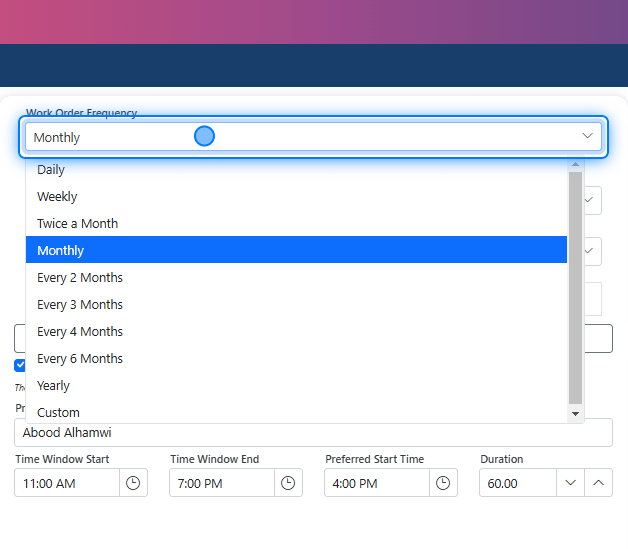
For work order frequency, it can be set up based on the contract details or you can manually select the frequency type, such as monthly, weekly, etc.
> ### 💡 Let's Set Up The Recurrence
### 4. Work Order Frequency
For work order frequency, it can be set up based on the contract details or you can manually select the frequency type, such as monthly, weekly, etc.
 ### 5. Frequency Type
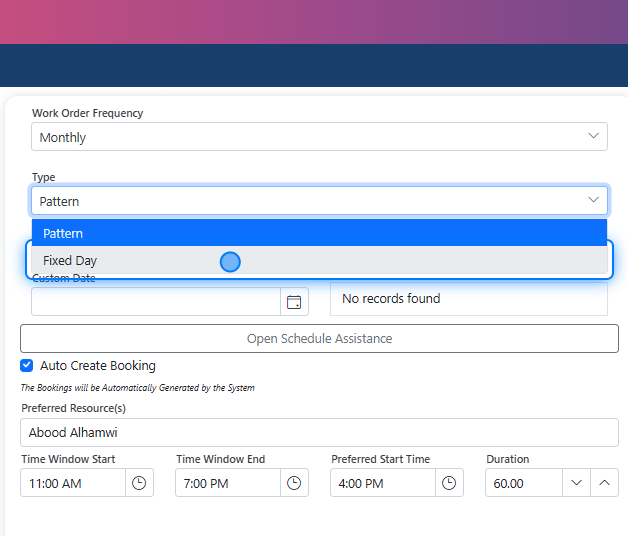
We have two types of frequency: **Fixed Day** and **Pattern** .
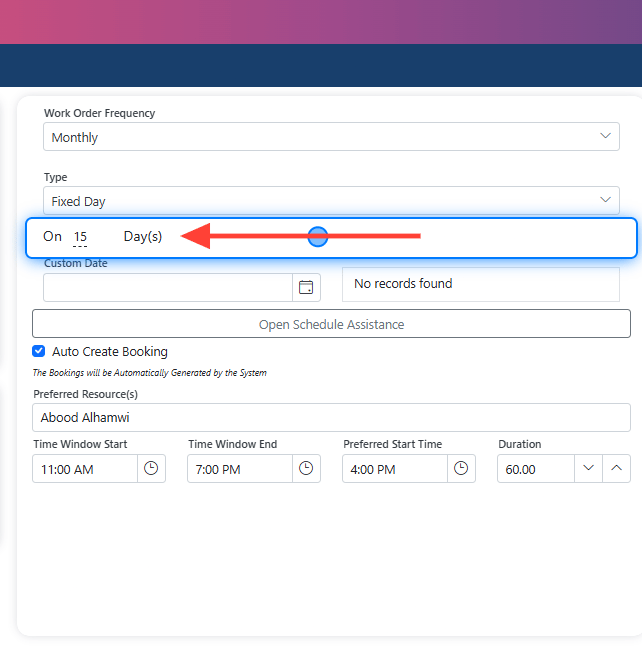
* **Fixed Day** allows you to select a specific day, such as the 15th of each month. However, this can cause issues if that day falls on a day off.
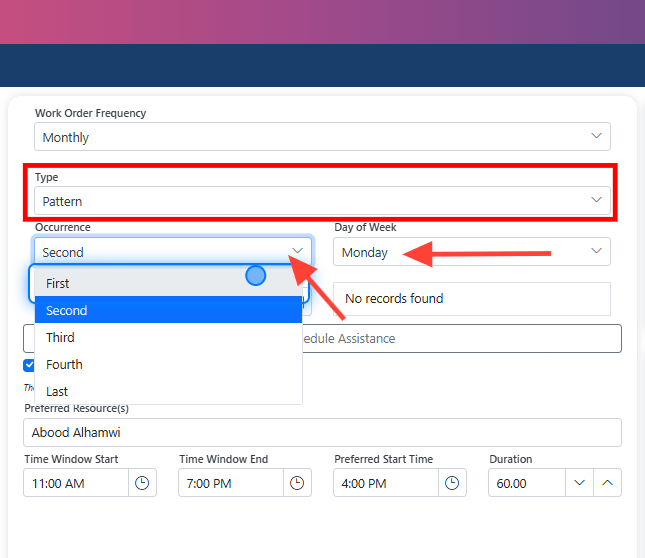
* **Pattern** lets you select an occurrence day, such as the first Monday or the last Wednesday of the month.
### 5. Frequency Type
We have two types of frequency: **Fixed Day** and **Pattern** .
* **Fixed Day** allows you to select a specific day, such as the 15th of each month. However, this can cause issues if that day falls on a day off.
* **Pattern** lets you select an occurrence day, such as the first Monday or the last Wednesday of the month.
 ### 6. Fixed Day
 ### 7. Pattern
 ### 8. Schedule Assistance
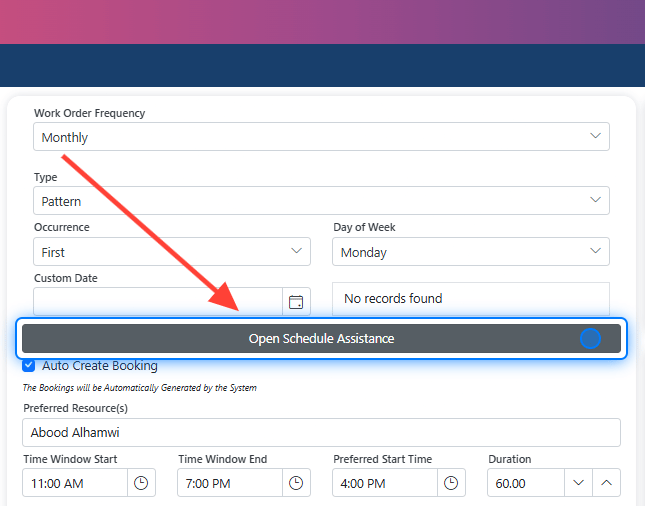
In Fieldiu, we’ve introduced a feature called **Schedule Assistance** to help with frequency management. The **Schedule Assistance** will help identify any conflicts in the visits and suggest the best time for scheduling without overlapping with other work orders. It will also display the results based on this criteria.
### 8. Schedule Assistance
In Fieldiu, we’ve introduced a feature called **Schedule Assistance** to help with frequency management. The **Schedule Assistance** will help identify any conflicts in the visits and suggest the best time for scheduling without overlapping with other work orders. It will also display the results based on this criteria.
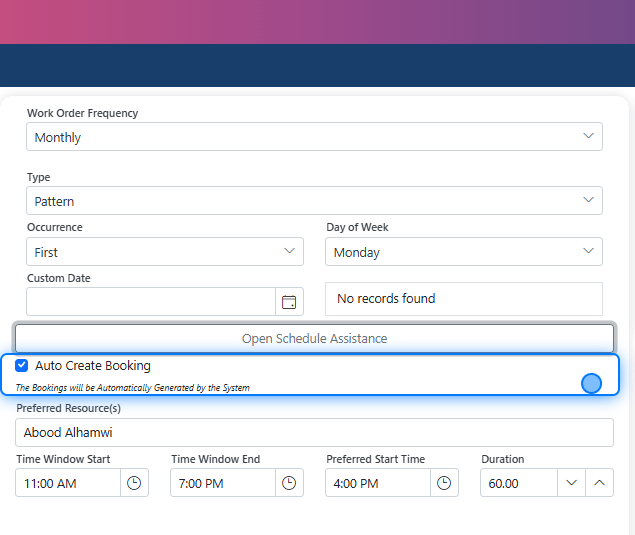
 ### 9. Auto Create Booking
In the checkbox, you can select whether or not you want to create the booking.
### 9. Auto Create Booking
In the checkbox, you can select whether or not you want to create the booking.
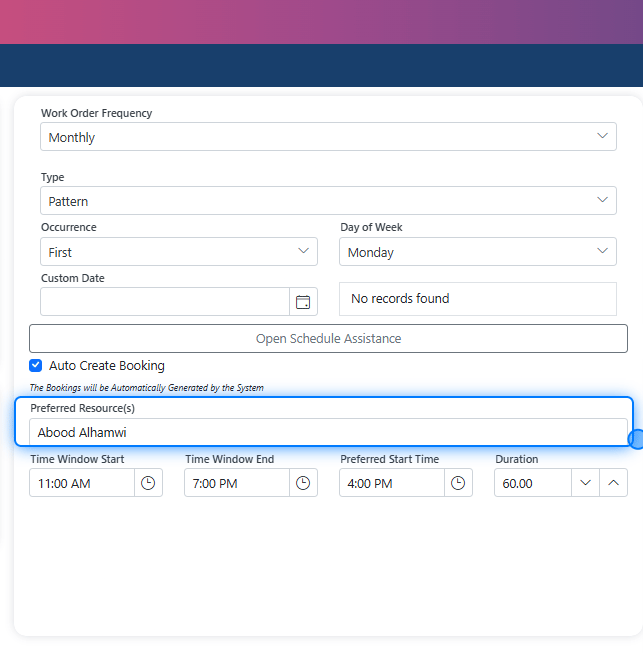
 ### 10. Preferred Resource
If you want a particular resource (e.g., a technician) to handle these visits, you can assign them here, and all the bookings will be added to their schedule.
### 10. Preferred Resource
If you want a particular resource (e.g., a technician) to handle these visits, you can assign them here, and all the bookings will be added to their schedule.
 > ### ⚠️ Save
>
> After finishing your setup, don't forget to save, and the frequencies will be automatically created in the system.�����������������������
> ### ⚠️ Save
>
> After finishing your setup, don't forget to save, and the frequencies will be automatically created in the system.�����������������������