> ## Documentation Index
> Fetch the complete documentation index at: https://docs.fieldiu.com/llms.txt
> Use this file to discover all available pages before exploring further.
# Incidents
> ### 💡 What is Incidents ?
>
> An **incident** refers to any event or issue reported by a customer following a pest control service. This could include a callback for follow-up services or when a pest problem persists or was not fully resolved during the regular visits. Incidents are typically logged when the customer experiences a problem that requires additional attention outside the scope of the initial service, such as a recurrence of pest activity or an unresolved pest issue.
### 1. Creating New Incident
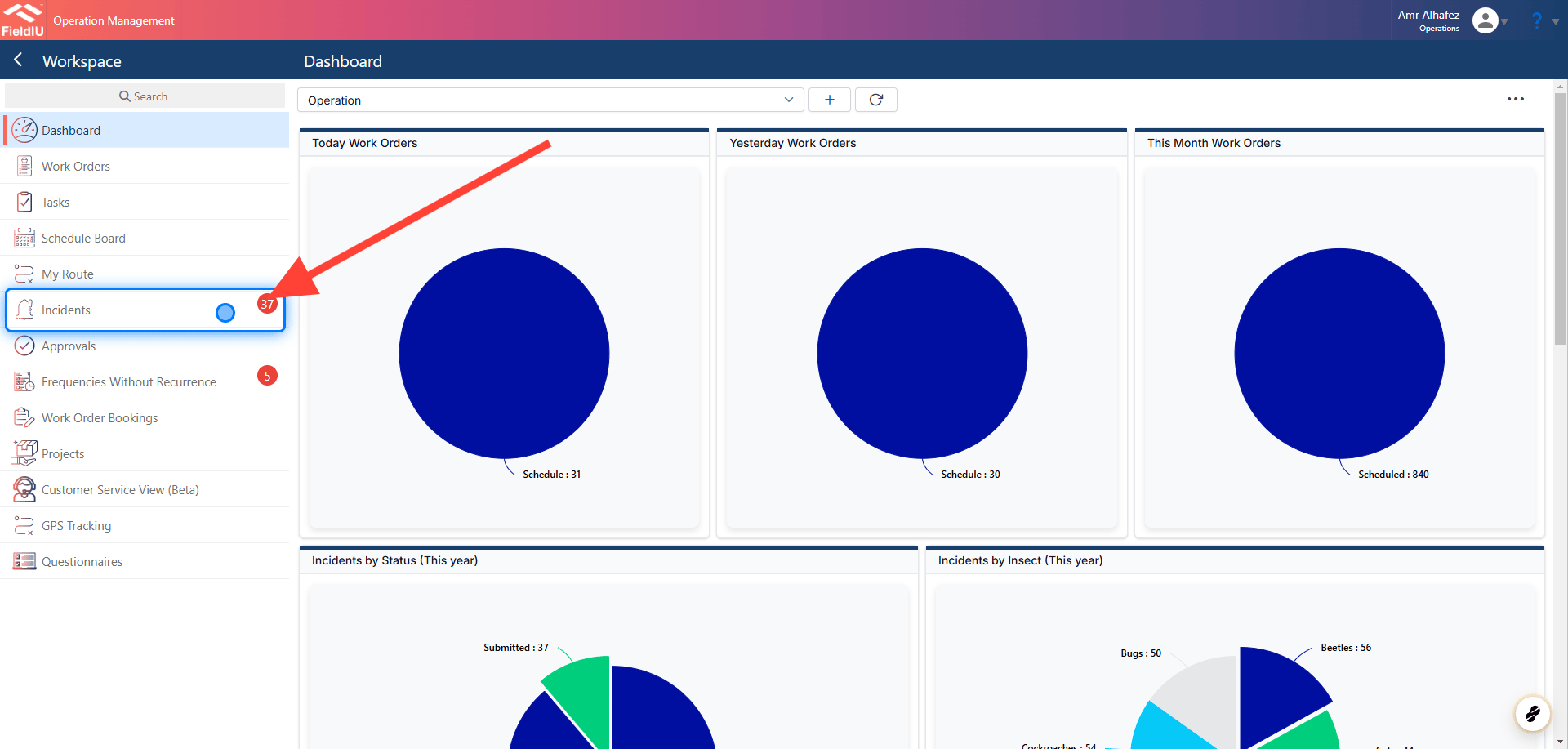
You can find the incidents in the sidebar menu.
 ### 2. Main Screen
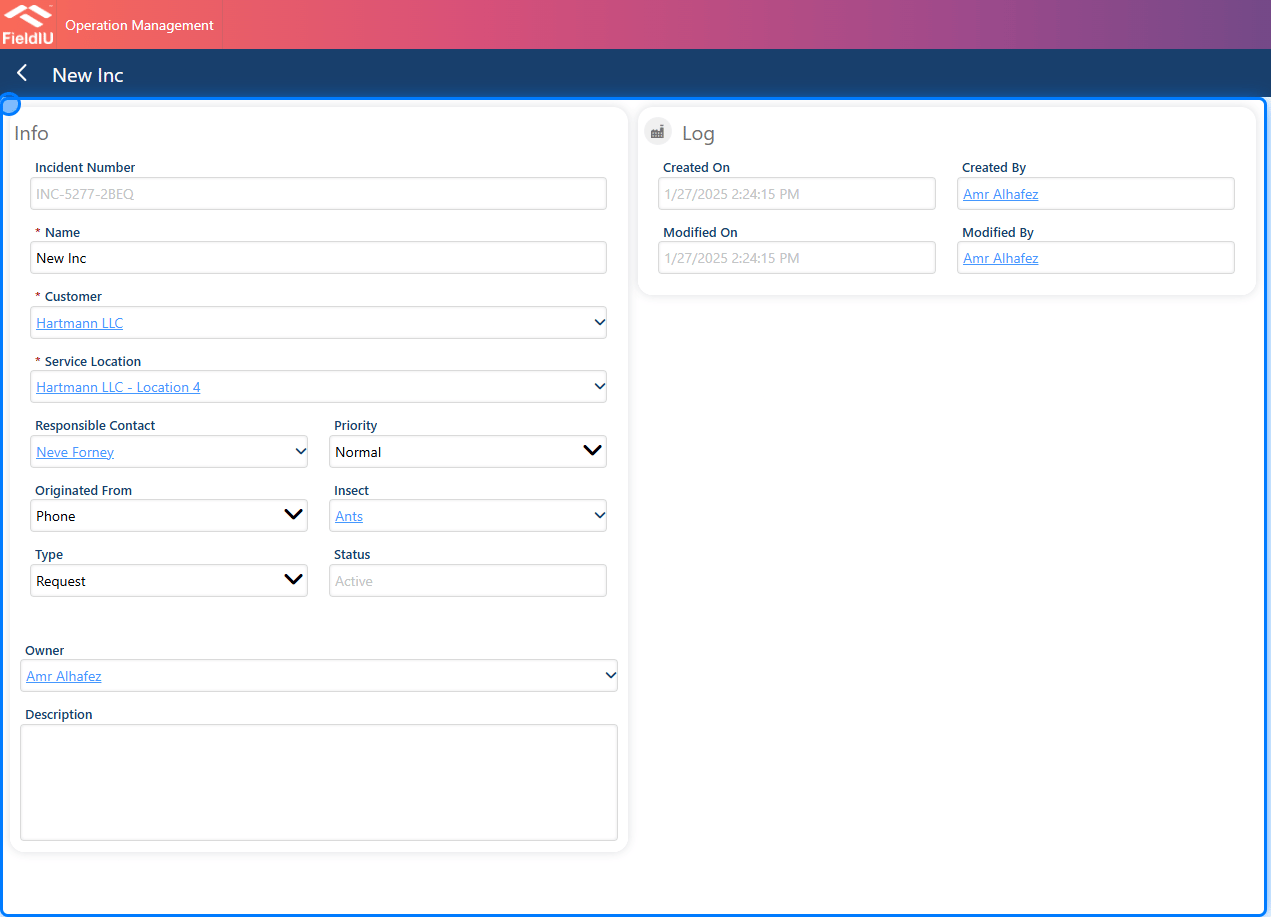
Once you create a new incident, you have to insert the main data for the incident:
* **Name**
* **Customer** : Just select the customer.
* **Service Location** : Select the service location for the customer that has the incident.
* **Responsible Contact** : You need to select the responsible contact.
* **Priority** : Here, you can add the priority for the incident, whether it is High, Normal, or Low.
* **Originated From** : Select how you were informed about the incident, whether it was from a phone call, email, or the customer portal.
* **Insect** : Select the insect or pest activity.
* **Type** : Here, you select the type of the incident, whether it was a question, problem, request, or other.
* **Status** : View the incident status.
* **Description** : If you have any description you'd like to add to the incident, you can insert it in the description field.
### 2. Main Screen
Once you create a new incident, you have to insert the main data for the incident:
* **Name**
* **Customer** : Just select the customer.
* **Service Location** : Select the service location for the customer that has the incident.
* **Responsible Contact** : You need to select the responsible contact.
* **Priority** : Here, you can add the priority for the incident, whether it is High, Normal, or Low.
* **Originated From** : Select how you were informed about the incident, whether it was from a phone call, email, or the customer portal.
* **Insect** : Select the insect or pest activity.
* **Type** : Here, you select the type of the incident, whether it was a question, problem, request, or other.
* **Status** : View the incident status.
* **Description** : If you have any description you'd like to add to the incident, you can insert it in the description field.
 > ### 💡 Save
>
> Once you save the incident, new sections and options will open for you.
### 3. Options
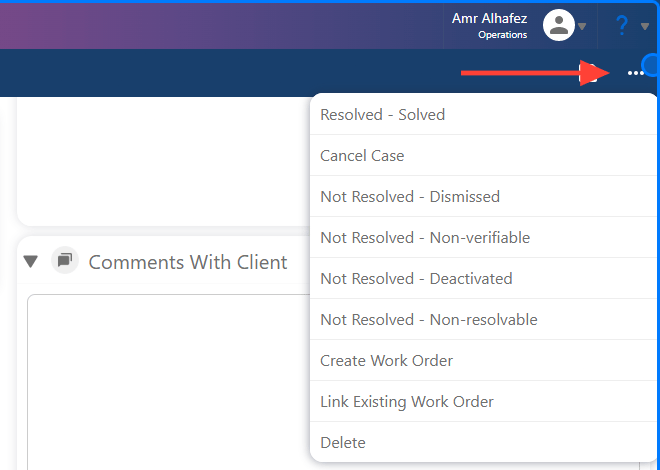
Now, once we save the incident, we have many options to deal with it:
* **Resolved - Solved**
* **Cancel Case**
* **Not Resolved - Dismissed**
* **Not Resolved - Non-verifiable**
* **Not Resolved - Deactivated**
* **Not Resolved - Non-resolvable**
* **Create Work Order** : Here, you can create a work order ("visit") and schedule it.
* **Link Existing Work Order** : Here, you can link the incident to an already existing work order.
> ### 💡 Save
>
> Once you save the incident, new sections and options will open for you.
### 3. Options
Now, once we save the incident, we have many options to deal with it:
* **Resolved - Solved**
* **Cancel Case**
* **Not Resolved - Dismissed**
* **Not Resolved - Non-verifiable**
* **Not Resolved - Deactivated**
* **Not Resolved - Non-resolvable**
* **Create Work Order** : Here, you can create a work order ("visit") and schedule it.
* **Link Existing Work Order** : Here, you can link the incident to an already existing work order.
 ### 4. Work Order Section
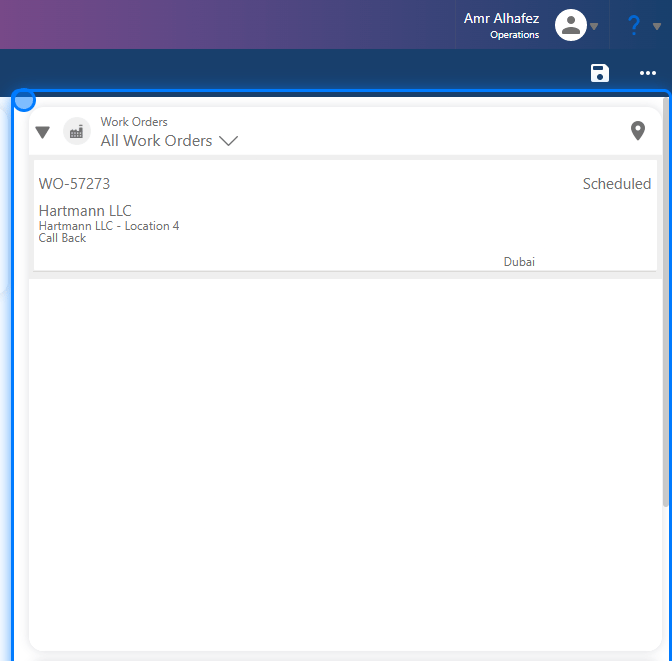
The **Work Order** section is where you will see the created work orders for this incident or the linked work orders associated with it.
### 4. Work Order Section
The **Work Order** section is where you will see the created work orders for this incident or the linked work orders associated with it.
 ### 5. Attachment Section
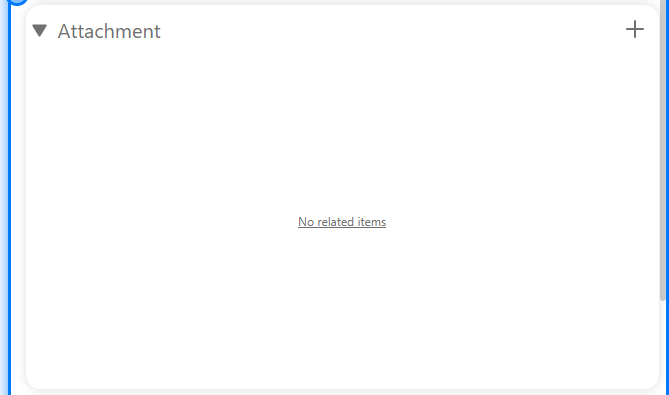
In the **Attachment** section, you can add any files or images related to this incident.
### 5. Attachment Section
In the **Attachment** section, you can add any files or images related to this incident.
 ### 6. Comment Section
In the **Comments** section, you can add comments for the customer so they can see and respond to them from their portal access, if they have portal user access.
### 6. Comment Section
In the **Comments** section, you can add comments for the customer so they can see and respond to them from their portal access, if they have portal user access.
 �����������������������