> ## Documentation Index
> Fetch the complete documentation index at: https://docs.fieldiu.com/llms.txt
> Use this file to discover all available pages before exploring further.
# Additional Details
> ### 💡 What is it ?
>
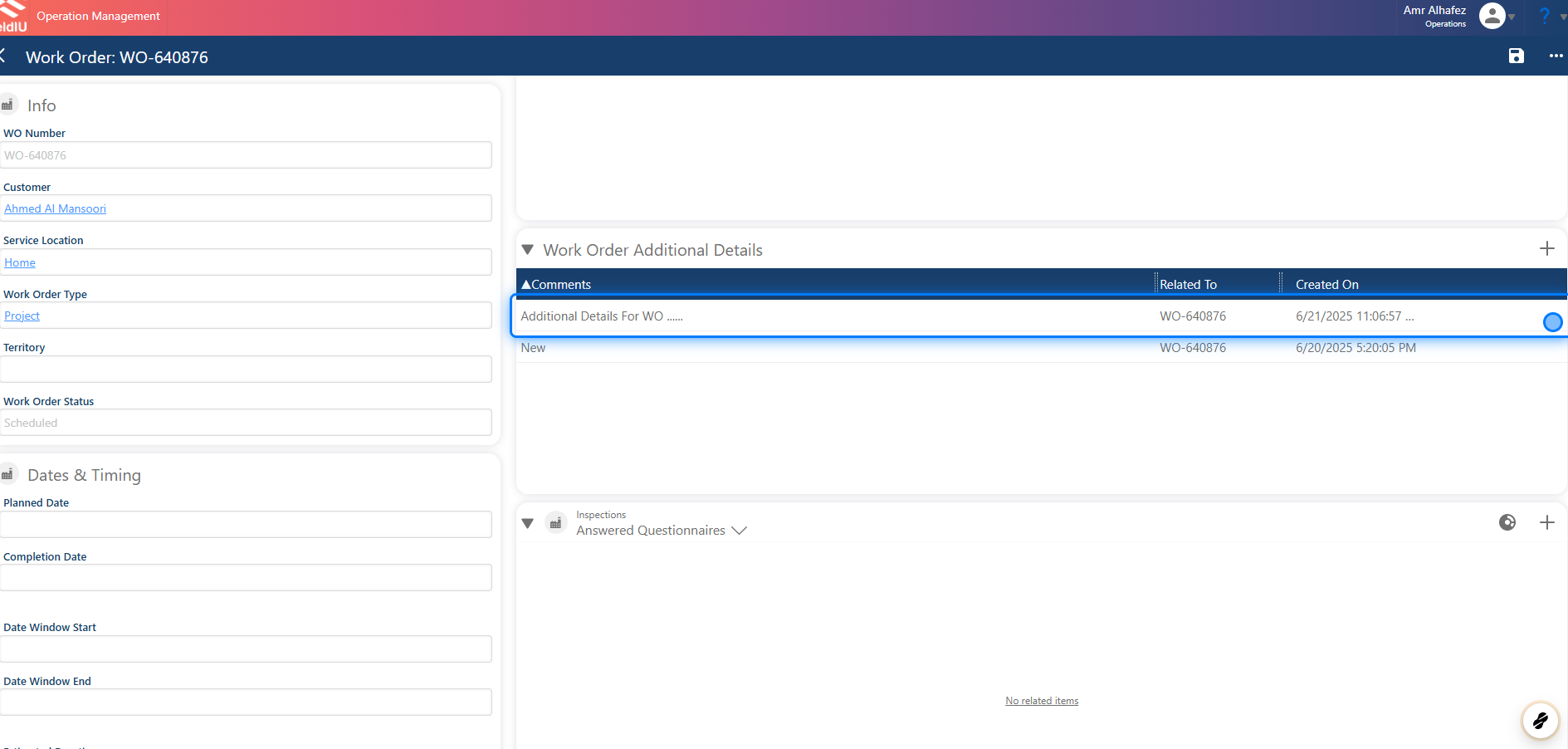
> The Additional Details feature allows you to insert any information related to a Work Order, Service Location, or Account.\
> There are several ways to add this information—let's take a look.
> ### 💡 Why we are using it !?
>
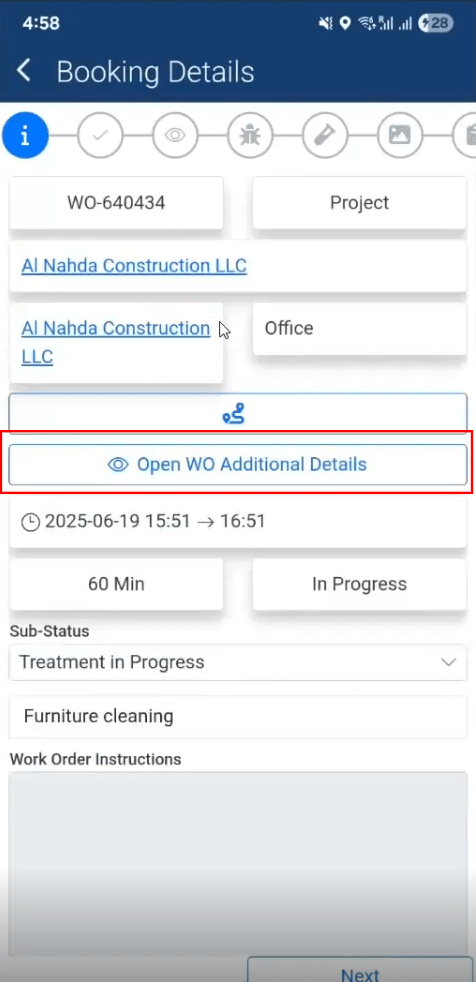
> Whenever a field staff member opens a Work Order that includes Additional Details, the comment will be visible in the Work Order details.
>
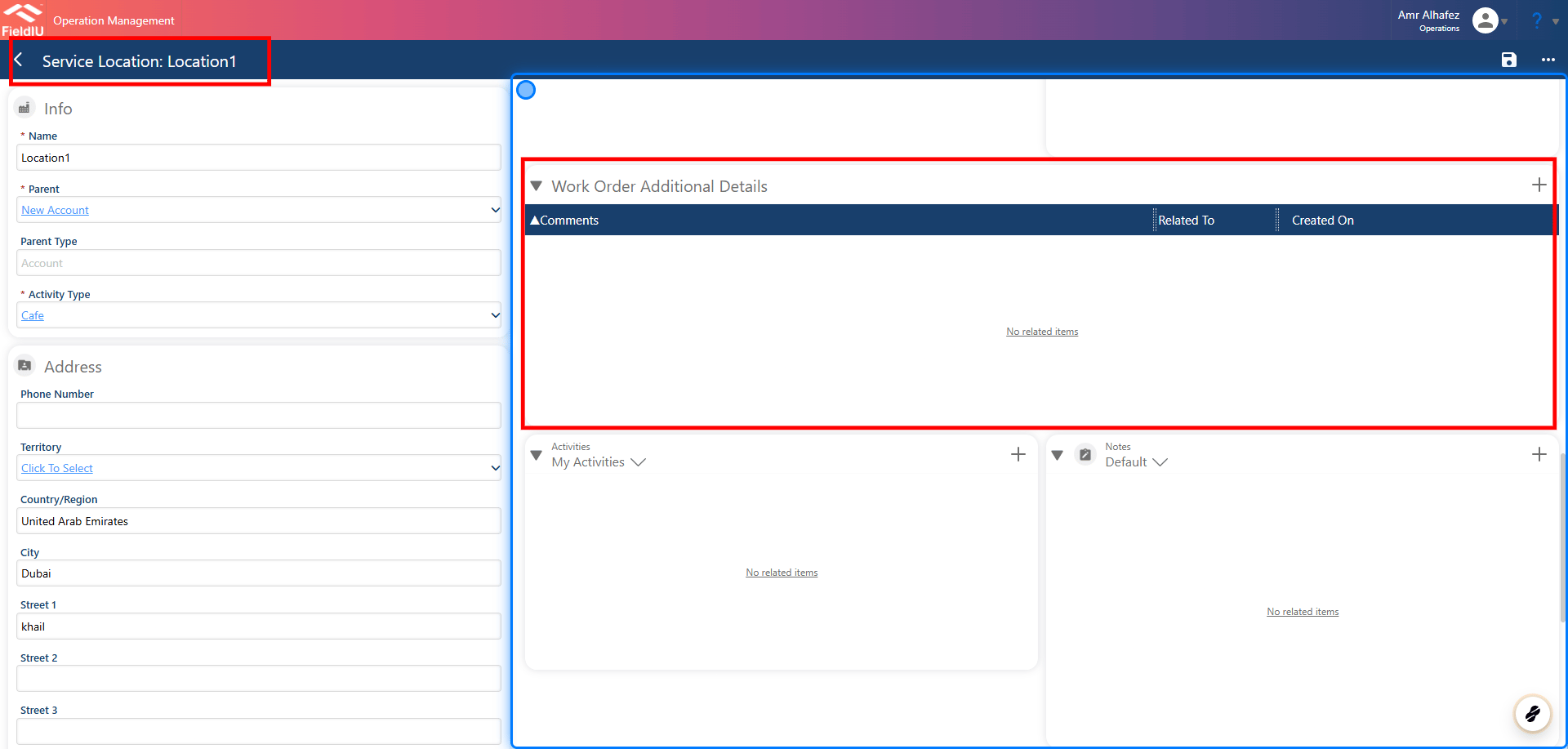
> The same applies to Service Locations—if the Work Order is related to a Service Location with Additional Details, the associated comment will appear in the Work Order details.
>
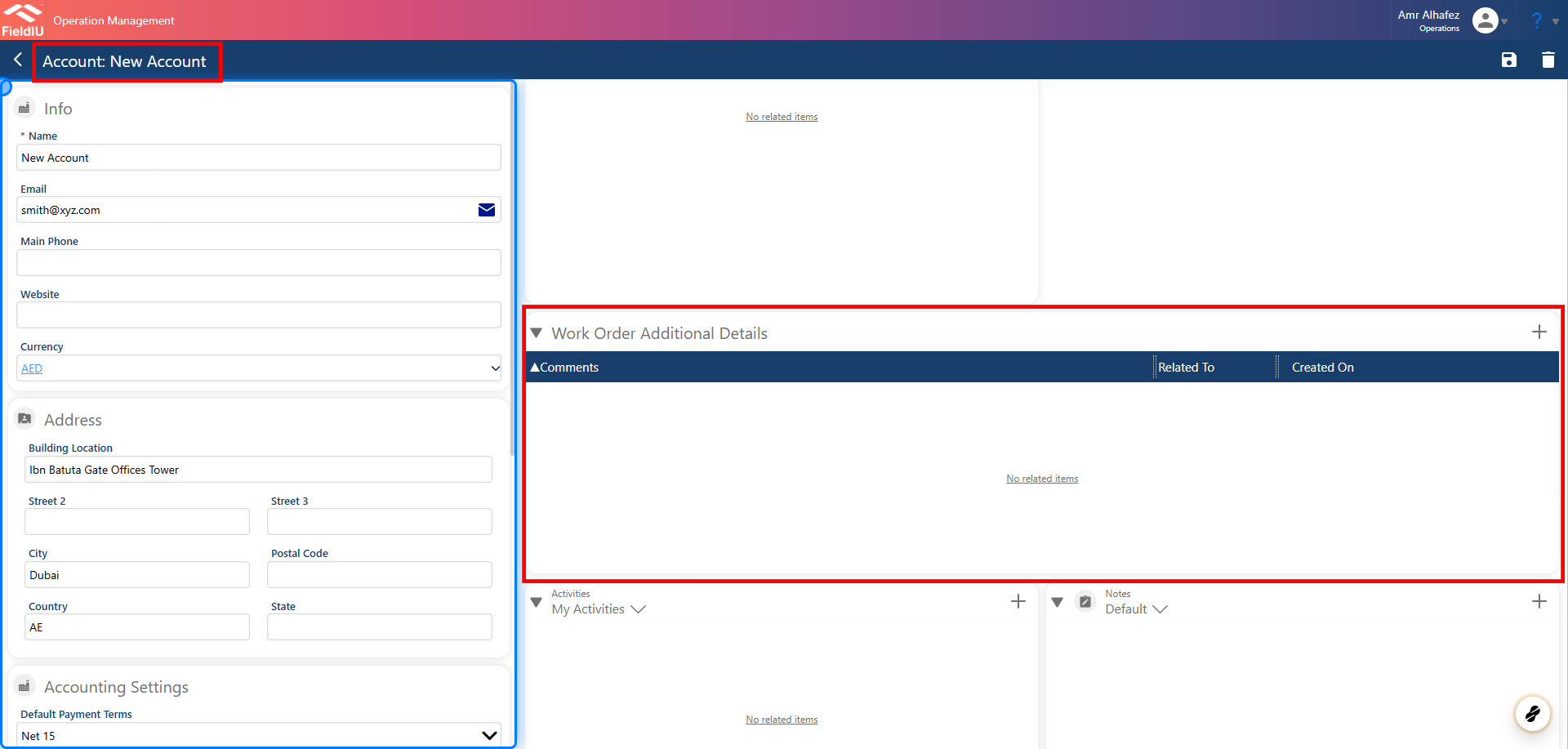
> This also applies to Accounts. When a Work Order is linked to an Account with Additional Details, the corresponding comment will be displayed within the Work Order details section.
### 1. In Work Orders
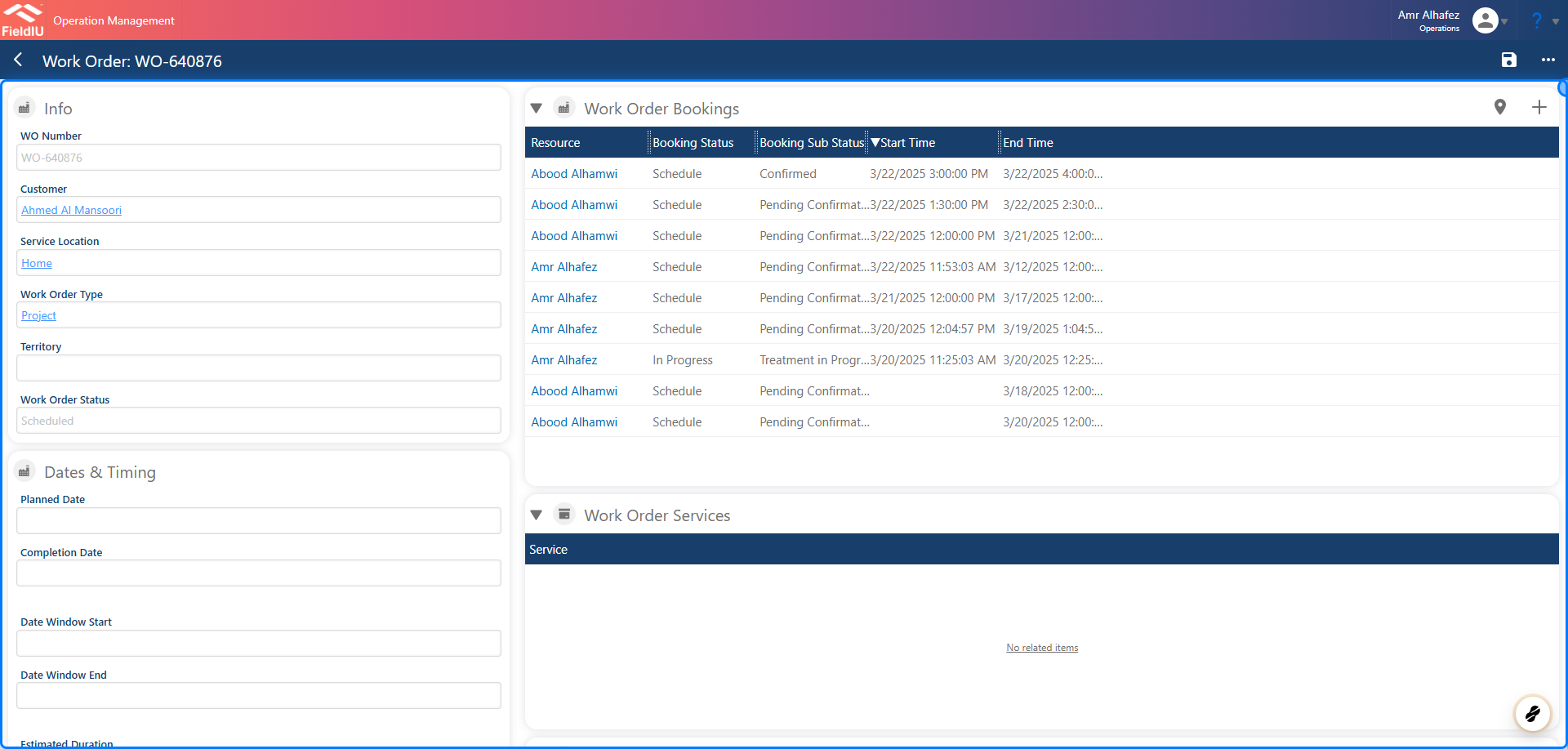 ### 2. Work Order Additional Details Section
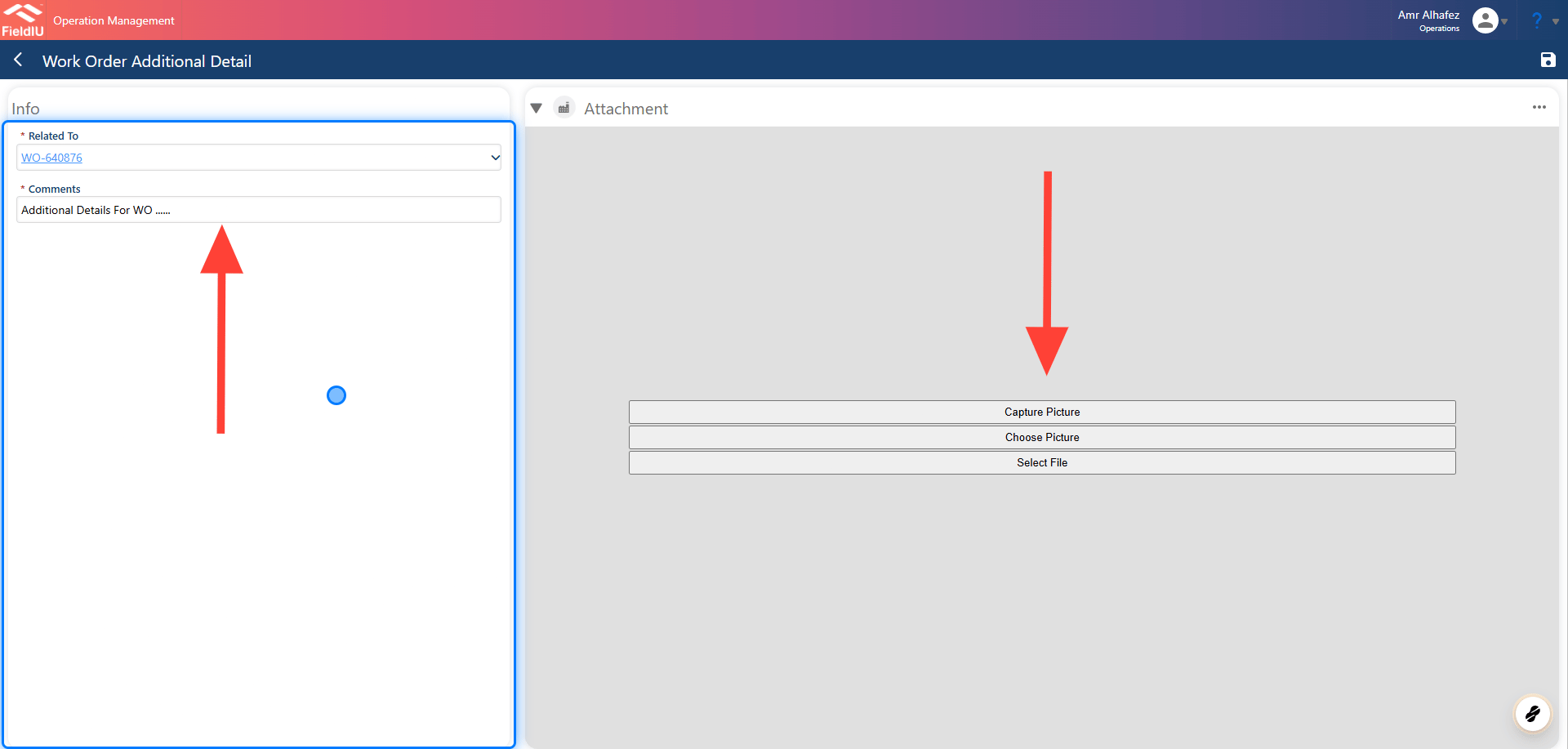
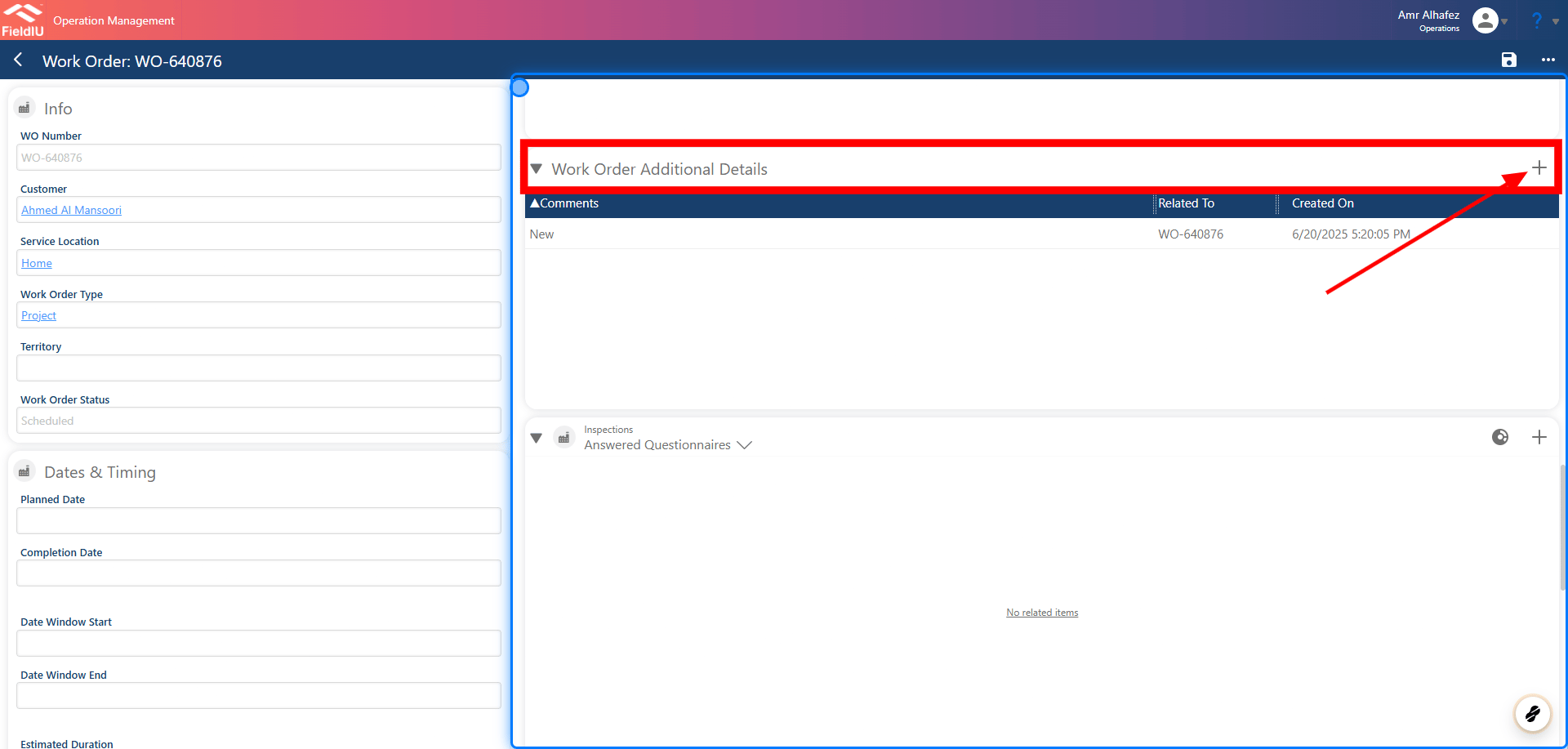 ### 3. Insert Comment
Once a new Additional Detail is created, a comment must be added. You can also upload images, videos, PDFs, or any other files you wish to include with the comment.
### 3. Insert Comment
Once a new Additional Detail is created, a comment must be added. You can also upload images, videos, PDFs, or any other files you wish to include with the comment.
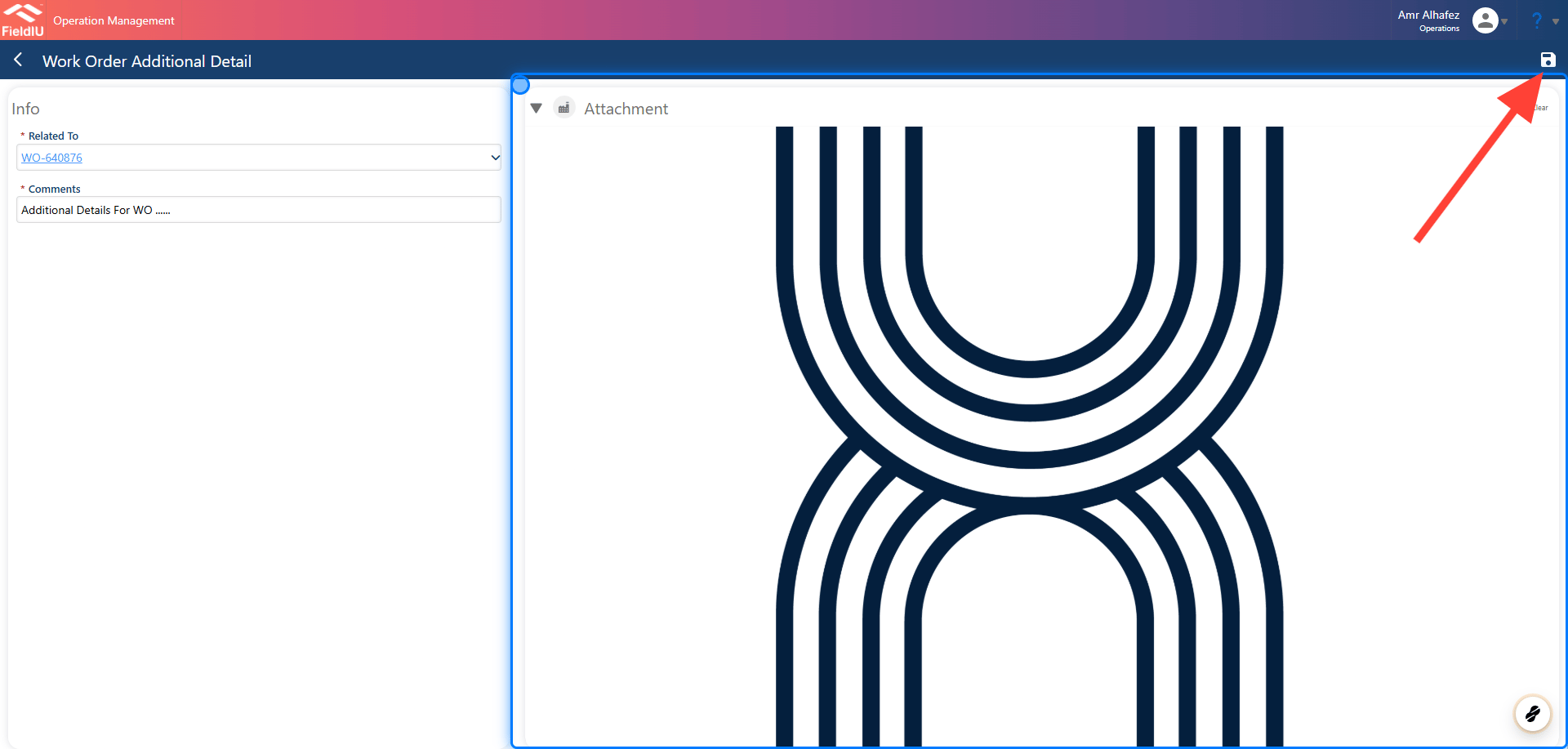
 ### 4. Image Uploaded Example
Don't Forget to Save !
### 4. Image Uploaded Example
Don't Forget to Save !
 ### 5.
 > ### 💡 Service Location Additional Details
>
> This section can also be found on the **Service Location** page.
### 6.
> ### 💡 Service Location Additional Details
>
> This section can also be found on the **Service Location** page.
### 6.
 > ### 💡 Accounts Additional Details
### 7.
> ### 💡 Accounts Additional Details
### 7.
 ## Field Stuff Mobile View
### 8.
## Field Stuff Mobile View
### 8.
 ### 9.
 �����������������������