> ## Documentation Index
> Fetch the complete documentation index at: https://docs.fieldiu.com/llms.txt
> Use this file to discover all available pages before exploring further.
# Users
Reset User Password
> ### ⚠️ This Feature Is for System Admin Only!
>
> Here You Can Add & Edit :
>
> * User Information
>
> * Passwords
>
> * Roles
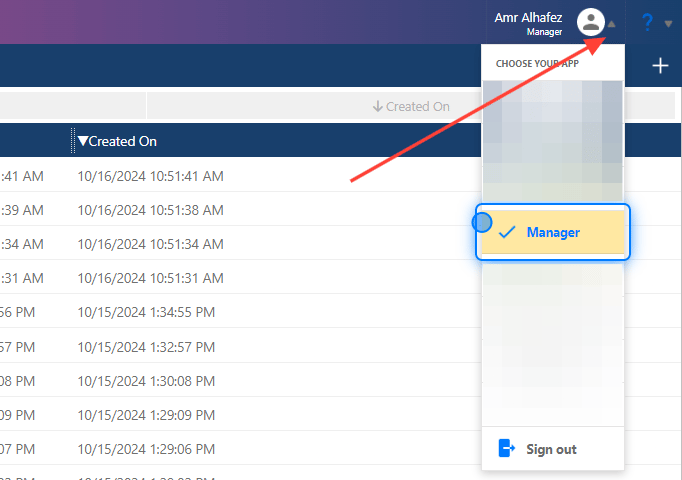
### 1. Manager App
Select the Manager App So You can Access The Administrator Dashboard
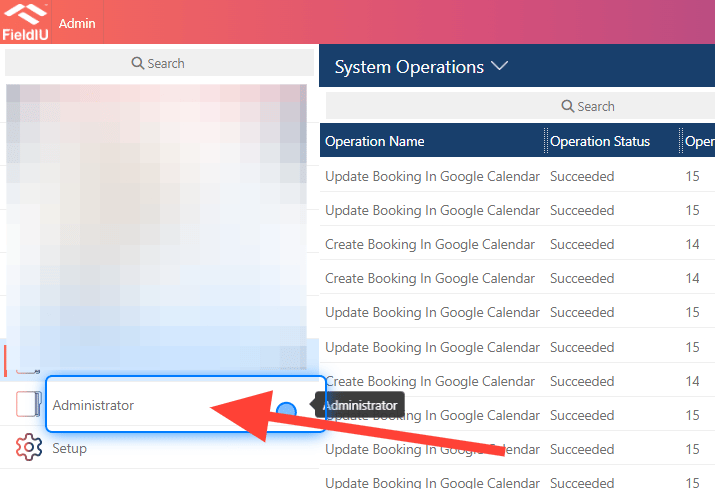
 ### 2. Click on Administrator
From The Side Bar Click on Administrator
### 2. Click on Administrator
From The Side Bar Click on Administrator
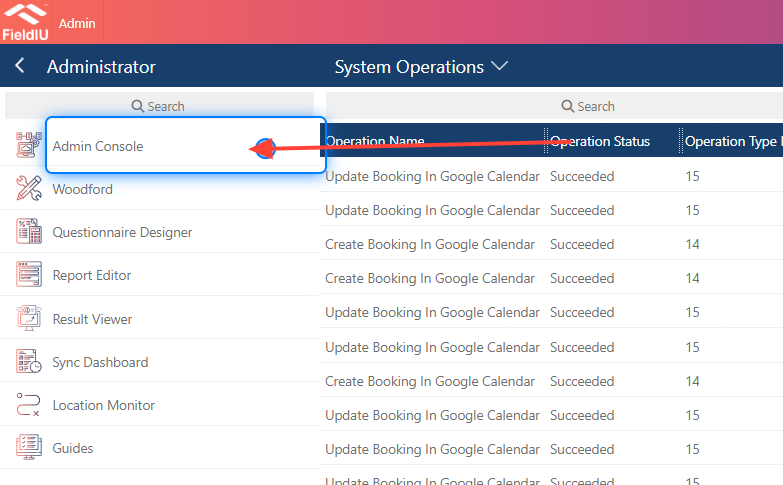
 ### 3. Click on Admin Console
Select The Admin Console
### 3. Click on Admin Console
Select The Admin Console
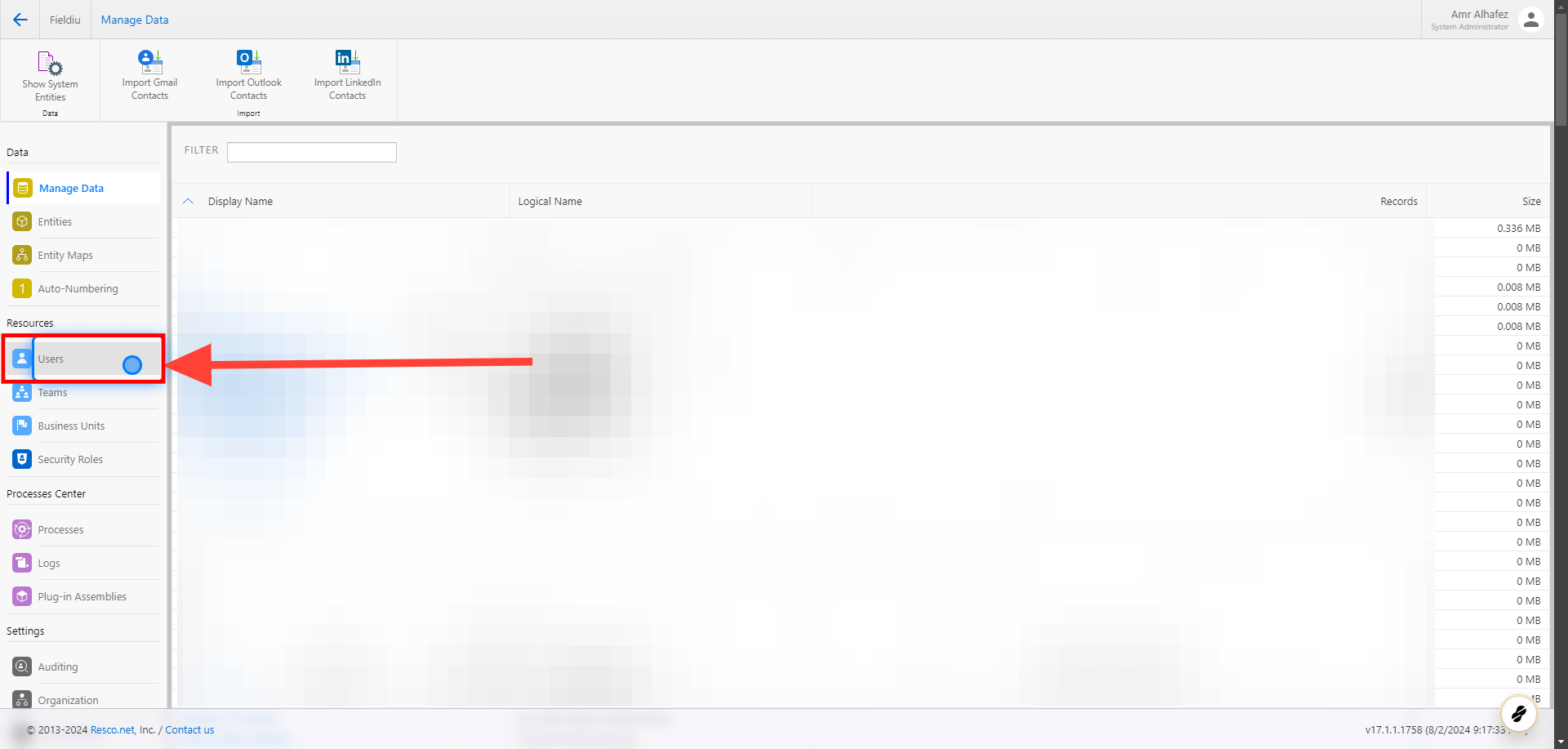
 ### 4. Click on Users
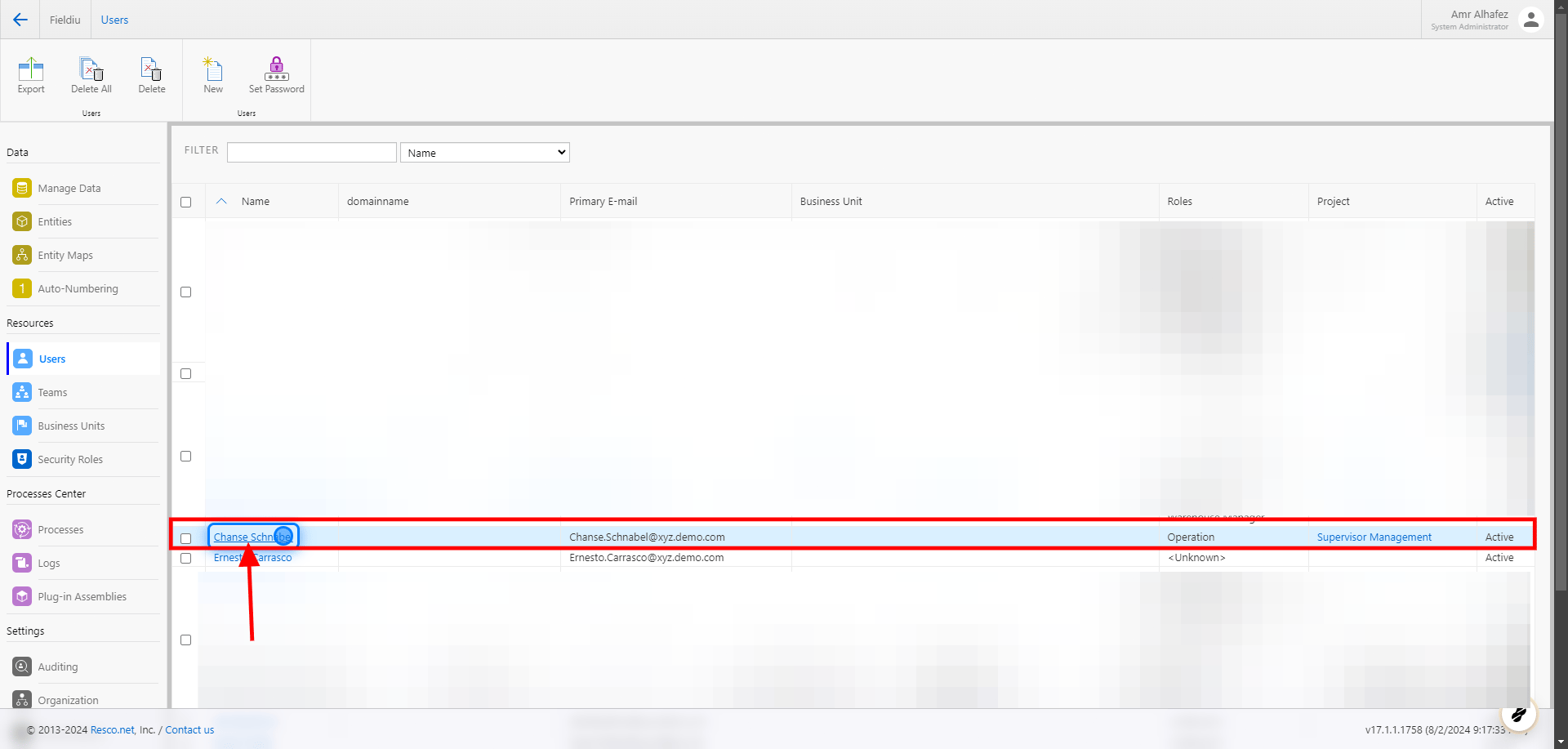
 ### 5. Select The User
Here you can find a list of all the system users.\
Select the
### 5. Select The User
Here you can find a list of all the system users.\
Select the
 ### 6. User Information
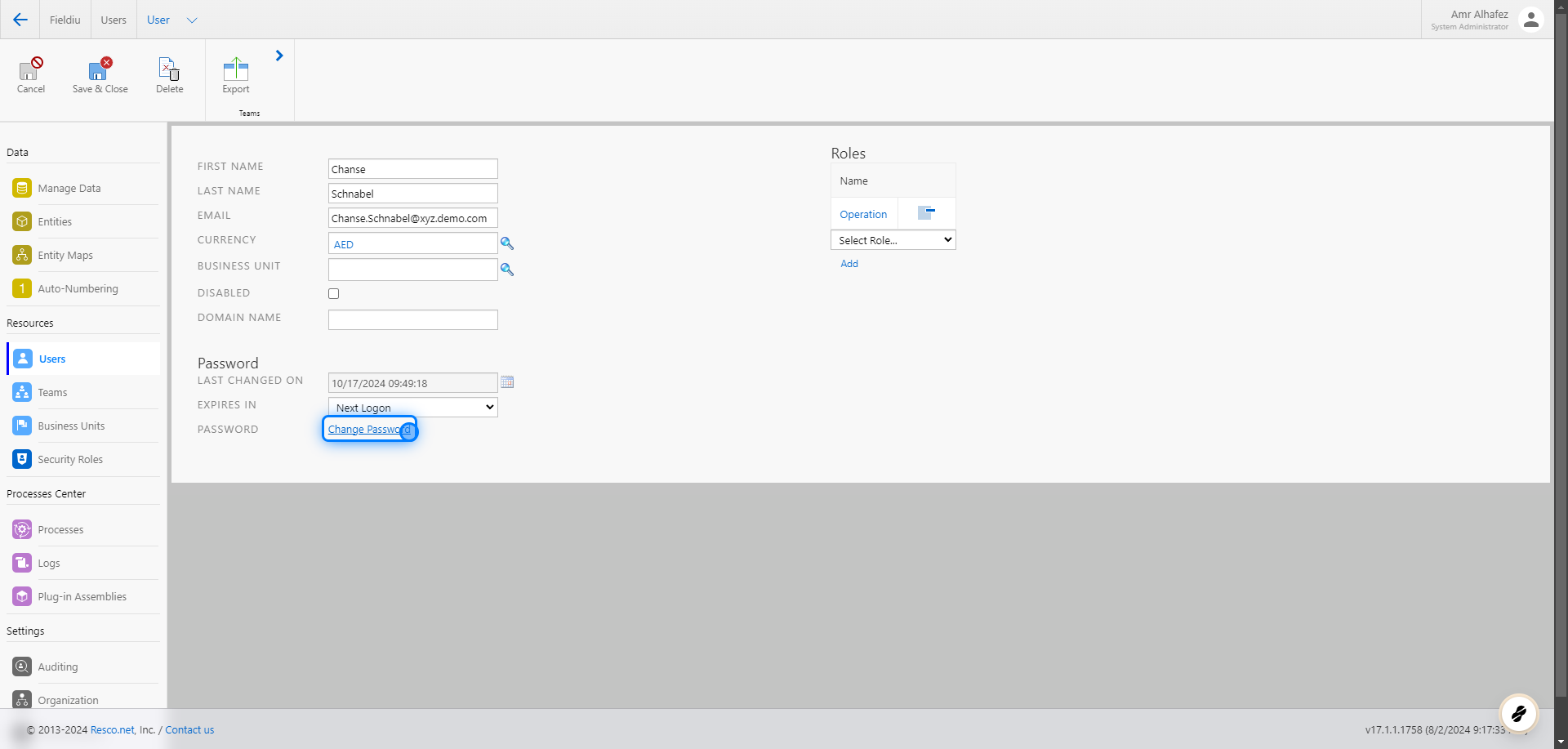
Now you have all the information for the user. The most important details are:
* First Name
* Last Name
* Email Address
* Password
* Roles (Permissions)
### 6. User Information
Now you have all the information for the user. The most important details are:
* First Name
* Last Name
* Email Address
* Password
* Roles (Permissions)
 ### 7. Change Password
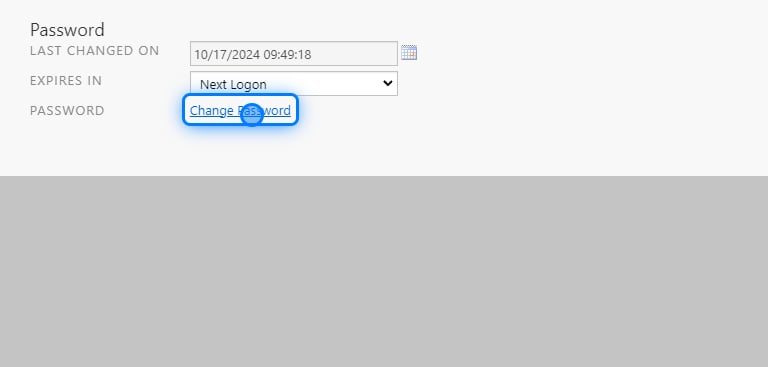
To change or reset the user password, click on the "Change Password" button.
### 7. Change Password
To change or reset the user password, click on the "Change Password" button.
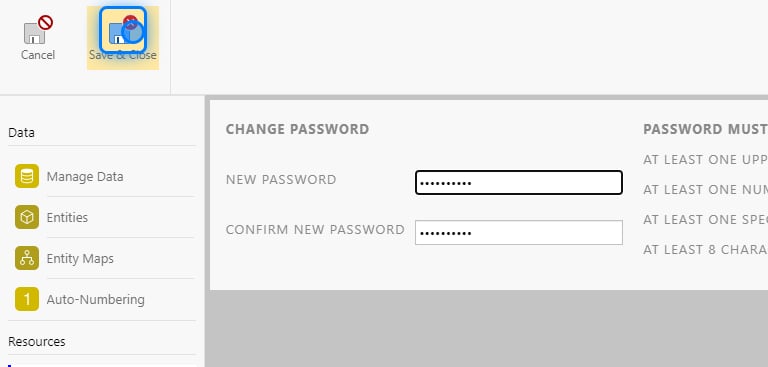
 ### 8. Enter The New Password
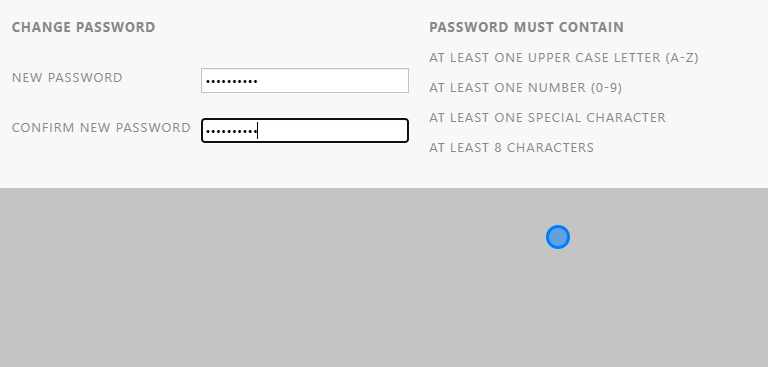
After you click on "Change Password," a new window will appear where you can enter the new password for the user.
### 8. Enter The New Password
After you click on "Change Password," a new window will appear where you can enter the new password for the user.
 > ### ⚠️ Password must contain
>
> * At least one upper case letter (A-Z)
>
> * At least one number (0-9)
>
> * At least one special character
>
> * At least 8 characters
>
> For Example ( ABC123abc@ )\
> !! Use Strong Password Only !!
### 9. Save & Close
Save & Close The New Password Screen
> ### ⚠️ Password must contain
>
> * At least one upper case letter (A-Z)
>
> * At least one number (0-9)
>
> * At least one special character
>
> * At least 8 characters
>
> For Example ( ABC123abc@ )\
> !! Use Strong Password Only !!
### 9. Save & Close
Save & Close The New Password Screen
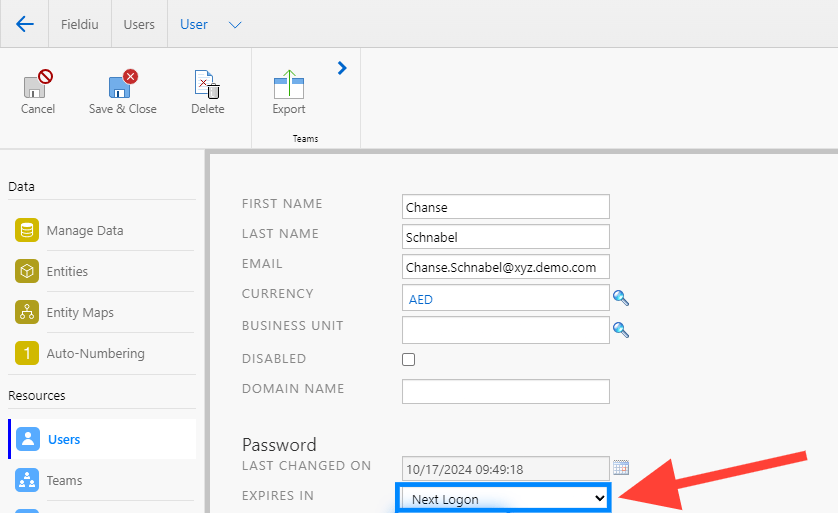
 > ### 💡 Expiry
>
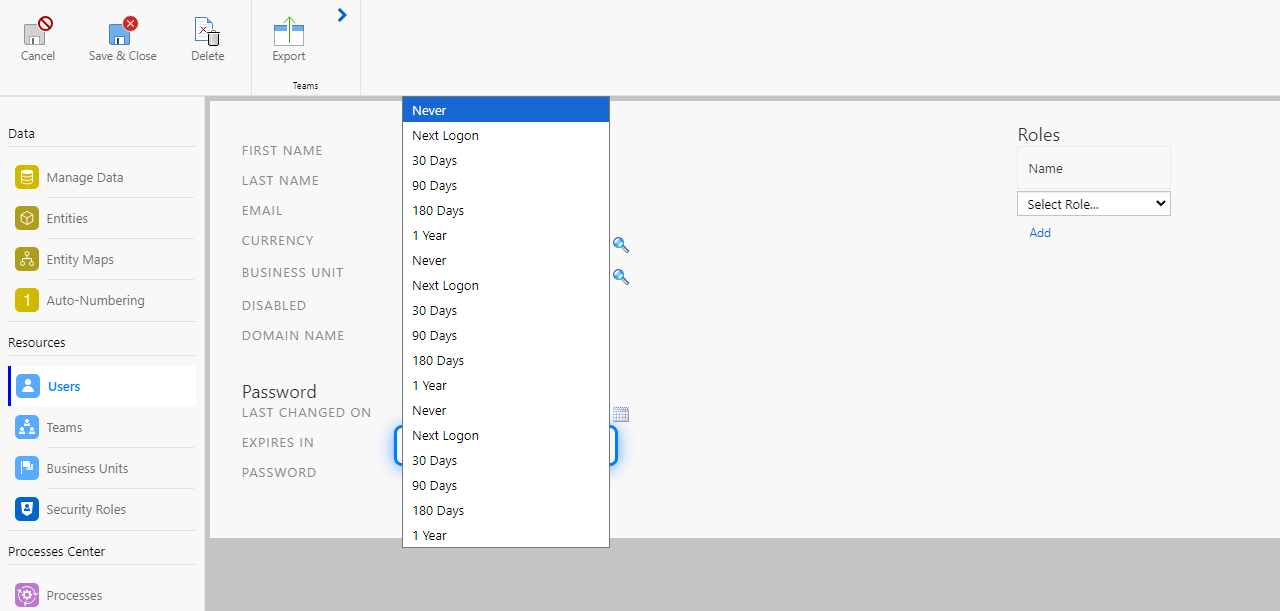
> You can add an expiry for the password for enhanced security, choosing either a specific period of time, the next logon, or setting it to never expire.
### 10. Click On Expiry
> ### 💡 Expiry
>
> You can add an expiry for the password for enhanced security, choosing either a specific period of time, the next logon, or setting it to never expire.
### 10. Click On Expiry
 ### 11. Select the specific period
 ### 12. Save & Close
Save & Close The User Screen
### 12. Save & Close
Save & Close The User Screen
 �����������������������