> ## Documentation Index
> Fetch the complete documentation index at: https://docs.fieldiu.com/llms.txt
> Use this file to discover all available pages before exploring further.

# User Invitation

### 1. Open Portal
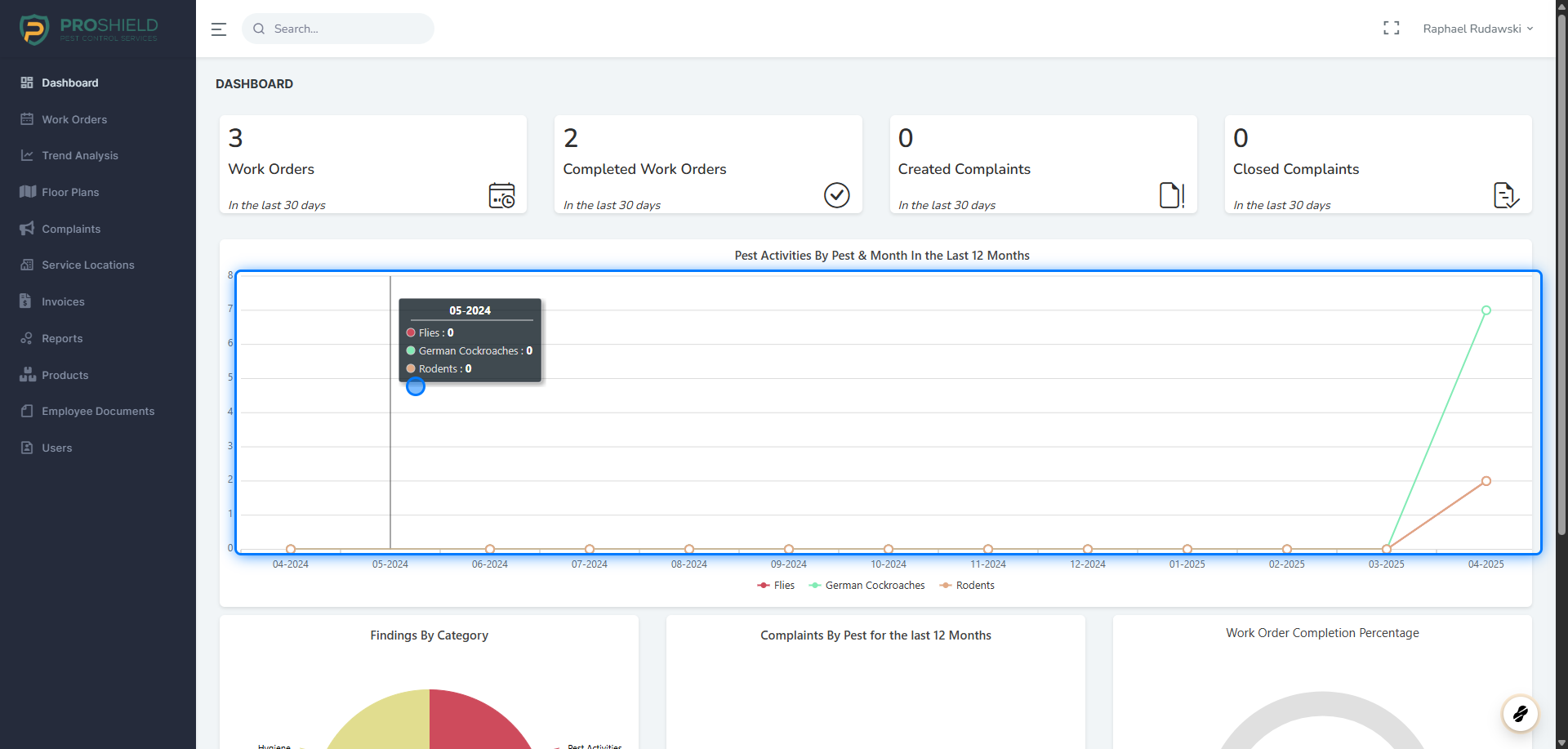
<img src="https://mintcdn.com/fieldiu/0rNv5-wAPkXbp1BF/images/4102067c-32af-43d0-a665-297fd9ec852b.png?fit=max&auto=format&n=0rNv5-wAPkXbp1BF&q=85&s=1a4a33541a9b5e273c0d249023d847c2" alt="" width="1920" height="917" data-path="images/4102067c-32af-43d0-a665-297fd9ec852b.png" />

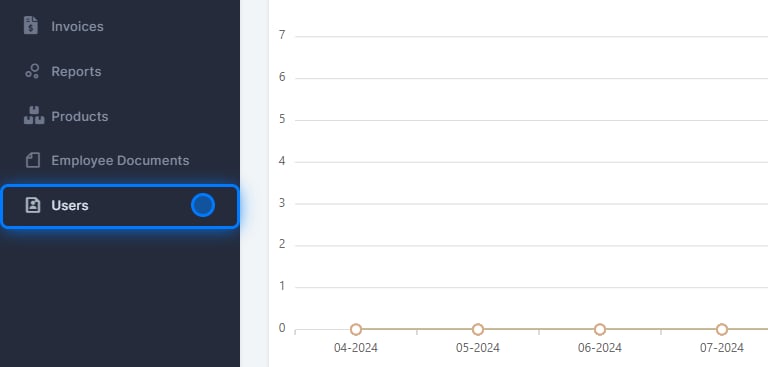
### 2. Click on Users

<img src="https://mintcdn.com/fieldiu/GS4rQPdzw48eDklV/images/2cc29297-e64b-4c99-ad55-f8ac99d3da4d.png?fit=max&auto=format&n=GS4rQPdzw48eDklV&q=85&s=6b29bae9bd3457f10ecf0ca2359cbd85" alt="" width="768" height="367" data-path="images/2cc29297-e64b-4c99-ad55-f8ac99d3da4d.png" />

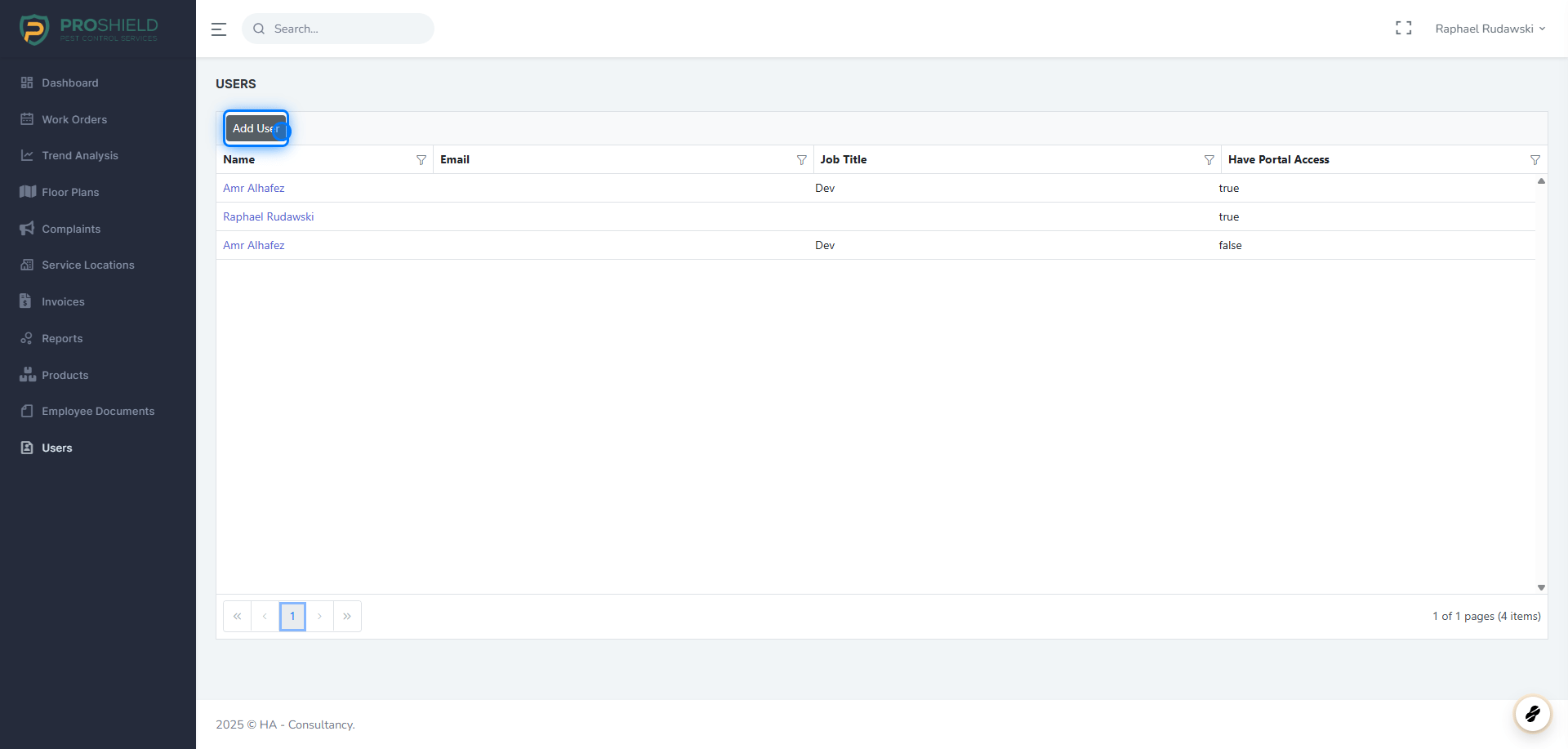
### 3. Click on Add User

<img src="https://mintcdn.com/fieldiu/O-kgxeVaqfq71Ibh/images/d69a6b79-52d2-41dd-a981-40f62c0dbf22.png?fit=max&auto=format&n=O-kgxeVaqfq71Ibh&q=85&s=6c6237540722895519489e320f33654c" alt="" width="1920" height="917" data-path="images/d69a6b79-52d2-41dd-a981-40f62c0dbf22.png" />

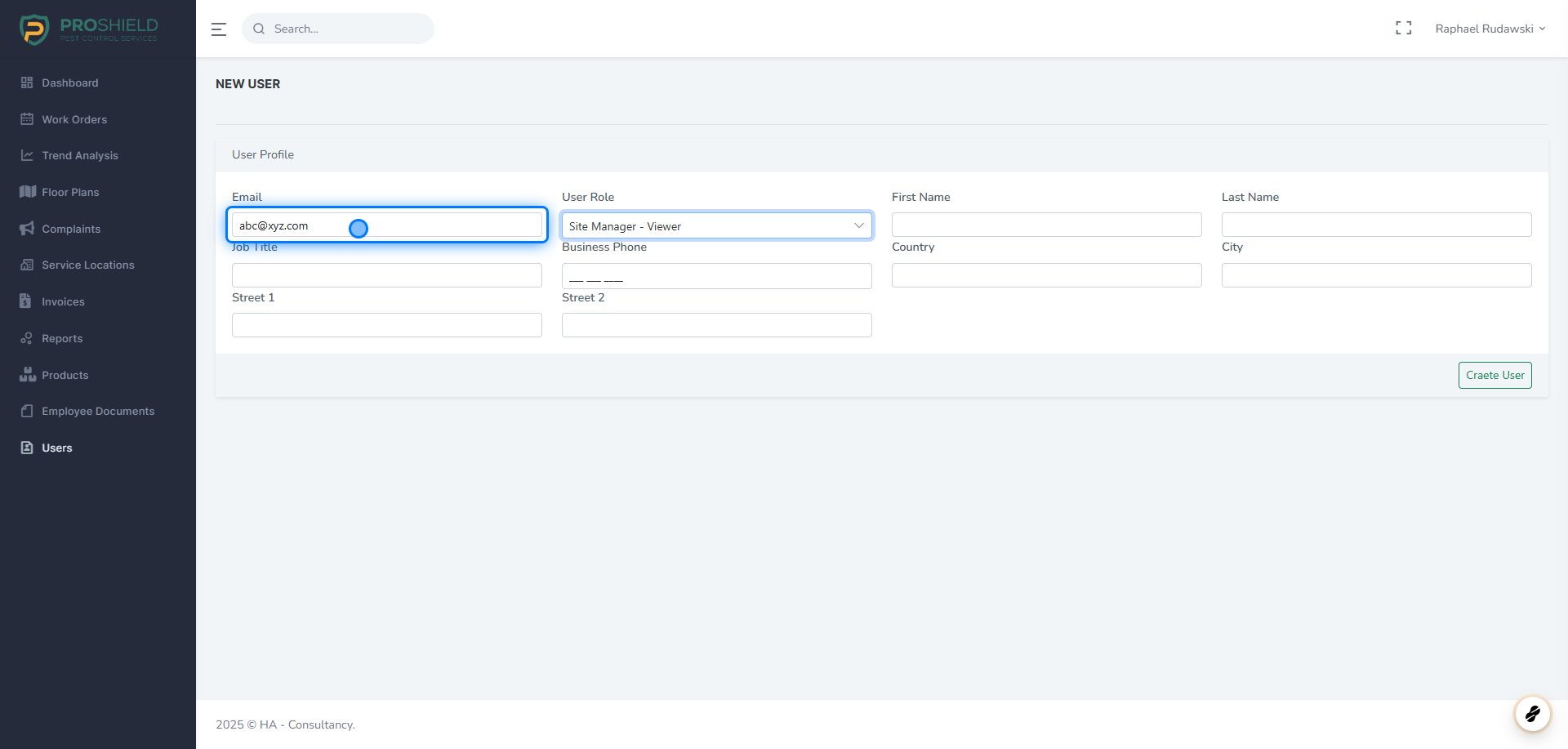
### 4. Fill the fields

<img src="https://mintcdn.com/fieldiu/I0KX1uEaTN8rxrHM/images/8d0402f6-0894-4869-af14-cdc0caef8761.png?fit=max&auto=format&n=I0KX1uEaTN8rxrHM&q=85&s=12752f30cf48fe1b96e00334ed00ff44" alt="" width="1920" height="917" data-path="images/8d0402f6-0894-4869-af14-cdc0caef8761.png" />

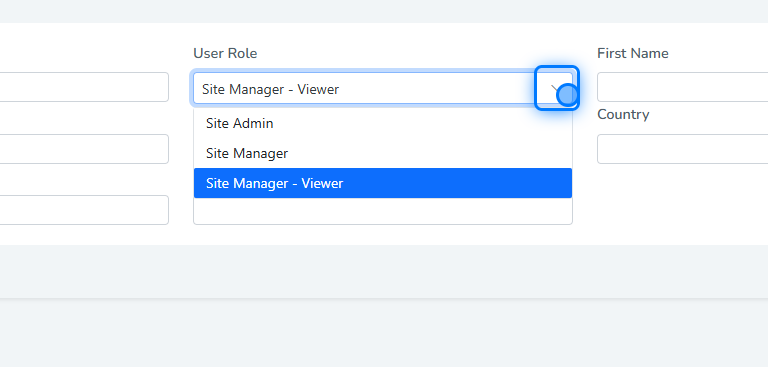
### 5. Select Role

<img src="https://mintcdn.com/fieldiu/GS4rQPdzw48eDklV/images/3d46f648-ece2-4b40-a907-95c71e656c4e.png?fit=max&auto=format&n=GS4rQPdzw48eDklV&q=85&s=91fc7c1f2d6311b1e87bfd9666daa872" alt="" width="768" height="367" data-path="images/3d46f648-ece2-4b40-a907-95c71e656c4e.png" />

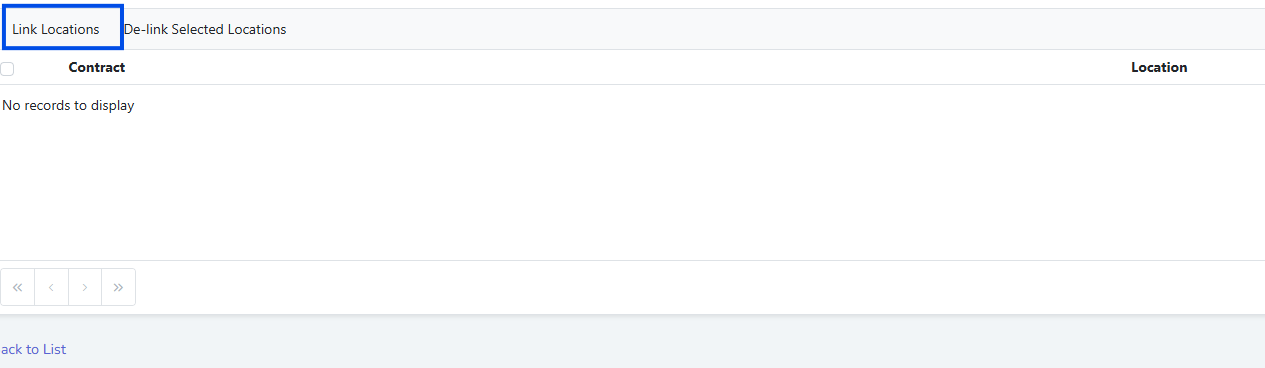
### 6. Click on Link Locations

<img src="https://mintcdn.com/fieldiu/ASkbXz2A7i_wG3wf/images/114d9443-1686-4817-bf4e-f9bc9c351eef.png?fit=max&auto=format&n=ASkbXz2A7i_wG3wf&q=85&s=e7ea782a1c0b7ea91b1a39276e92187f" alt="" width="1265" height="368" data-path="images/114d9443-1686-4817-bf4e-f9bc9c351eef.png" />

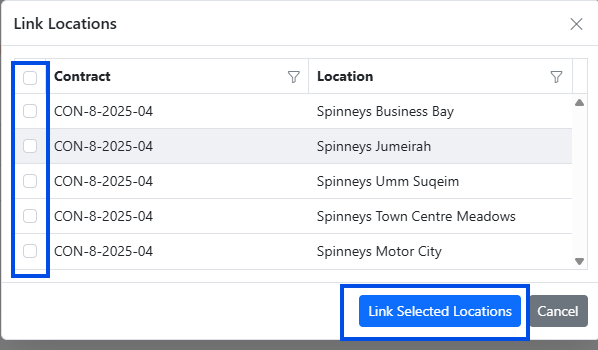
### 7. Select the Locations

<img src="https://mintcdn.com/fieldiu/1sFvM1xYsLMj5iCS/images/c660f0fc-7a9a-4c38-947d-ac820e6c3705.png?fit=max&auto=format&n=1sFvM1xYsLMj5iCS&q=85&s=a8275d13ee825b71c5b8caec827b2684" alt="" width="598" height="350" data-path="images/c660f0fc-7a9a-4c38-947d-ac820e6c3705.png" />

### 8. Send Invitation

After that you can Send the Invitation
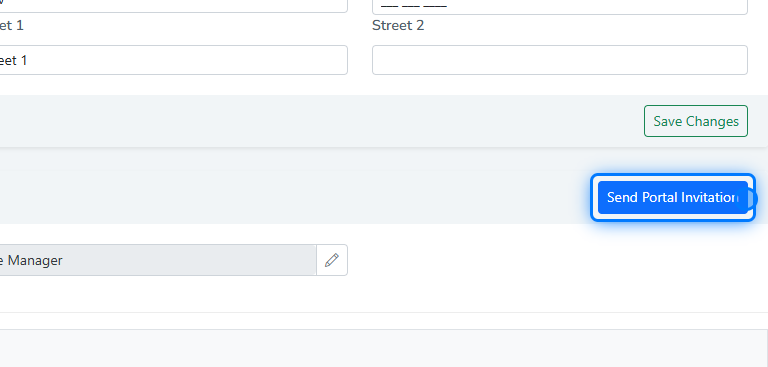
<img src="https://mintcdn.com/fieldiu/GS4rQPdzw48eDklV/images/280bf83c-e6fc-433a-a0be-1b069df459ac.png?fit=max&auto=format&n=GS4rQPdzw48eDklV&q=85&s=4da5b3876cfec6fc4524fec4bd79df0e" alt="" width="768" height="367" data-path="images/280bf83c-e6fc-433a-a0be-1b069df459ac.png" />

> ### ⚠️ Assosiate the User With Locations
>
> Before sending invitation to the user, don't forget to associate the user with the locations that the user can view/manage�����������������������