> ## Documentation Index
> Fetch the complete documentation index at: https://docs.fieldiu.com/llms.txt
> Use this file to discover all available pages before exploring further.
# Products & Services
> ### 💡 Products & Services
>
> In this documentation, we will guide you through creating and adjusting the product in the system.
### 1. Access
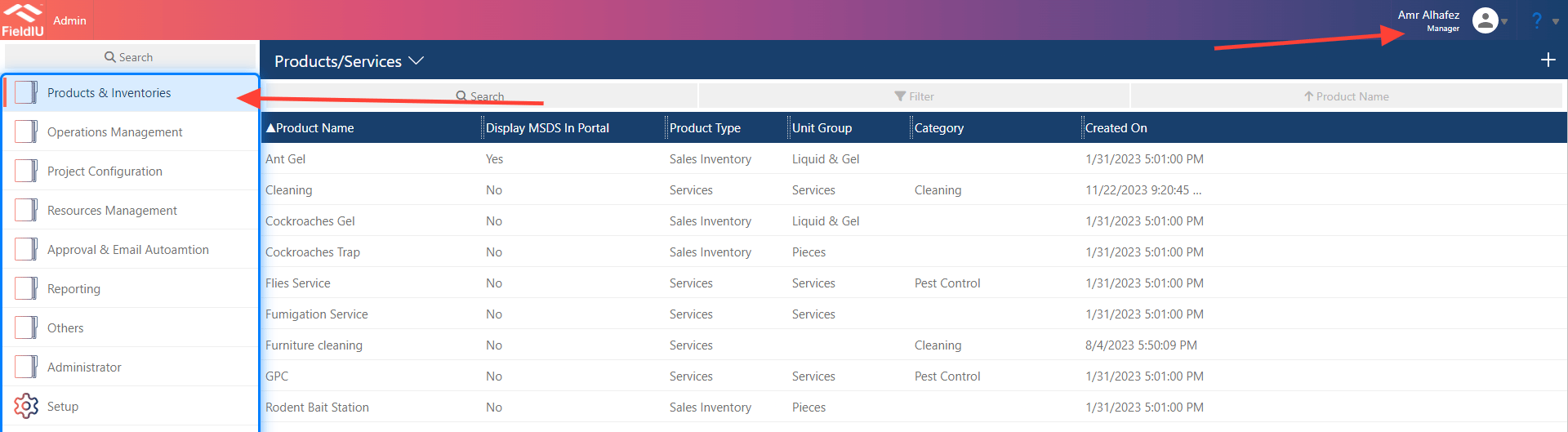
You can access the Products Dashboard from the Manager App only. In the side menu, you’ll find the 'Products & Inventories' tab. Simply click on it to open all the tools related to products and services.
 ### 2. List , Create , Edit
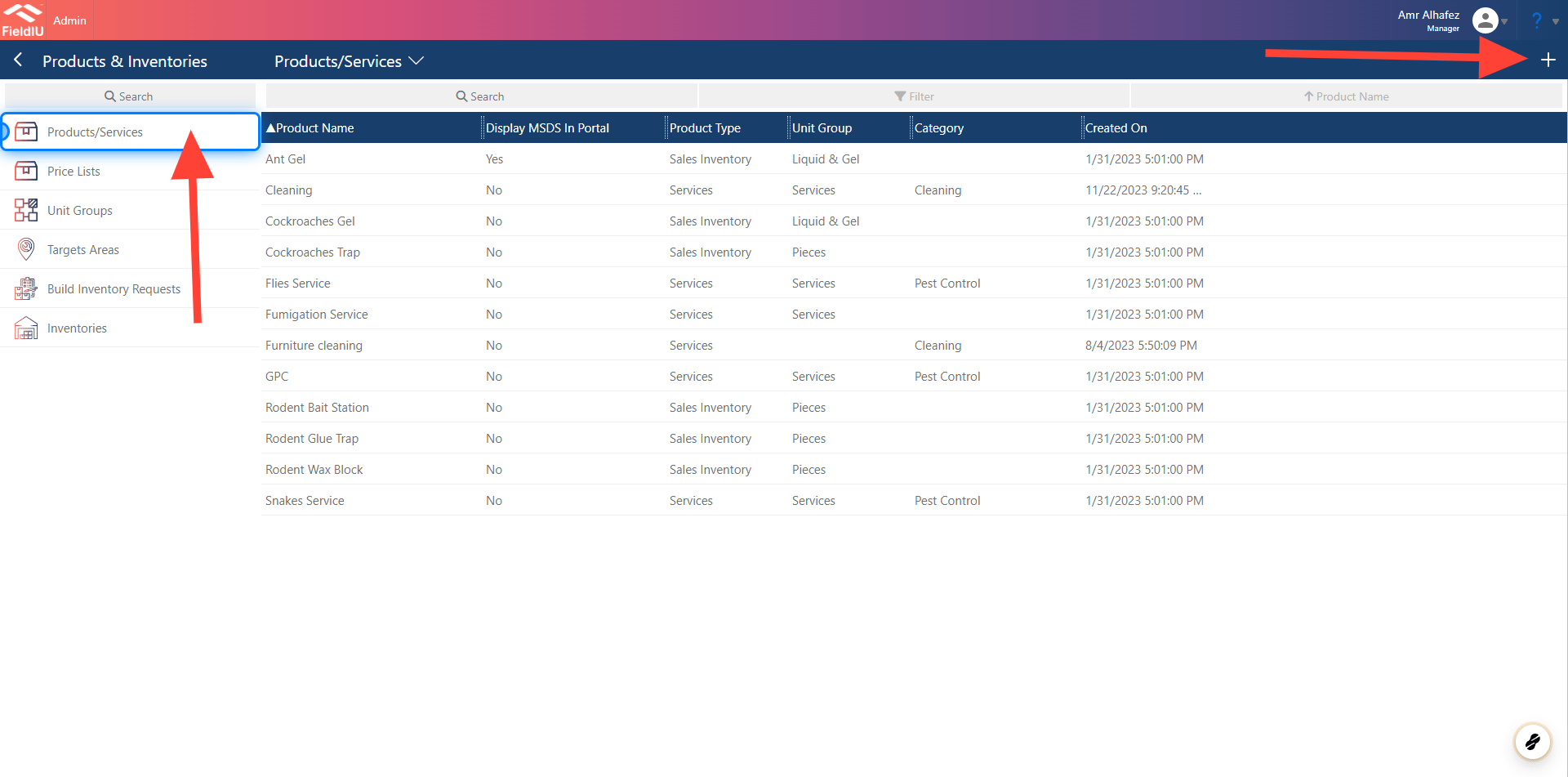
To view your product list, click on the 'Products/Services' button. The list of products will appear. You can easily click on any product to edit it, or create a new product by clicking the '+' button in the top right corner.
### 2. List , Create , Edit
To view your product list, click on the 'Products/Services' button. The list of products will appear. You can easily click on any product to edit it, or create a new product by clicking the '+' button in the top right corner.
 ### 3. New Product Details
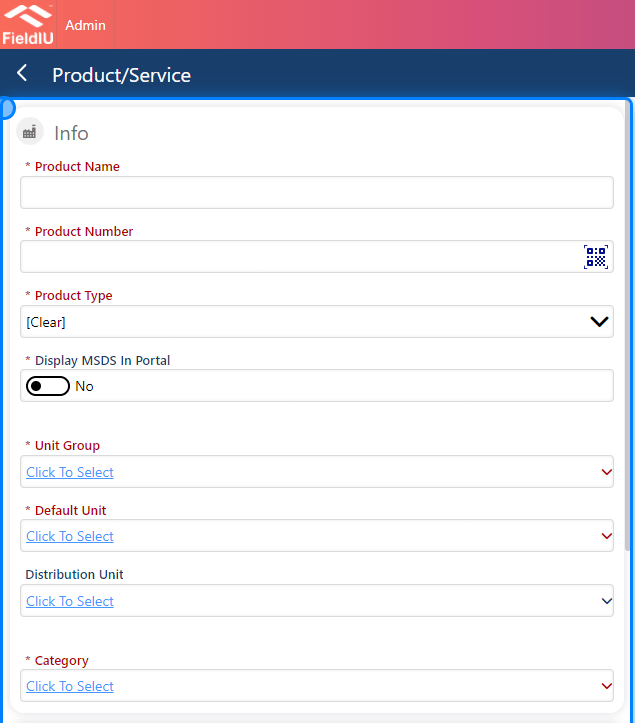
Once you create a new product, a new screen will open with empty fields. These fields are for entering the product’s main details:
* **Product Name** : Enter the product's name.
* **Product Number (SKU)** : Enter the product number (SKU). You can also use the QR icon to capture it via your camera.
* **Product Type** : Select the product type, such as Sales Inventory, Service, or Non-Inventory Product.
* **Display MSDS in Portal** : By selecting 'Yes' on this button, the inserted MSDS file will be visible to customers in the customer portal.
* **Unit Group** : This will display the unit groups you have defined in the system. You can select one, such as Liquid & Gel, Pieces, Services, Powder, etc.
* **Default Unit** : Choose the default unit of measurement for the product, as defined in the system.
* **Distribution Unit** : Select the unit used for wholesale distribution, if applicable.
* **Category** : You can categorize the product (e.g., Insects, Rodents). This helps organize the system, reports, and inventories.
### 3. New Product Details
Once you create a new product, a new screen will open with empty fields. These fields are for entering the product’s main details:
* **Product Name** : Enter the product's name.
* **Product Number (SKU)** : Enter the product number (SKU). You can also use the QR icon to capture it via your camera.
* **Product Type** : Select the product type, such as Sales Inventory, Service, or Non-Inventory Product.
* **Display MSDS in Portal** : By selecting 'Yes' on this button, the inserted MSDS file will be visible to customers in the customer portal.
* **Unit Group** : This will display the unit groups you have defined in the system. You can select one, such as Liquid & Gel, Pieces, Services, Powder, etc.
* **Default Unit** : Choose the default unit of measurement for the product, as defined in the system.
* **Distribution Unit** : Select the unit used for wholesale distribution, if applicable.
* **Category** : You can categorize the product (e.g., Insects, Rodents). This helps organize the system, reports, and inventories.
 ### 4. MSDS Document
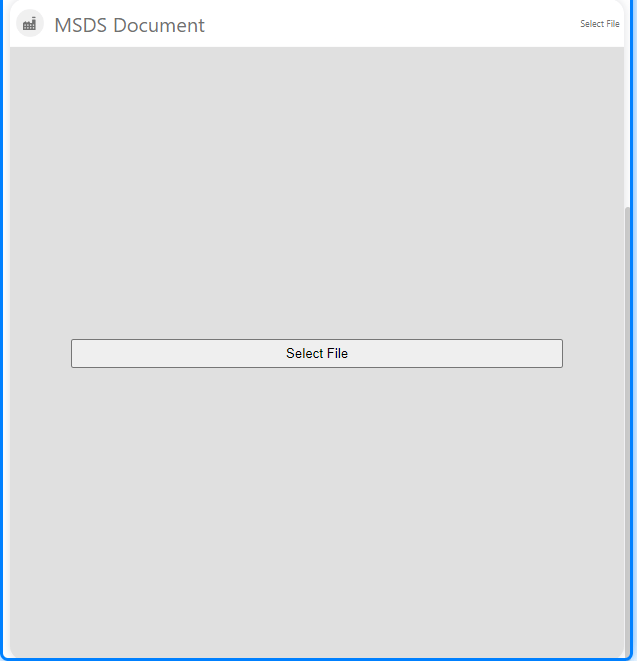
If you scroll down a bit, you’ll find a section where you can add MSDS documents for this product. Simply click the 'Select File' button and choose the file you want to upload
### 4. MSDS Document
If you scroll down a bit, you’ll find a section where you can add MSDS documents for this product. Simply click the 'Select File' button and choose the file you want to upload
 ### 5. Product Related details
Once you save the product’s main information, a new section will appear, allowing you to add additional related details for the product.
### 5. Product Related details
Once you save the product’s main information, a new section will appear, allowing you to add additional related details for the product.
 ### 6. Price List
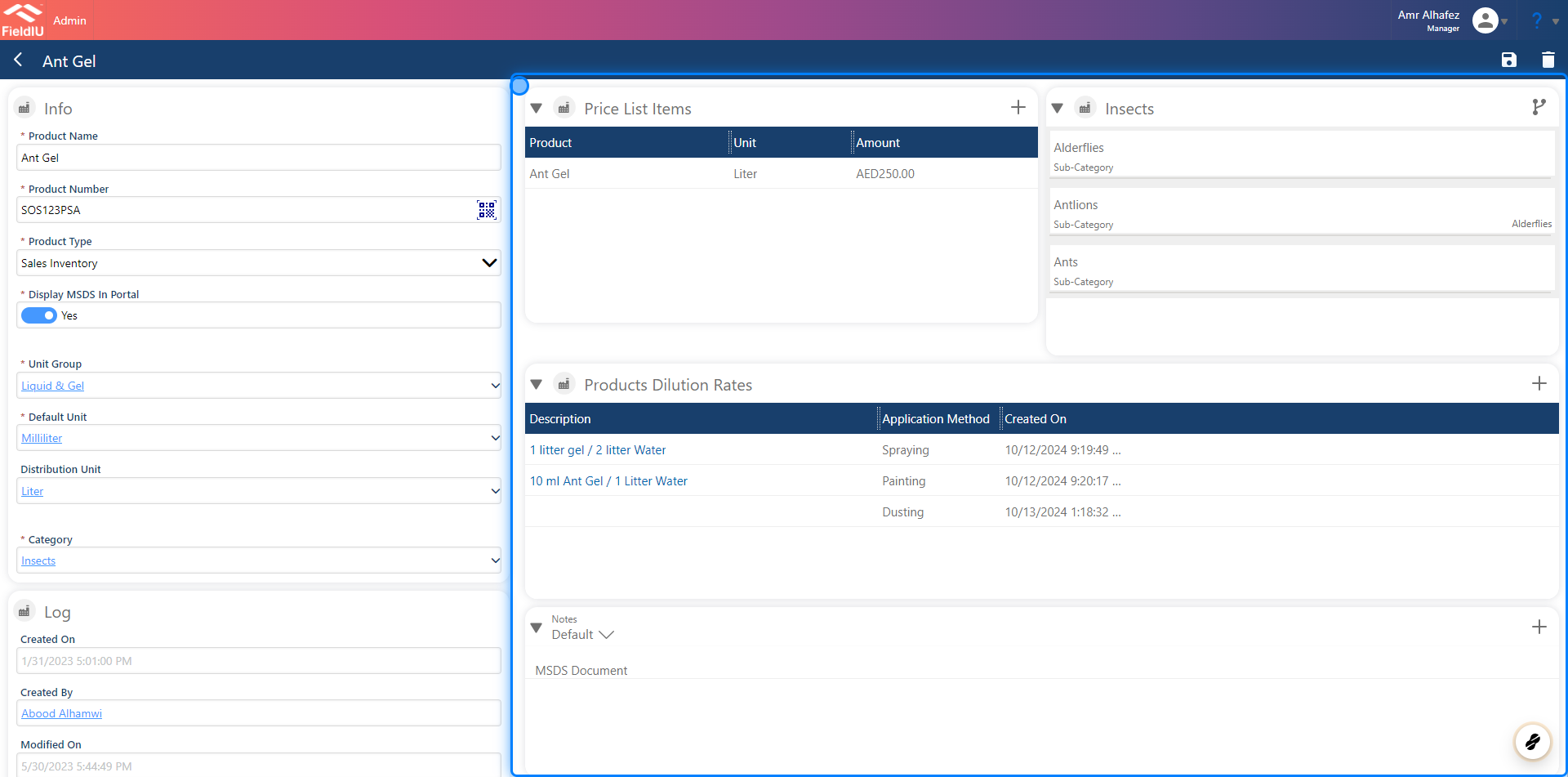
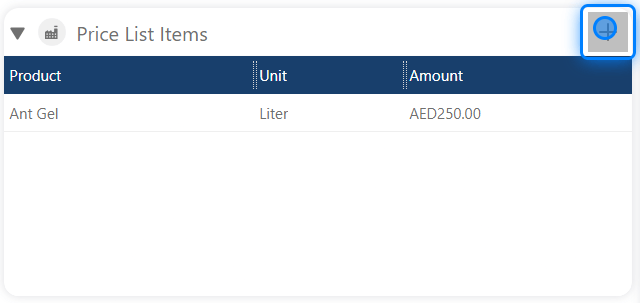
You can add the product to a defined price list and set the prices you want for this product within that list.
### 6. Price List
You can add the product to a defined price list and set the prices you want for this product within that list.
 ### 7. Insect
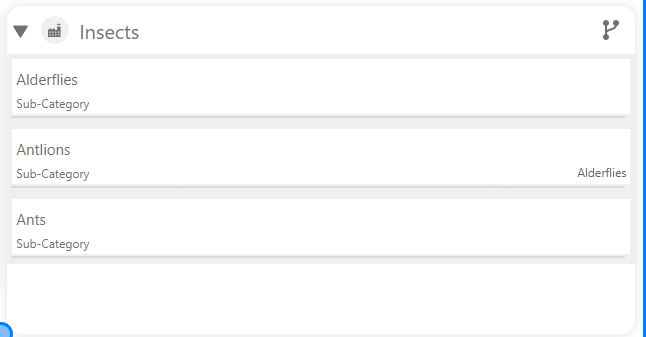
In the Insect section, you can link the product to a selected insect. This will ensure that the product appears in the consumable list when treating that insect in the system.
### 7. Insect
In the Insect section, you can link the product to a selected insect. This will ensure that the product appears in the consumable list when treating that insect in the system.
 ### 8. Product Dilution rates
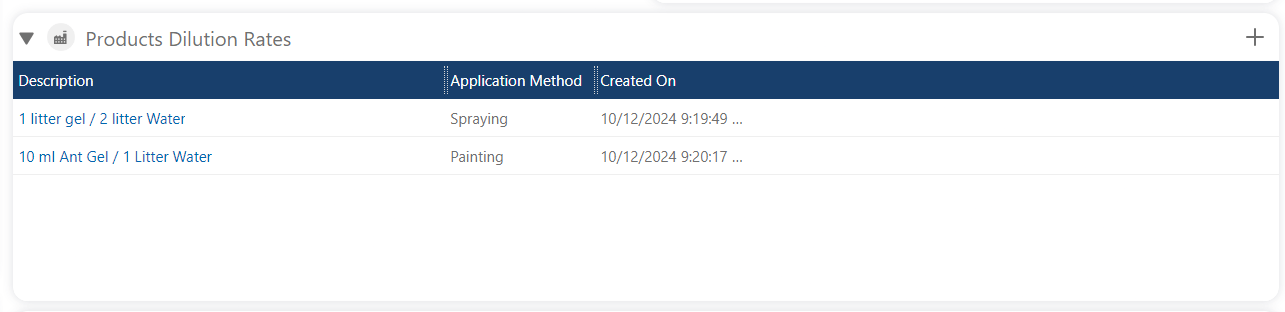
You can also define the product’s dilution rates, so the staff knows the appropriate rates for each method.
### 8. Product Dilution rates
You can also define the product’s dilution rates, so the staff knows the appropriate rates for each method.
 ## Services
### 9. Services Product Type
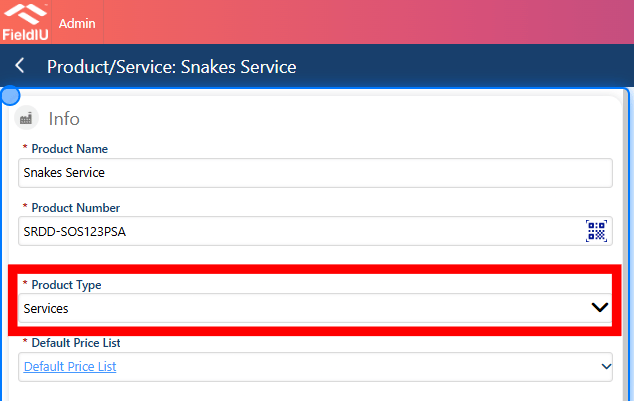
When using **Services** as the product type,\
there are different settings that can be added.
## Services
### 9. Services Product Type
When using **Services** as the product type,\
there are different settings that can be added.
 ### 10. Linking Insects
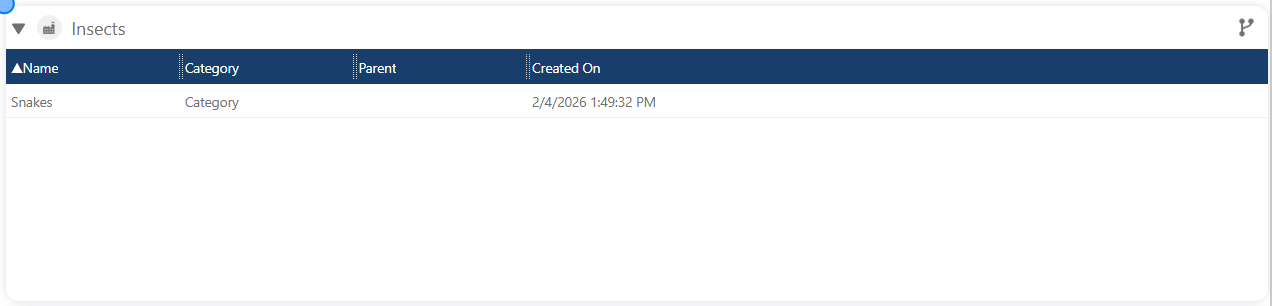
In this section, you can link insects related to the service.
### 10. Linking Insects
In this section, you can link insects related to the service.
 ### 11. Skills
You can link the required skills for this service.\
This will help you select the matched resource when assigning work orders based on the service’s required skills.
### 11. Skills
You can link the required skills for this service.\
This will help you select the matched resource when assigning work orders based on the service’s required skills.
 ### 12. Monitoring Point Types
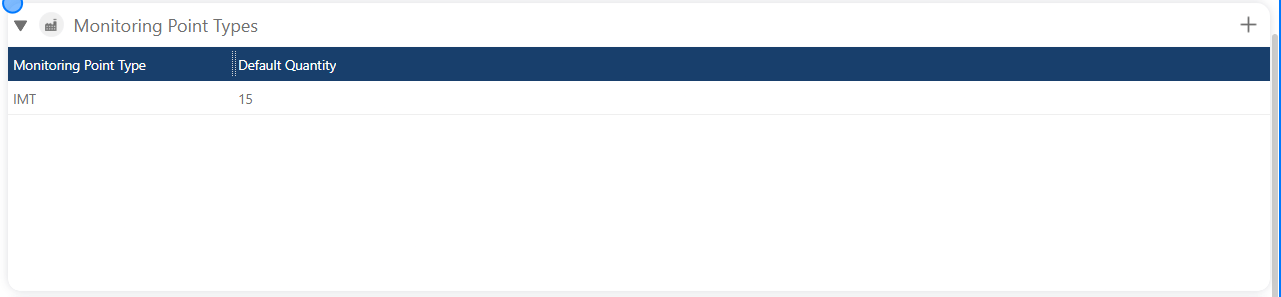
In this section, you can predefine the default quantities of monitoring points for this service.\
This makes it easier for the user when creating a contract, as they won’t have to add monitoring point definitions manually during the contract creation process.
### 12. Monitoring Point Types
In this section, you can predefine the default quantities of monitoring points for this service.\
This makes it easier for the user when creating a contract, as they won’t have to add monitoring point definitions manually during the contract creation process.
 ### 13. Guides
You can also link guides to the service, which will be displayed in the booking wizard when the resource is scheduling the visit.
### 13. Guides
You can also link guides to the service, which will be displayed in the booking wizard when the resource is scheduling the visit.
 > ### ⚠️ Save !!
>
> Please remember to save your changes.�����������������������
> ### ⚠️ Save !!
>
> Please remember to save your changes.�����������������������