> ## Documentation Index
> Fetch the complete documentation index at: https://docs.fieldiu.com/llms.txt
> Use this file to discover all available pages before exploring further.
# Price Lists
> ### 💡 Price Lists
>
> The price list is where you define the prices for your products. It allows you to create offer lists without modifying the default prices of the products.
### 1. Access
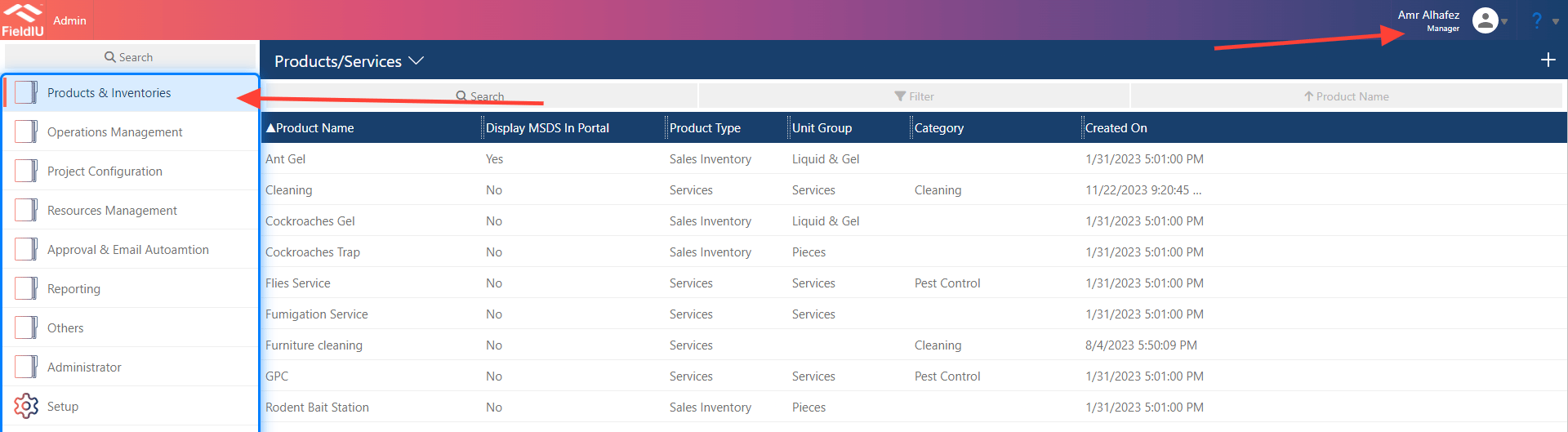
You can access the Products Dashboard from the Manager App only. In the side menu, you’ll find the 'Products & Inventories' tab. Simply click on it to open all the tools related to products and services.
 ### 2. List , Create , Edit
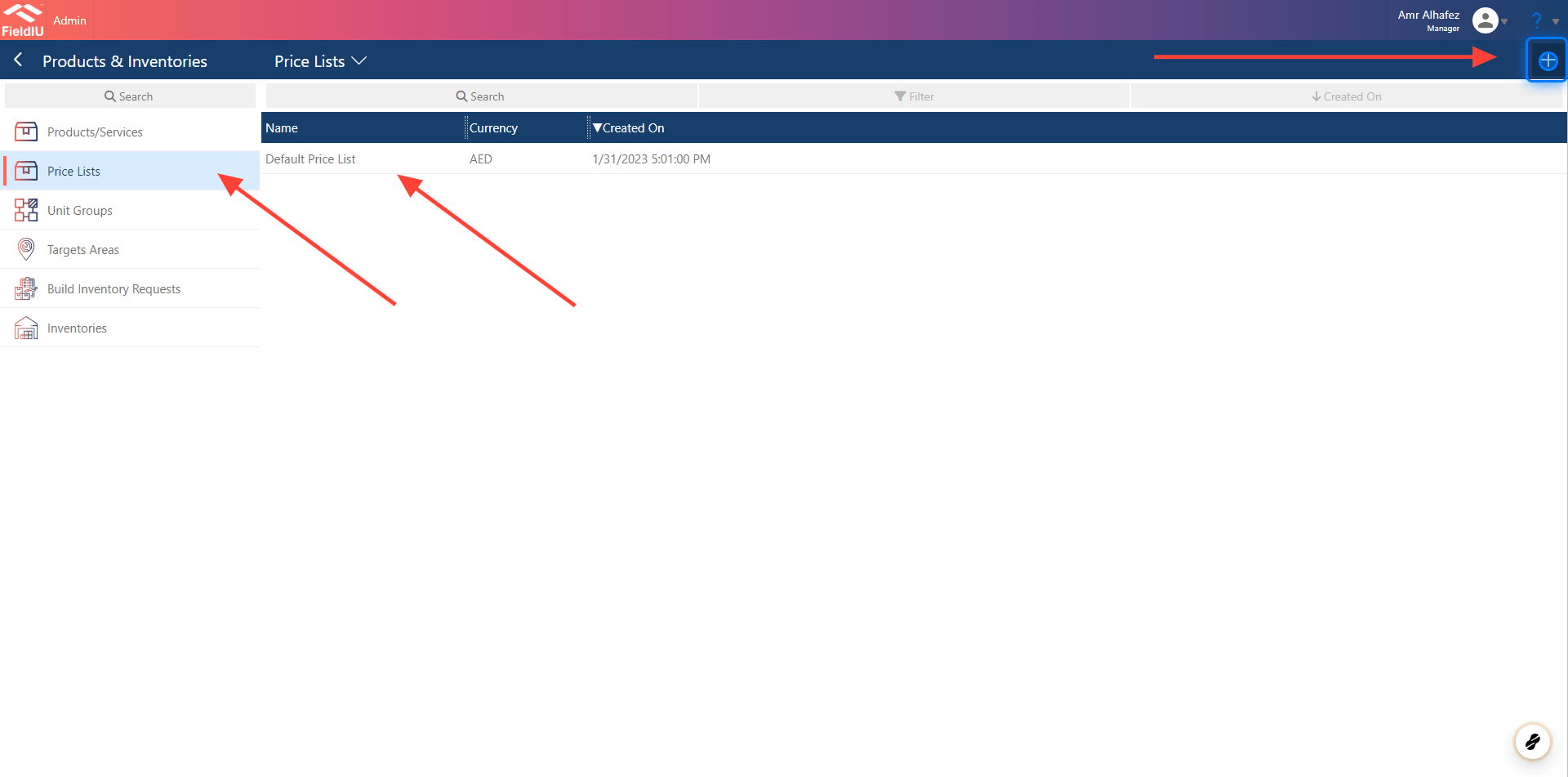
To view your Prices Lists, click on the 'Price List' button. The list of products will appear. You can easily click on any list to edit it, or create a new list by clicking the '+' button in the top right corner.
### 2. List , Create , Edit
To view your Prices Lists, click on the 'Price List' button. The list of products will appear. You can easily click on any list to edit it, or create a new list by clicking the '+' button in the top right corner.
 ### 3. Main Information
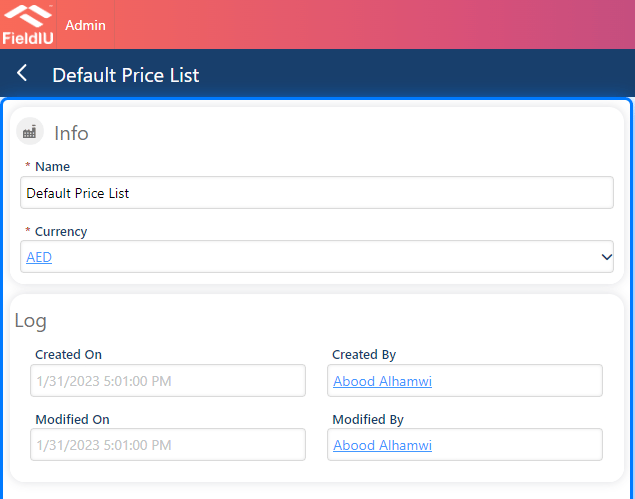
To create a new price list, you’ll need to enter a name for the list and select the currency for the list.
### 3. Main Information
To create a new price list, you’ll need to enter a name for the list and select the currency for the list.
 ### 4. Price List Items
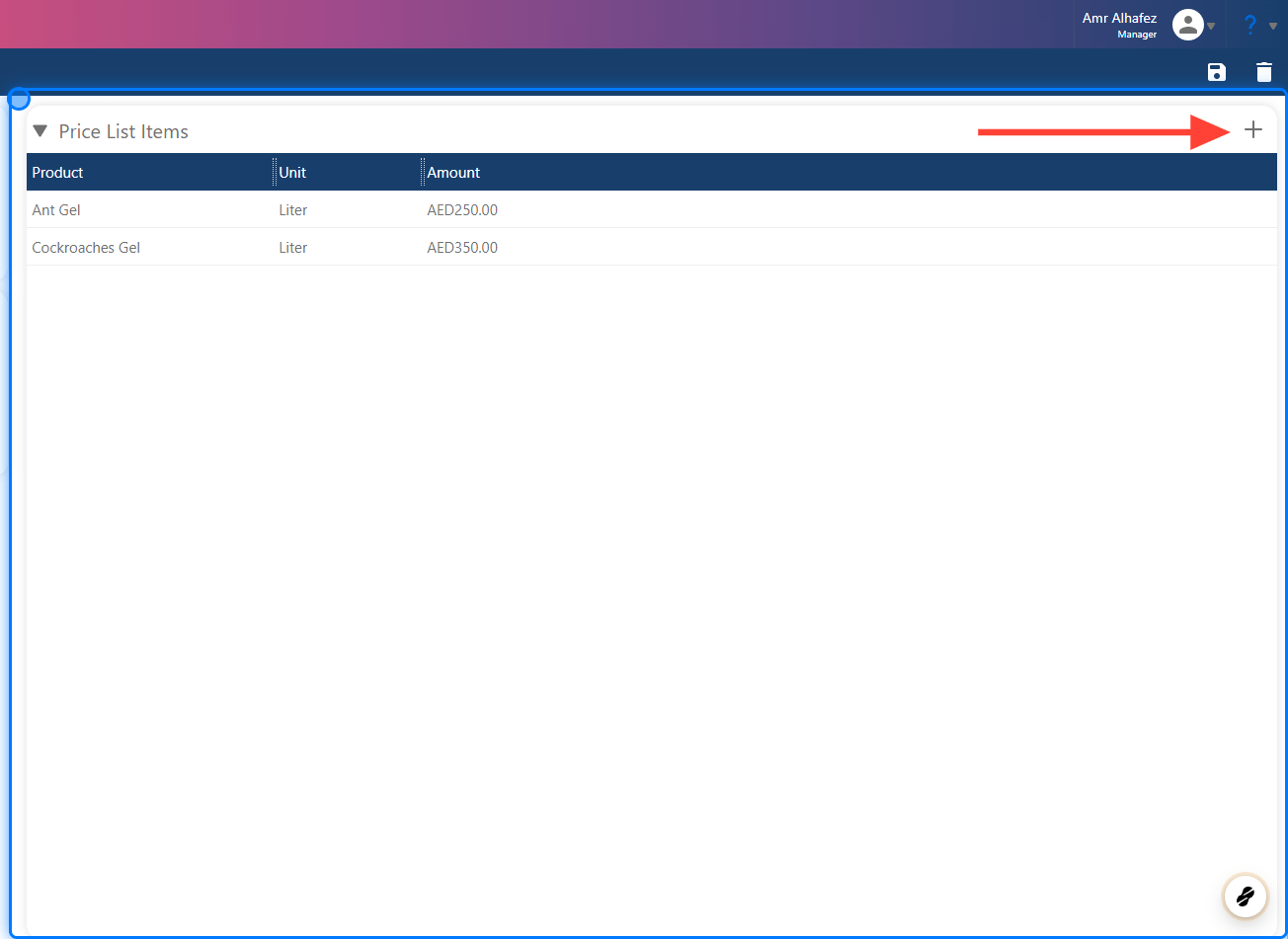
This section shows all the products included in the list. To add a new item, simply click the '+' button in the top right corner.
### 4. Price List Items
This section shows all the products included in the list. To add a new item, simply click the '+' button in the top right corner.
 ### 5. Price List Items Details
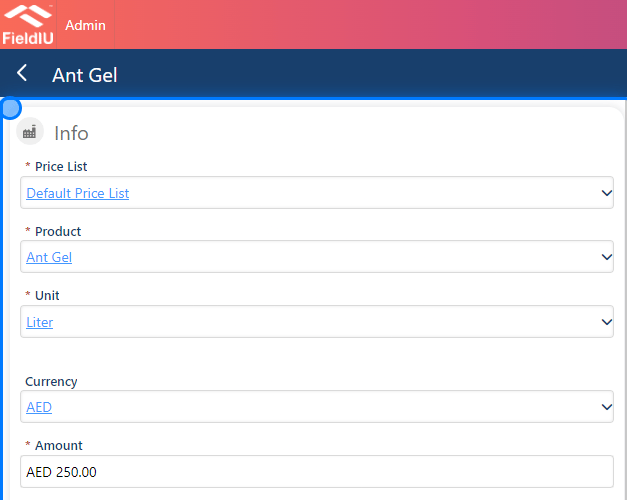
To add a new item to the list, you need to fill in the fields and provide all the mandatory information."
* **Price List** : The price list you want to add the item to will be pre-selected for you.
* **Product** : Select the product you want to add to the list.
* **Unit** : Choose the unit for the product.
* **Currency** : Select the currency for the newly added item.
* **Amount** : Enter the price of the product in this list.
### 5. Price List Items Details
To add a new item to the list, you need to fill in the fields and provide all the mandatory information."
* **Price List** : The price list you want to add the item to will be pre-selected for you.
* **Product** : Select the product you want to add to the list.
* **Unit** : Choose the unit for the product.
* **Currency** : Select the currency for the newly added item.
* **Amount** : Enter the price of the product in this list.
 > ### ⚠️ Save !!
>
> Please remember to save your changes.�����������������������
> ### ⚠️ Save !!
>
> Please remember to save your changes.�����������������������