> ## Documentation Index
> Fetch the complete documentation index at: https://docs.fieldiu.com/llms.txt
> Use this file to discover all available pages before exploring further.
# Customer Portal Complaints
Used to manage and track complaints.
### 1. Main Window
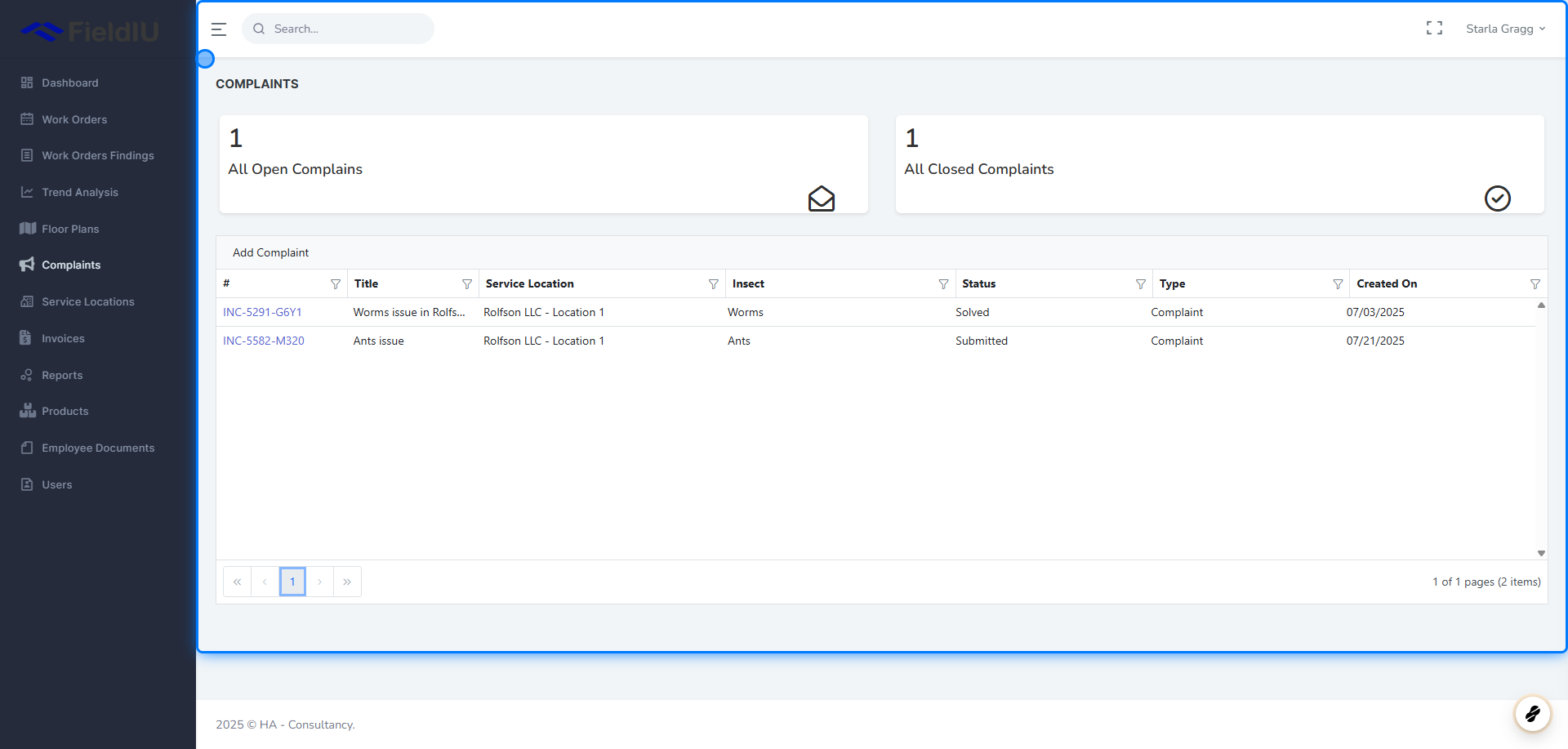
In the main window, you will see a summary of the total number of **open** and **closed** complaints.\
Below the summary, all complaints in the system are listed for easy access and review.
 ### 2. Add Complaint
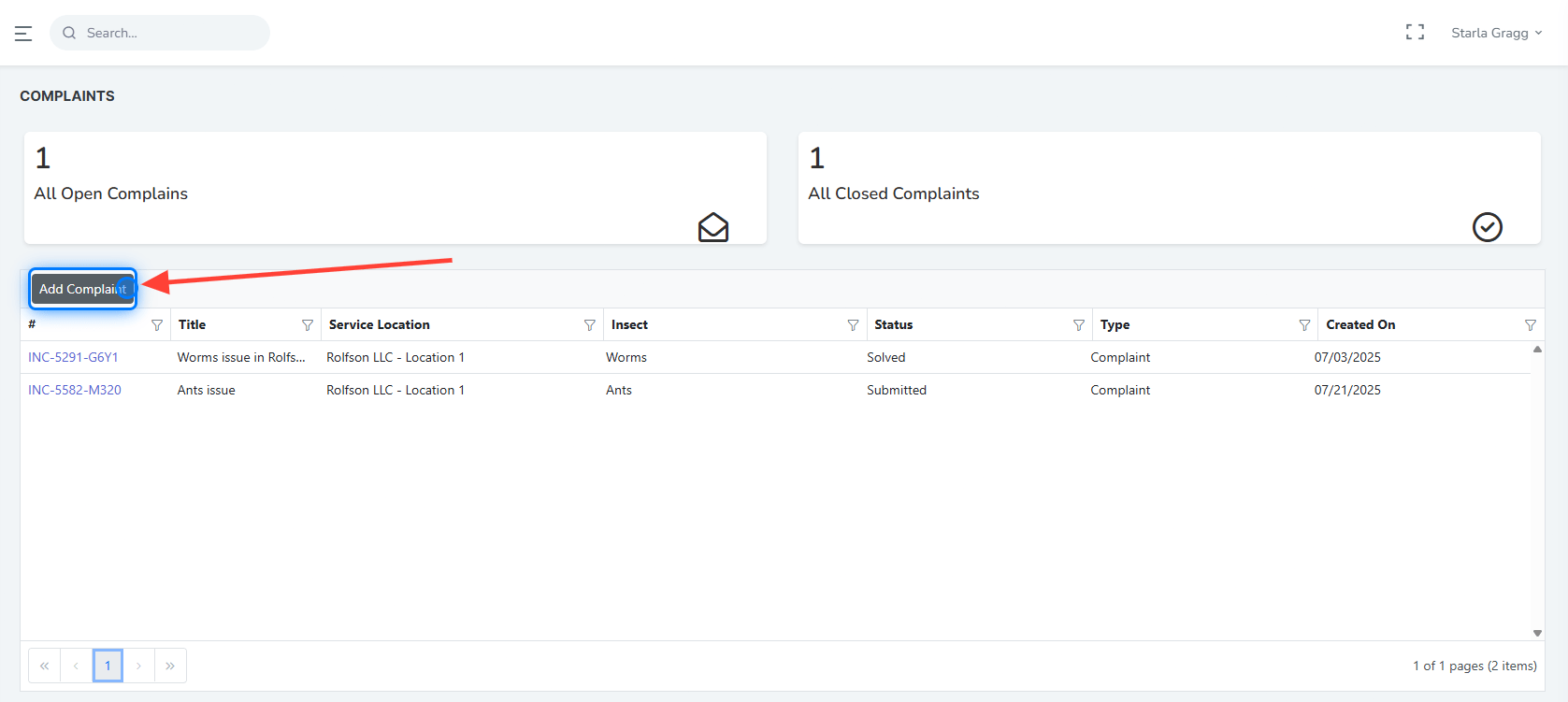
You can add a new complaint by clicking the **Add Complaint** button.
### 2. Add Complaint
You can add a new complaint by clicking the **Add Complaint** button.
 ### 3. New Complaint Window
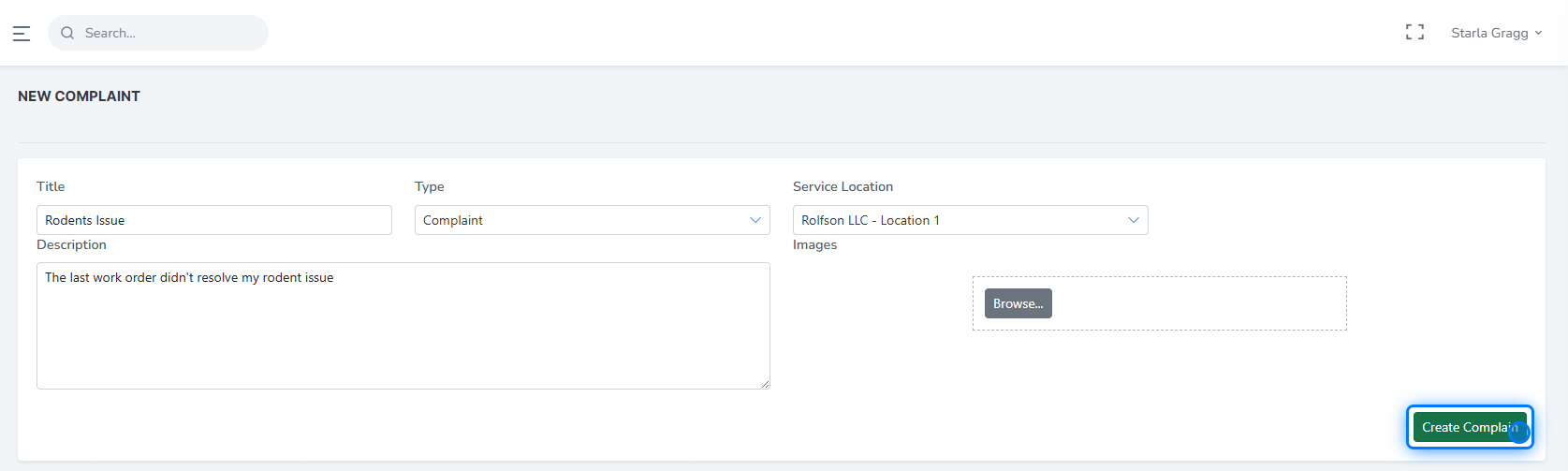
Once you add a new complaint, a window will open where you can enter the complaint details, including:
* **Title**
* **Type**
* **Service Location**
* **Description**
* **Image** (optional)
### 3. New Complaint Window
Once you add a new complaint, a window will open where you can enter the complaint details, including:
* **Title**
* **Type**
* **Service Location**
* **Description**
* **Image** (optional)
 ### 4. Types
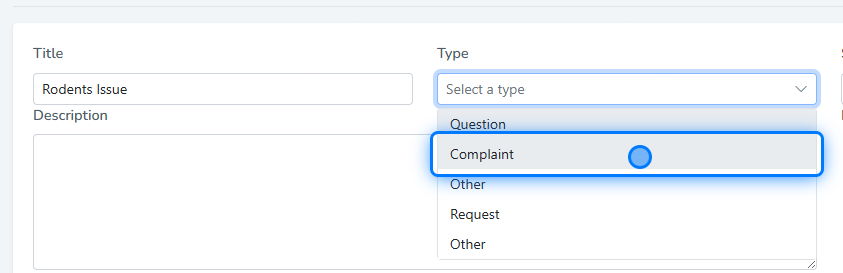
There are several complaint types available to choose from, including:
* **Question**
* **Complaint**
* **Request**
* **Other**
### 4. Types
There are several complaint types available to choose from, including:
* **Question**
* **Complaint**
* **Request**
* **Other**
 ### 5. Comments
After submitting a complaint, you can view its details, track its status, and communicate with the company using the **comment section** .
### 5. Comments
After submitting a complaint, you can view its details, track its status, and communicate with the company using the **comment section** .
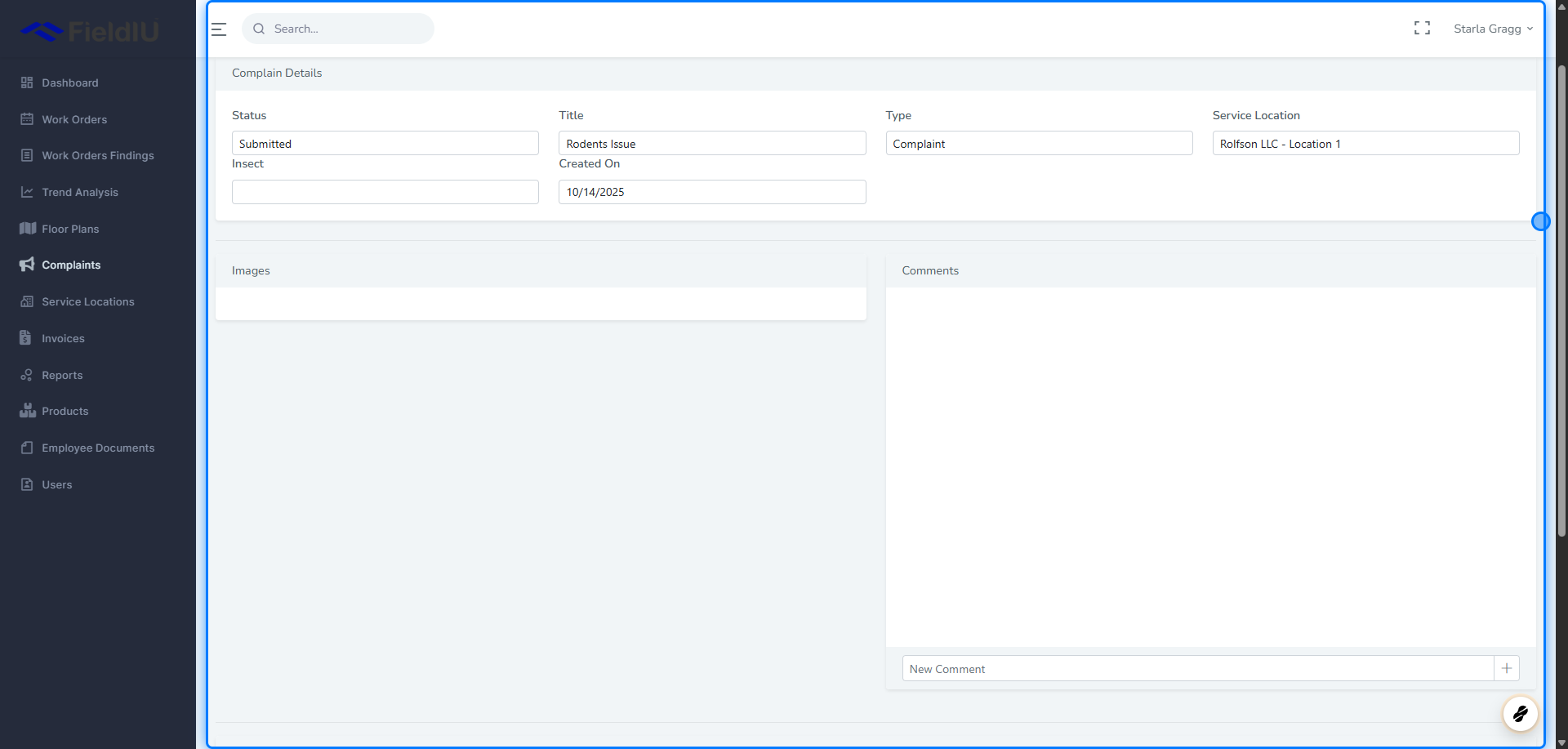 > ### 💡 You can follow up on any complaint at any time by clicking on it from the list.�����������������������